Anime Celebrities – Skin Pack
- 9-06-2026, 12:03
- 403
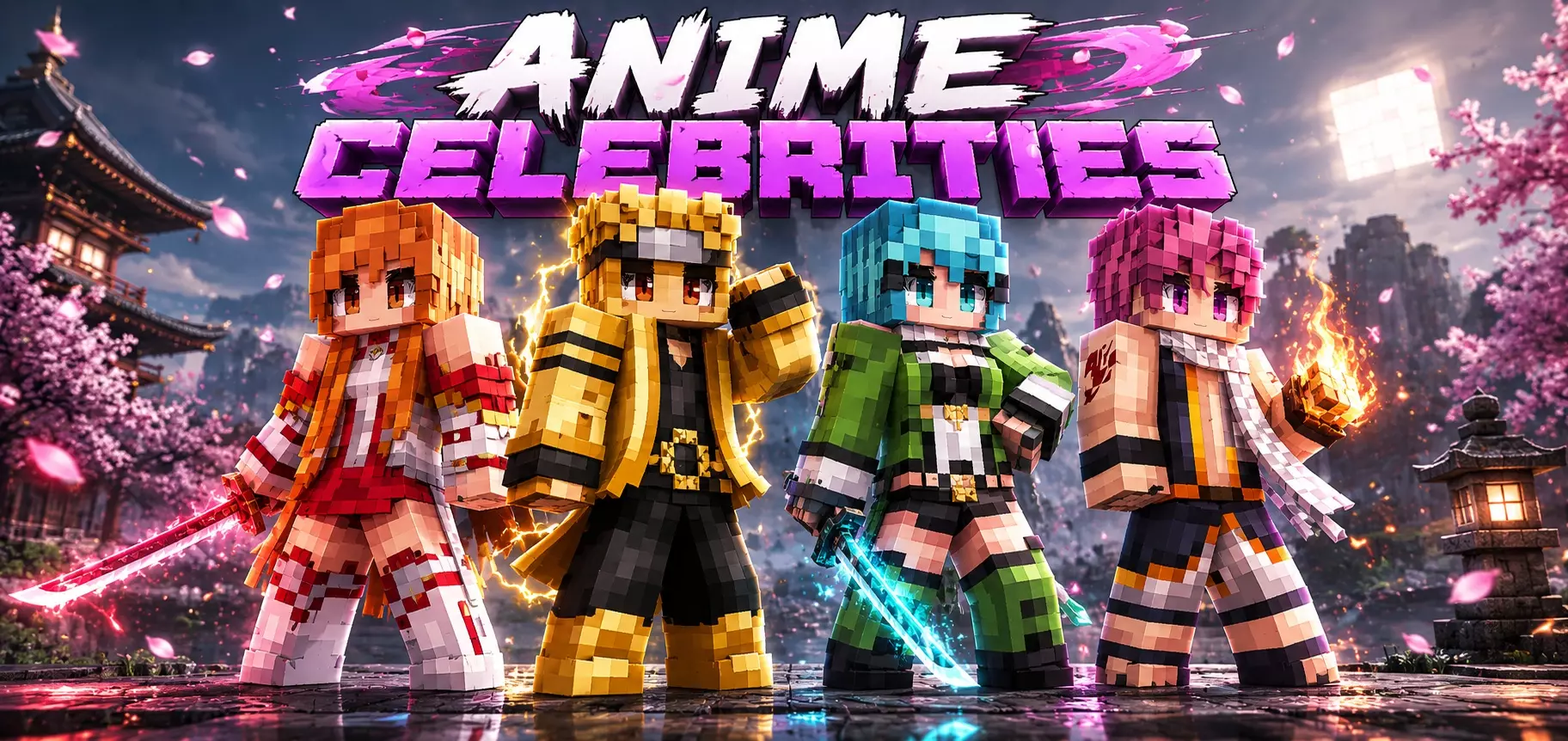
Anime Celebrities - Skinpack will add 12 anime themed skins for you in Minecraft. It's free and looks really cool, really
Anime Celebrities in Minecraft Bedrock.
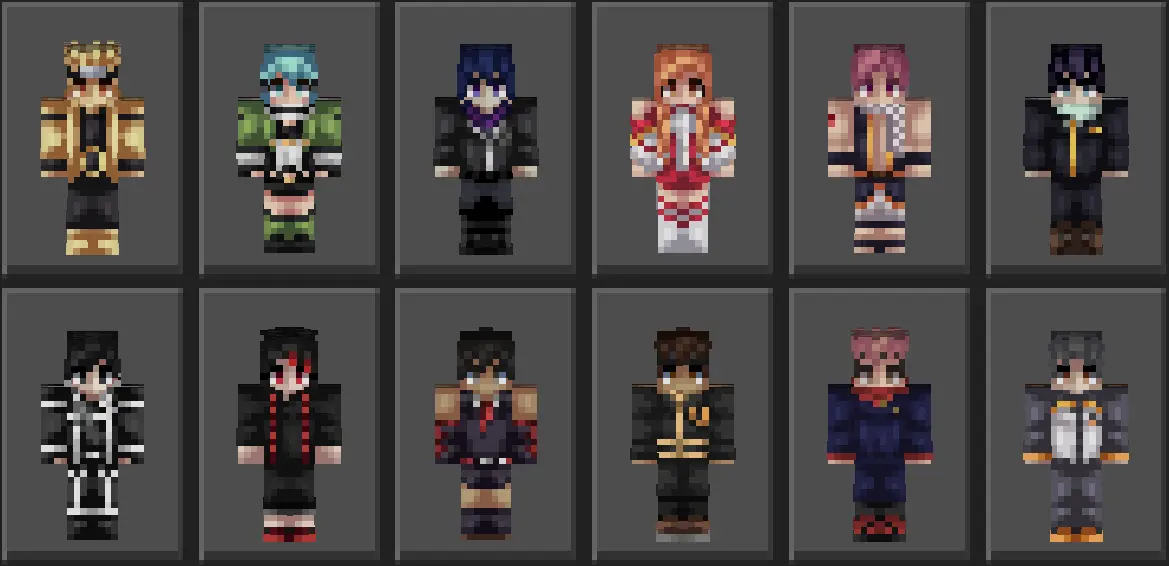
Bringing unmatched main-character energy to your favorite Bedrock servers, the Anime Celebrities – Skin Pack lets you swap tired default avatars for an elite roster of stylish, Japanese-pop-culture-inspired icons.
Nobody wants to pull up to a bustling Bedrock realm looking like an untextured NPC. We have all seen the players running around in default Steve shirts or crusty, ten-year-old skins that look like a blurry soup of pixels. When you're dropping into a competitive SkyWars match or chilling at the town square on an SMP, what you wear says everything about your playstyle. This drop packs a clean dozen of anime-themed fits, giving you twelve distinct looks to cycle through depending on whether you feel like an overpowered shonen protagonist, a moody rogue, or a cyber-drenched hero.
Shading on anime skins is notoriously hit-or-miss across the Bedrock community. Too often, creators just grab a flat hair texture and call it a day, leaving the model looking washed out under standard in-game lighting. This pack nails the visual contrast by using sharp micro-shading on the hair layers, defined folds across jackets and streetwear hoodies, and striking facial features that actually pop in third-person view. You get expressive eyes and clean color palettes that don't blur into an ugly mess when you sprint or pull back a bow. Whether you are running fancy RTX ray tracing shaders on PC or playing on a budget Android phone with low graphics settings, the models stay razor-sharp and easily readable from across a PvP arena.
Beyond just flexing in the lobby, having a crew rocking cohesive anime aesthetics completely changes the vibe of your roleplay sessions and realm adventures. Imagine raiding an ancient city or setting up a modern city build where your entire faction looks like an elite squad pulled straight out of an action season finale. Each of the twelve skins offers enough personality—from sharp coats and tactical straps to clean, casual streetwear—that your whole squad can match the theme without anyone copying each other's exact look.
Setting everything up takes literally seconds. Because it comes packaged cleanly as an .mcpack, you don't have to fiddle with extracting folders, tweaking JSON files, or enabling confusing experimental toggles in your world settings. A quick double-tap on PC or mobile imports the entire pack directly into your Bedrock Dressing Room under your owned classic skins. If your in-game wardrobe has been looking dry lately and you want clean, ready-to-flex anime drip without spending Minecoins, grab the Anime Celebrities – Skin Pack, equip your favorite character, and hit the server in style.
Quick guide: How to install this Minecraft skinpack
Downloaded the .mcpack file? Here is exactly how to get it into your game depending on what device you are using right now.
- On Windows or Android: Just click or tap the downloaded file twice. Minecraft will open up on its own and load the skins immediately.
- On iPhone or iPad: Save the file, open your Files app, and hold your finger on it. Hit Share, select Minecraft from the list, and the game will handle the rest.
To put the skins on, just open Minecraft, head over to the Dressing Room (Profile), click on Classic Skins on the left, find this pack under Owned, and tap Equip.
Comments (0)