Cartethyia From Wuthering Waves Skins
- 17-07-2026, 11:03
- 286
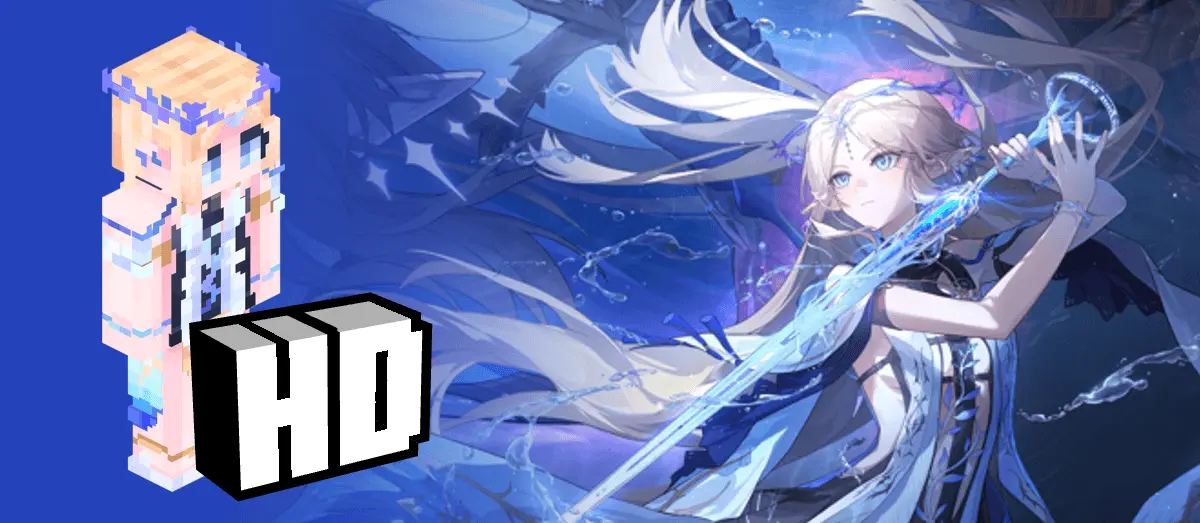
Bring the storm to your next survival run with the Cartethyia Wuthering Waves skin pack. This download finally lets you swap your default Steve for Rinascita's absolute powerhouse, packing her iconic look directly into the Bedrock block-verse.
Let's be real, trying to find decent anime-inspired skins that don’t look like a blurry mess is usually a massive headache. But this specific Minecraft Bedrock skin pack actually nails the transition. If you’ve been grinding out echoes in the massive gacha RPG, you already know Cartethyia is an absolute unit. Whether you know her as the wandering knight or by her alias Fleurdelys, she easily has one of the cleanest 5-star Aero character designs in the game. Now, you get to rock that exact same anime drip while strip mining for diamonds or building your base.

Porting high-fidelity ARPG characters into a 64x64 pixel grid usually ends in absolute disaster. If you browse the marketplace for five minutes, you will see exactly what I mean—thousands of muddy, flat-shaded cosmetics that look like someone accidentally compressed a screenshot from 2014. This specific MCPE anime skin bypasses that lazy design trap completely. The artist actually understood the assignment, meticulously translating Cartethyia’s complex layering, asymmetric tactical gear, and signature color palette into a fully legible, high-contrast format. You can easily distinguish the metallic sheen on the utility buckles and the fabric folds in the combat coat. The shading work on the hair alone puts most premium studio releases to shame, utilizing deep gradients that catch the ambient light of your shaders perfectly.
Dropping this into your active loadout completely rewrites your character's physical presence on a multiplayer server. Using the slim arm geometry was a mandatory choice here, saving the model from the chunky, awkward hitboxes that typically ruin sleek anime ports. When you are sweating in a SkyWars lobby or speed-bridging across the End void, you maintain this incredibly aerodynamic, lethal silhouette. Your sprint-jumps and critical hits visually read as sharp and snappy because you do not have massive, poorly textured shoulders eating up thirty percent of your peripheral vision during a frantic melee exchange.
This pack translates her intricate outfit, hair styling, and overall vibe into a perfect pixelated format. It’s a huge upgrade for your multiplayer sessions, especially if your friend group is full of WuWa fans. Plus, tossing a highly detailed gacha character into your vanilla world just makes your gameplay feel incredibly fresh.
Installing Wuthering Waves Minecraft skins like this one completely changes the aesthetic of your run. It functions flawlessly as an MCPE custom skin, meaning you can flex it on public servers, friend realms, or just while grinding away in a solo world. Forget about blending in with the crowd. Grab this custom skin today, load up your favorite texture pack, and bring a little bit of the Dark Tide lore to the Overworld.
Quick guide: How to install this Minecraft skinpack
Downloaded the .mcpack file? Here is exactly how to get it into your game depending on what device you are using right now.
- On Windows or Android: Just click or tap the downloaded file twice. Minecraft will open up on its own and load the skins immediately.
- On iPhone or iPad: Save the file, open your Files app, and hold your finger on it. Hit Share, select Minecraft from the list, and the game will handle the rest.
To put the skins on, just open Minecraft, head over to the Dressing Room (Profile), click on Classic Skins on the left, find this pack under Owned, and tap Equip.
Comments (0)