Newest Skin Pack
- 13-08-2026, 01:27
- 332

Keep your rotation fresh with the Newest Skins pack, dropping a lineup of modern, ultra-clean character models into your game. If you're tired of running the same outdated looks from years ago, this bundle instantly brings your aesthetic up to speed.
Let’s be real, showing up to a brand-new SMP wipe wearing a dusty skin you downloaded back in 2018 is just a bad look. The meta for character designs changes fast, and this pack is completely focused on current trends. You get a solid variety of sharp, eye-catching outfits that actually look like they belong in today's active multiplayer lobbies. Whether you are sweating it out in a ranked PvP match or just chilling with your crew in a Discord call, these fits ensure your avatar is always looking top-tier.



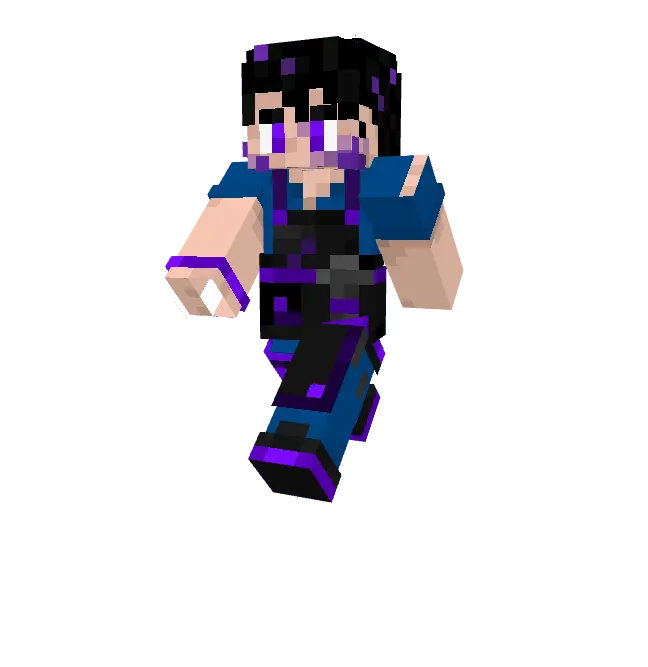
A lot of massive wardrobe compilations end up packed with weird filler designs, but this one actually trims the fat. Every single character in this modern MCPE skin pack features high-quality pixel art with clean shading that doesn’t look horribly blown out when you turn on your favorite shaders. It bridges the gap perfectly if you constantly bounce between mini-games, casual roleplay servers, and standard survival realms.
Hunting down the latest Minecraft Bedrock skins usually means digging through sketchy community forums for hours. Save yourself the headache. Grab these custom Minecraft skins right now, update your locker, and load into your next server looking completely fresh.
Quick guide: How to install this Minecraft skinpack
Downloaded the .mcpack file? Here is exactly how to get it into your game depending on what device you are using right now.
- On Windows or Android: Just click or tap the downloaded file twice. Minecraft will open up on its own and load the skins immediately.
- On iPhone or iPad: Save the file, open your Files app, and hold your finger on it. Hit Share, select Minecraft from the list, and the game will handle the rest.
To put the skins on, just open Minecraft, head over to the Dressing Room (Profile), click on Classic Skins on the left, find this pack under Owned, and tap Equip.
Comments (0)