Funny random skins HD Skin Pack
- 13-08-2026, 09:37
- 613

The Funny Random Skins HD pack brings 8 viral TikTok memes and completely goofy character designs right into your Bedrock game. If you love trolling your friends or just want to look ridiculous on your favorite server, this high-definition bundle is top-tier.
Sometimes taking survival mode too seriously gets super boring, and you just need to equip something completely stupid. This drop takes all the chaotic energy of your For You page and turns it into wearable pixel art. We are talking about eight different outfits built purely around viral jokes, weird faces, and absolute randomness. Imagine pulling off a crazy BedWars clutch or sneaking up on your buddy's base while looking like a literal walking meme. It creates hilarious moments, which is a massive plus if you actively stream or record your gameplay clips for social media.
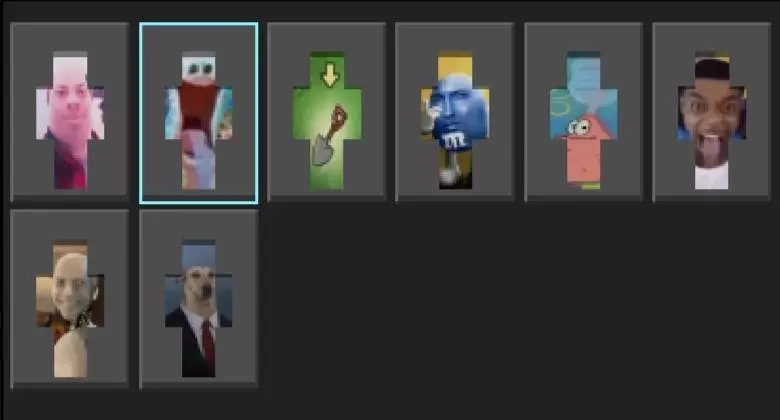
What actually makes this set stand out is the resolution. A lot of joke outfits are just quickly slapped together and look terribly pixelated in-game. Because this is a true Minecraft Bedrock HD skin pack, every single silly expression and weird detail is incredibly crisp. You do not lose any visual quality, even when you zoom in on the punchline.
Hunting down decent MCPE funny skins one by one on random forums is a huge waste of time. This bundle instantly fills your locker with pure chaos. Grab these custom Minecraft meme skins right now and give your multiplayer lobby something to laugh at.
Quick guide: How to install this Minecraft skinpack
Downloaded the .mcpack file? Here is exactly how to get it into your game depending on what device you are using right now.
- On Windows or Android: Just click or tap the downloaded file twice. Minecraft will open up on its own and load the skins immediately.
- On iPhone or iPad: Save the file, open your Files app, and hold your finger on it. Hit Share, select Minecraft from the list, and the game will handle the rest.
To put the skins on, just open Minecraft, head over to the Dressing Room (Profile), click on Classic Skins on the left, find this pack under Owned, and tap Equip.
Comments (0)