Blue Sharks Skin Pack
- 14-08-2026, 09:14
- 442

The Blue Sharks pack floods your wardrobe with deep aquatic vibes, mixing icy whites and sharp blue tones into a killer lineup. If you want a fresh, ocean-themed aesthetic to rock during your next monument raid or PvP duel, this drop is exactly what you need.
Most water-themed outfits usually look like someone just slapped a default face on a goofy fish suit, which is honestly embarrassing to wear on a serious server. This collection actually takes the marine concept and makes it look genuinely tough. You are getting a mix of dark navy and bright azure outfits that fit perfectly if your current survival base is an underwater glass dome or a massive coastal city. Showing up to an SMP event wearing one of these clean designs instantly lets everyone know you rule the seas.

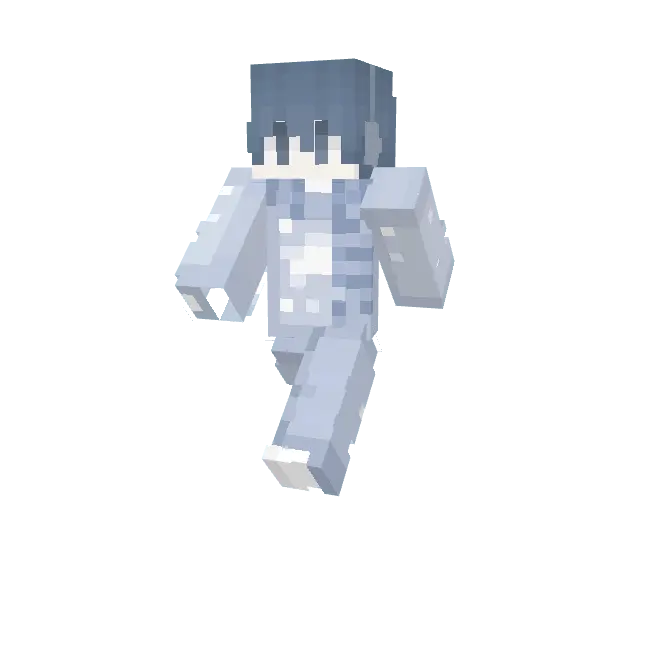
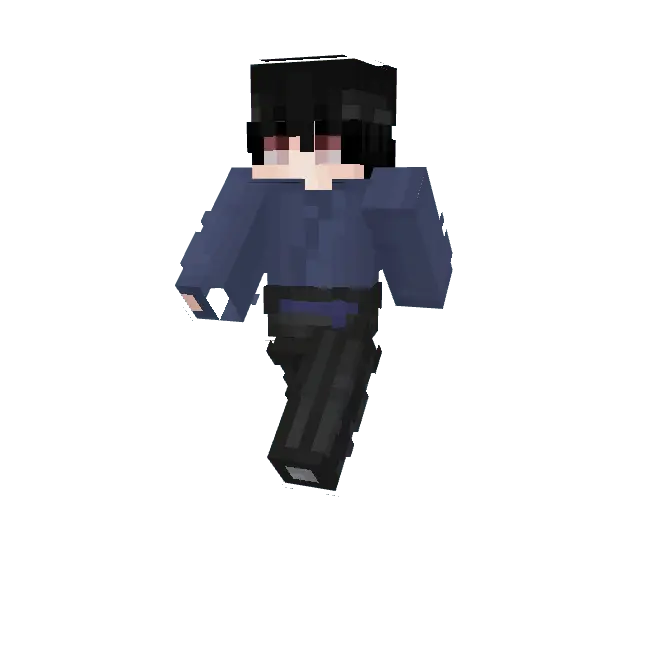

Beyond just looking cool while swimming around coral reefs, the color palette here is amazing for competitive modes. Blue and white combos are highly sought after by tryhard players because the flat, crisp colors do not distract you while you are fighting. The shading is extremely smooth, giving you a sleek Minecraft Bedrock skin pack that won't clutter your screen during intense matches. Forget digging through random forums for hours trying to find a decent MCPE custom skin. Grab these Minecraft PvP skins right now, dive into your favorite server, and completely wash away the competition.
Quick guide: How to install this Minecraft skinpack
Downloaded the .mcpack file? Here is exactly how to get it into your game depending on what device you are using right now.
- On Windows or Android: Just click or tap the downloaded file twice. Minecraft will open up on its own and load the skins immediately.
- On iPhone or iPad: Save the file, open your Files app, and hold your finger on it. Hit Share, select Minecraft from the list, and the game will handle the rest.
To put the skins on, just open Minecraft, head over to the Dressing Room (Profile), click on Classic Skins on the left, find this pack under Owned, and tap Equip.
Comments (0)