Pixel Edge Visuals Texture Pack
- 4-05-2026, 15:30
- 839
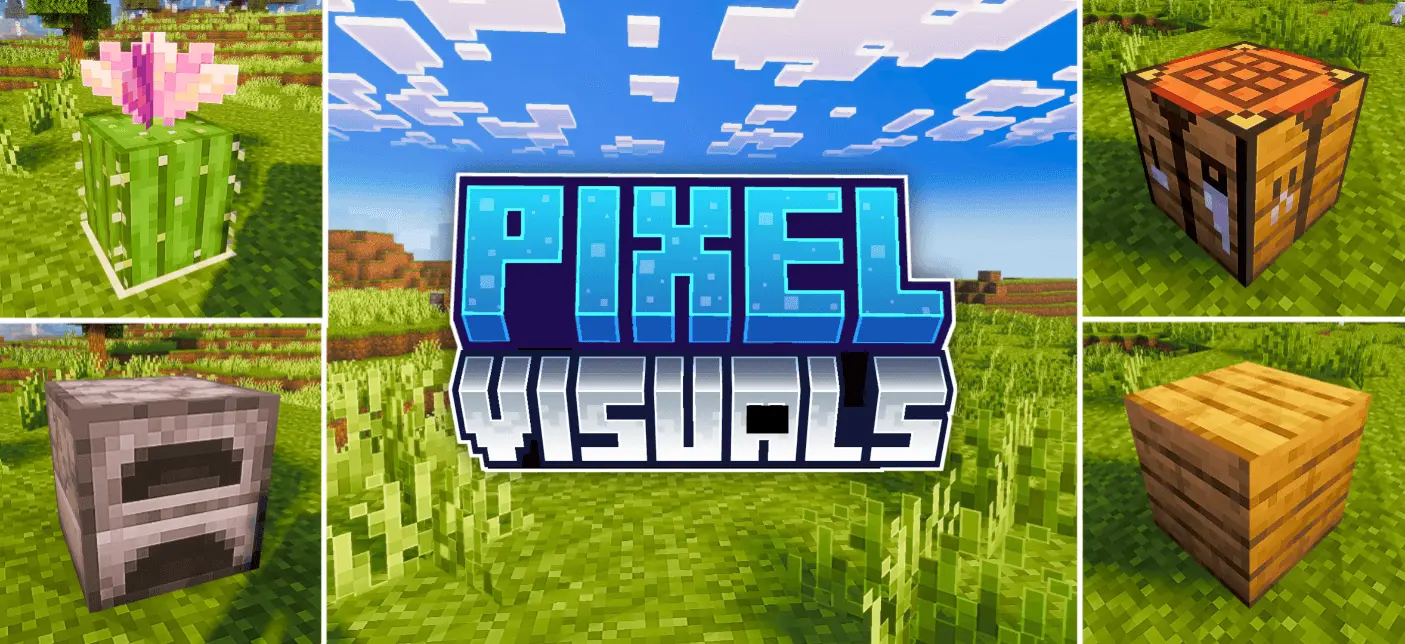
Pixel Edge Visuals Texture Pack is all about making the game look cleaner while still feeling natural. It upgrades the overall atmosphere by tuning lighting, water, fog, and color balance, so the world reads nicer the moment you load in. Instead of pushing one loud style, it goes for a refined vibe—things look smoother and more pleasant without screaming “texture pack� every time you turn your camera.
The signature touch is the smooth, subtle outlines added to blocks and other textures. They’re intentionally not too strong, which is important, because heavy outlines can make everything look flat or overly stylized. Here, the outlines are meant to be soft enough that you mostly notice how clean the world feels, not the effect itself. It’s the kind of change that makes builds look sharper from a distance and helps shapes stand out a bit more when you’re moving fast, without turning caves and forests into a bold line-art mess.


In real gameplay, the improved lighting and color balance can make everyday survival feel less harsh on the eyes. When you’re mining for a long time, exploring foggy areas, or building along the coastline, the atmosphere tweaks help keep the scene readable. Water upgrades are also a big quality-of-life win for anyone who spends time near oceans and rivers, since water is always in your view on most worlds. The fog changes can make distant terrain feel more “set� instead of washed out, which helps when you’re traveling and trying to spot landmarks.
A practical way to enjoy Pixel Edge Visuals Texture Pack is to test it in a few different situations: a bright daytime build area, a darker interior base, and a foggy or watery region. That’s where you’ll feel the balance—subtle outlines keeping things crisp, and the atmosphere changes making the world look more polished. If you like visuals that feel cleaner and a bit more refined but still natural, Pixel Edge Visuals Texture Pack is going for exactly that in Minecraft Bedrock.
Installation:
- Download Texture;
- Open the downloaded .mcpack to install;
- Select texture in settings;
- Done.
Comments (0)