Animated Menu: Harumasa edition – Texture Pack
- 28-02-2026, 05:38
- 667
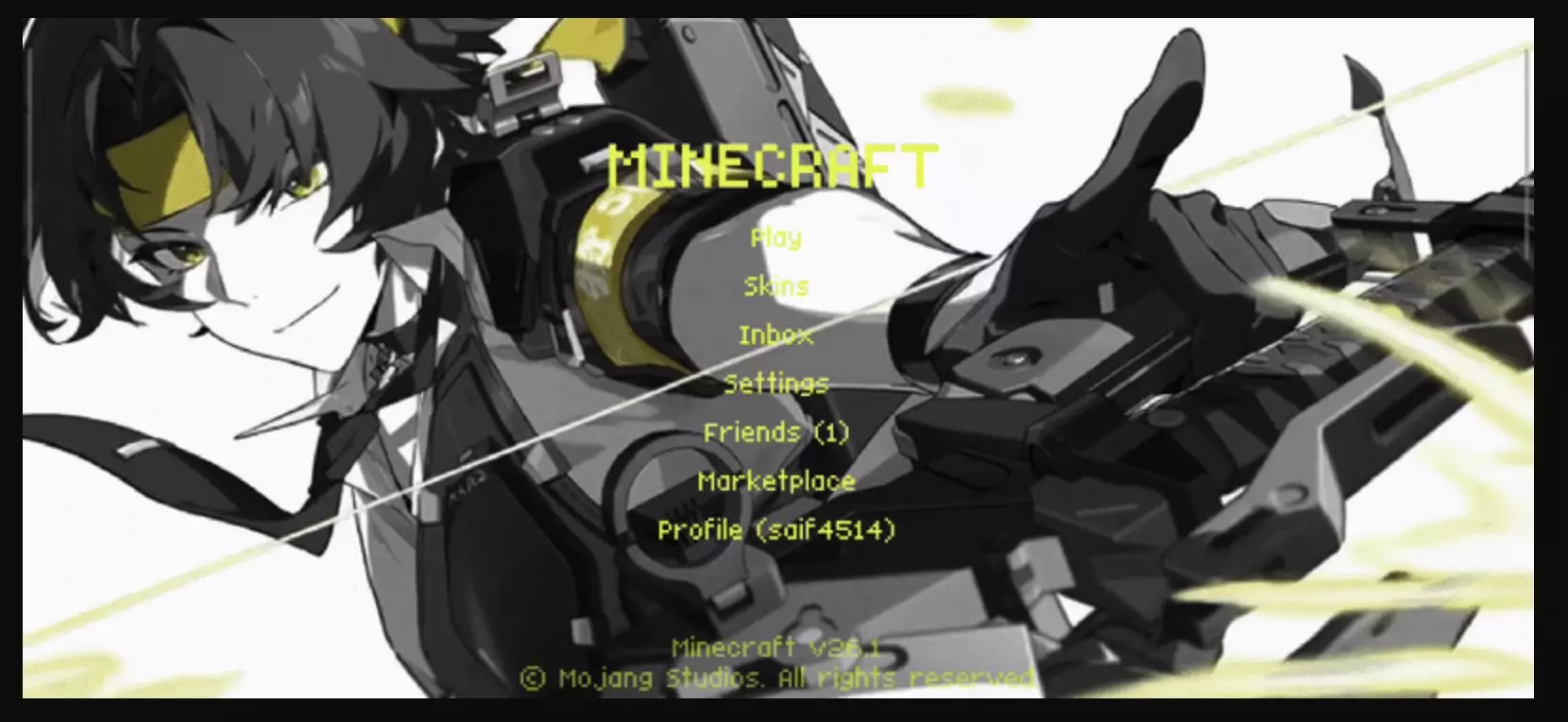
Animated Menu: Harumasa edition Texture Pack is a menu-style pack that changes the mood of the game right from the first screen. Instead of leaving the default UI untouched, it rebuilds the Start Screen and Settings Screen around an animated Harumasa theme with a softer, more graceful look. The description leans into elegance, calm motion, and harmonious visuals, so this is clearly not a loud or chaotic menu reskin. It is meant to feel smooth, clean, and a little more refined every time you open the game.
What makes Animated Menu: Harumasa edition Texture Pack stand out is that it focuses on atmosphere instead of trying to cram in extra functions. A lot of menu packs just swap a background and call it done, but this one is presented as an immersive animated experience. That matters because the menu is the first thing you see every time you launch Minecraft Bedrock. If that space already has a stronger visual identity, the whole session starts to feel different before you even load into a world. Soft animation can make the UI feel less static, and a calmer presentation can honestly make the game feel nicer to come back to during long stretches of daily play.
The Harumasa theme is also a big part of the appeal here. The pack is built around that graceful presence, which gives it a more deliberate style than a generic animated menu. If you like UI packs that feel designed with one clear visual direction, Animated Menu: Harumasa edition Texture Pack sounds like the kind of pack that works because it stays focused. It is not trying to replace every part of the interface. It picks two important screens and gives them a more polished look with soft motion and balanced visuals.
This kind of pack is best for players who care about presentation and want the game to feel customized even outside of normal gameplay. You will notice it every time you open settings, pause before joining a world, or just sit on the start menu for a second. Animated Menu: Harumasa edition Texture Pack is a clean visual choice for anyone who wants a more serene and elegant menu experience in Minecraft Bedrock without changing the actual gameplay at all.
Installation:
- Download Texture;
- Open the downloaded .mcpack to install;
- Select texture in settings;
- Done.
Comments (0)