No Lag Shader Pack – Shader
- 6-03-2026, 11:42
- 611
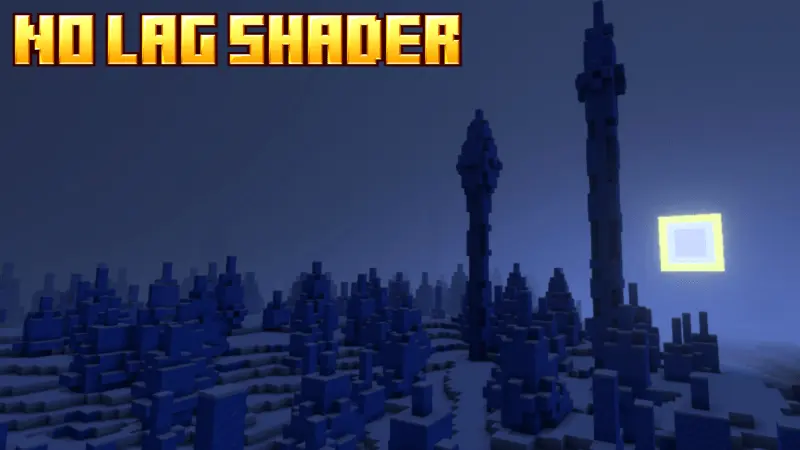
No Lag Shader Pack - suitable for PVP and survival, so you get more FPS and less lag with the new Minecraft Shaders. A shader can make a familiar Minecraft world feel fresh, but that excitement tends to disappear when the game starts struggling to keep up. No Lag Shader Pack is made for players who want warmer, more colorful visuals while keeping performance in mind. It’s aimed at people playing on devices such as phones and laptops, where a demanding graphics pack can make building, exploring, or fighting much less comfortable. The goal here is to give the world a visual lift while leaving you free to focus on playing.


The change you’ll probably notice first is the color. The shader gives the world a warmer, more saturated appearance, so the places you visit every day can feel a little more vivid. Take a walk around your base after turning it on and look at the blocks you’ve been staring at for weeks. A garden, a village street, or a path through the trees can take on a different mood without you having to rebuild anything. If you’ve grown attached to the overall look of Minecraft but want a change of scenery, this is an easy way to see familiar surroundings in a new light.
There are adjustable shader levels in the settings, which gives you room to experiment. Start with a level that looks comfortable to you, then spend some time moving around your world. Visit a busy part of your base, head into a forest, or explore somewhere you haven’t loaded before. If the game feels slower than you’d like, try a different level and see how it behaves. Performance depends on your device, your settings, and what’s happening in the world, so the name doesn’t mean every player will get the same frame rate or never encounter lag.
For PvP, how the game feels can matter just as much as how it looks. During a fight, you’re watching another player, changing direction, and choosing your next move in quick succession. A visual pack that suits your device is easier to enjoy when it doesn’t distract you from what’s happening on screen. Survival players have their own reasons to care about smooth gameplay, whether they’re crossing a large area, working on a busy farm, or trying to get home with an inventory full of resources. It’s worth testing the shader in the places where you normally play rather than judging it from a single view.
No Lag Shader Pack is a good option to try if you’ve avoided shaders because you thought your device might struggle with them. Turn it on, choose a level, and spend a little time playing as you normally would. You may find that the warmer colors are enough to make an old world feel inviting again, or that another setting gives you a better balance for your device. Either way, you can judge the result while doing the things you already enjoy, whether that’s finishing a house, exploring with friends, or heading into another PvP match.
Installation:
- Download Shader;
- Open the downloaded .mcpack to install;
- Select texture in settings;
- Done.
Comments (0)