Cloudious Vibrant Visual – Shader
- 6-03-2026, 06:19
- 703
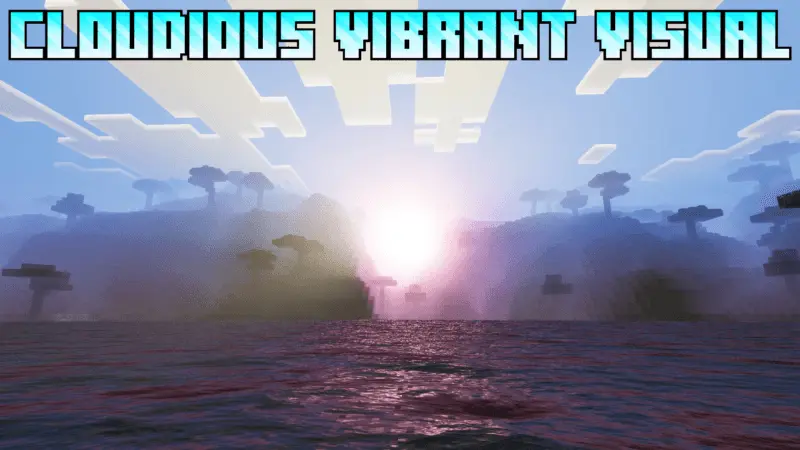
Cloudious Vibrant Visual - clean beautiful shaders with updated skies, lighting and gorgeous textures in Minecraft for your adventures and survival. Your hotbar is always there, whether you’re building a base or fighting for your last heart. Diamond UI gives that familiar strip a little more shine with a diamond-themed selector and custom armor icons.
The change is easiest to spot when you switch items. Instead of the usual selected-slot marker, the hotbar gets a diamond-style highlight that follows your choice. Scroll from your pickaxe to your sword, then over to your food, and you’ll see the accent move along the bar. It’s a small detail, but the hotbar is something you look at constantly. Giving it a new appearance can make your screen feel more personal without forcing you to relearn where everything is.


The armor bar gets its own makeover as well. Its usual symbols are replaced with diamond-inspired icons, including designs for full and half armor points. You can still glance at the indicator while preparing for a cave trip or checking your gear before a fight; it just has a different look. The icons are part of the interface, so they don’t mean your character is wearing diamond armor or receiving extra protection. Put on the equipment you normally use and the bar will continue to show your armor status with its new design.
Diamond UI is a neat choice if you like customizing Minecraft one detail at a time. Maybe you already have a favorite skin and a texture pack for your world, but the standard HUD has never quite matched them. The blue diamond theme can bring a little color to the bottom of the screen without covering up the scenery or adding a whole new set of menus to learn. It can look right at home during a mining trip, a survival session with friends, or a quick PvP match.
After activating the pack, spend a few minutes playing with your usual hotbar setup. Switch between tools, put on some armor, and see how the new icons look on your screen. If you play on a phone, try it with your normal touch controls; on a computer, run through the item slots the way you would during a fight or building session. The design is meant to be visible during the moments when you’re actually playing, so those are the best times to decide if you like it.
You don’t need to find diamonds or craft anything to use the new look. Apply Diamond UI as a resource pack, load a world, and the familiar armor bar and selected hotbar slot get their makeover. It’s a simple pick for anyone who wants a diamond-themed HUD while keeping the rest of their Minecraft routine intact.
Installation:
- Download Shader;
- Open the downloaded .mcpack to install;
- Select texture in settings;
- Done.
Comments (0)