NoierUi | Main – Texture Pack
- 28-04-2026, 11:09
- 452
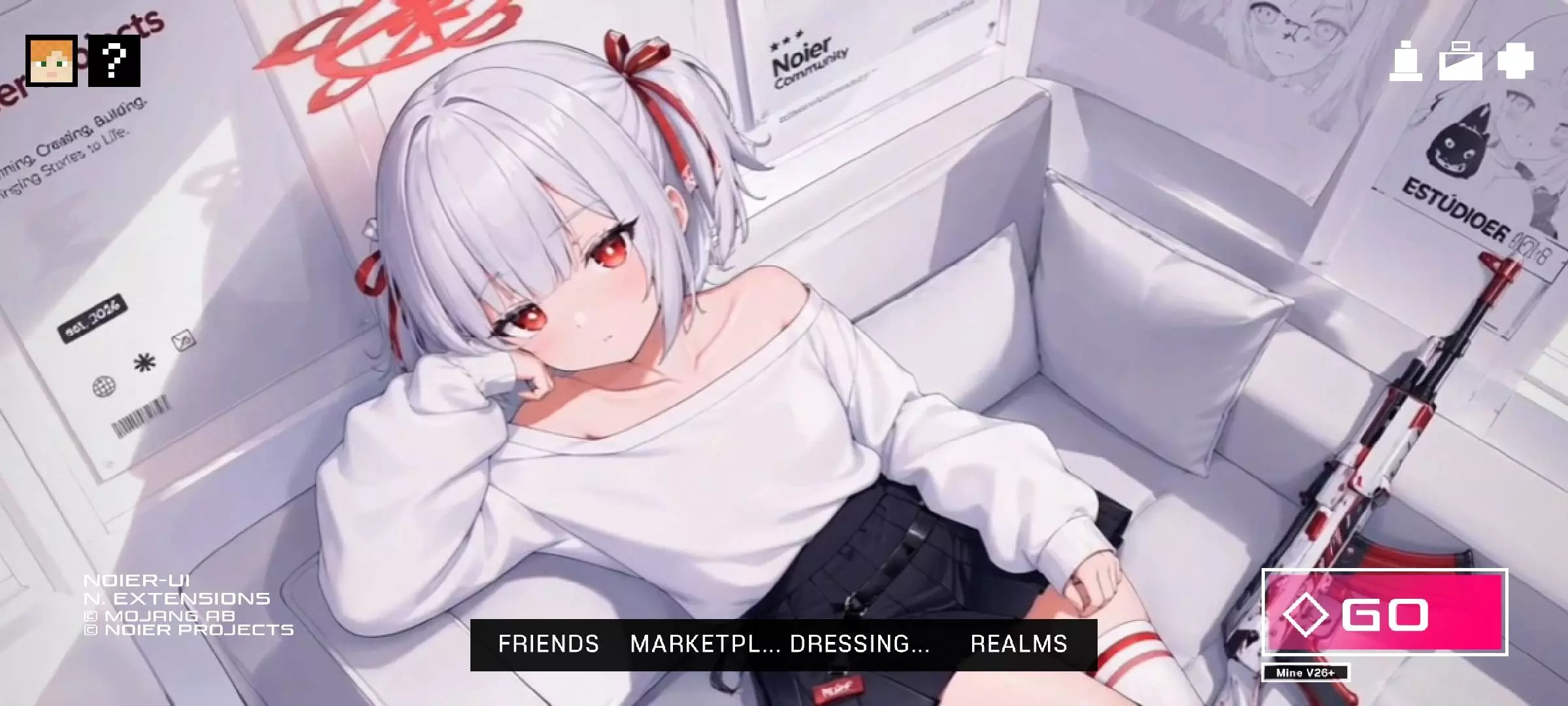
NoierUi | Main - texture with a new anime style main menu logo with beautiful Waifus. NoierUI | Main gives the Minecraft Bedrock start screen a new look with anime-inspired artwork and an animated background. The pack changes the way the game welcomes you before you enter a world, replacing the familiar menu presentation with something more personal and colorful. It also updates loading screens and introduces a darker interface style. If you enjoy anime and like customizing the games you play, it’s an easy way to make the first screen you see feel a little more like yours.
The main menu is the center of the design. Anime-inspired characters appear as part of the background, giving the screen a very different feel from the usual Minecraft panorama. The background is animated, so there’s movement to look at while you’re choosing a world or getting ready to join friends. It’s the kind of change you’ll see every time you open the game, even on days when you only plan to play for a few minutes. The menu still serves the same purpose: you can choose where to play and adjust your settings, but the screen around those options has a new presentation.
The pack also changes the loading screen, carrying the visual style beyond the main menu. You might not spend much time thinking about that screen during a short session, but it becomes familiar when you regularly switch between worlds or return to a server. Giving it a design that fits the rest of the interface helps the pack feel more complete. There’s also a dark style for the interface, which may appeal to players who prefer darker menus around the artwork. Take a little time to look through the screens when you first try the pack and see how the changes work together.
NoierUI’s anime inspiration is especially noticeable in its character artwork. If you enjoy that style, the main menu becomes more than a screen you hurry past on the way into a world. You might pause for a moment to look at the background, then continue with your usual Minecraft plans. It can also be a nice match for players who already use an anime-inspired skin or enjoy building scenes influenced by their favorite games and shows. You don’t need to make those changes for the interface to work; they’re simply ways to make your setup feel more connected if that’s a style you enjoy.
The pack is made with mobile play in mind, although the interface may look small on a computer and some visual issues can occur on tablets. The animated background also asks more from a device than a simple static menu, so how smoothly it runs will depend on what you’re using. Try opening the game and moving through the start and loading screens to see whether the presentation feels comfortable. A good-looking menu is most enjoyable when you can also read it and navigate it easily.
NoierUI | Main is a good choice if you want an anime-inspired start screen and a darker, more organized interface. It gives the parts of Minecraft you see before entering a world their own visual character, while leaving you free to continue building, exploring and playing as usual.
Installation:
- Download Texture;
- Open the downloaded .mcpack to install;
- Select texture in settings;
- Done.
Comments (0)