ApexCraft – Texture Pack
- 1-05-2026, 11:16
- 409
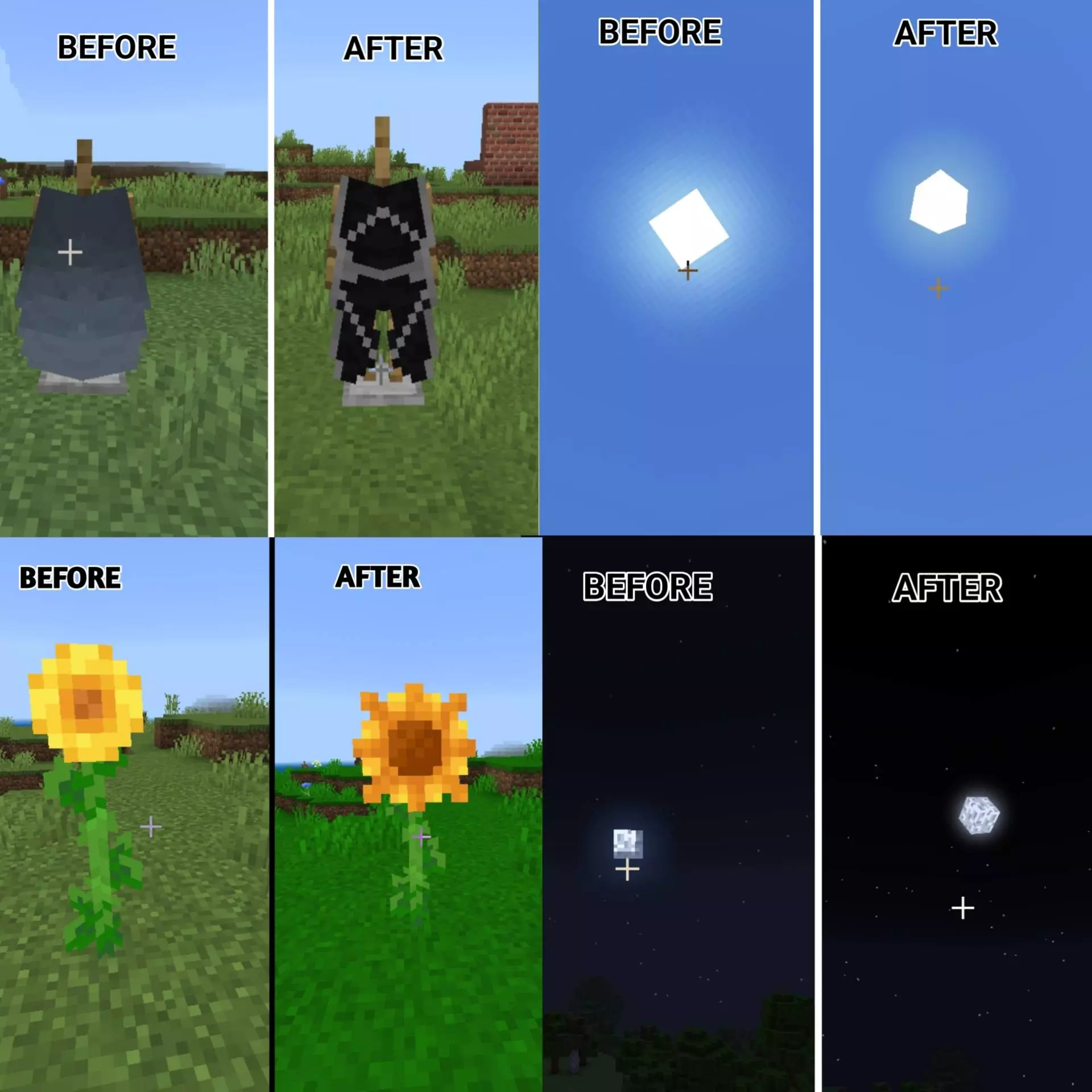
ApexCraft - new improved textures. How it was before and how it is after installing ApexCraft textures, see the screenshots. ApexCraft gives Minecraft Bedrock a cleaner look while keeping the familiar style of the game. It changes a little bit of everything: building blocks, glass, the interface, armor indicators, and even some animals. There are practical touches for everyday play alongside a few funny details that you might only notice after spending some time in your world. If you want a texture pack that feels familiar but still gives you plenty of changes to discover, ApexCraft is an interesting choice.
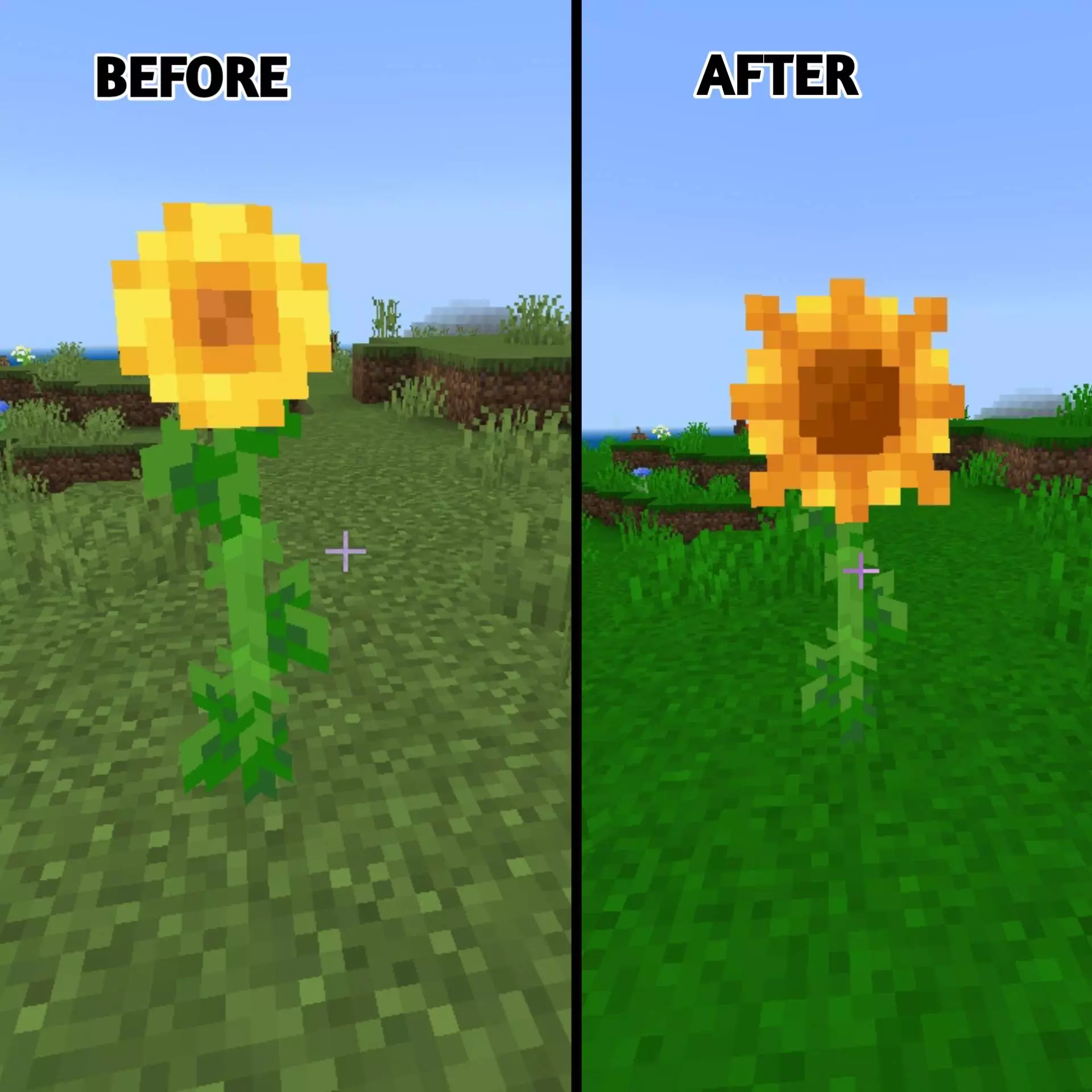

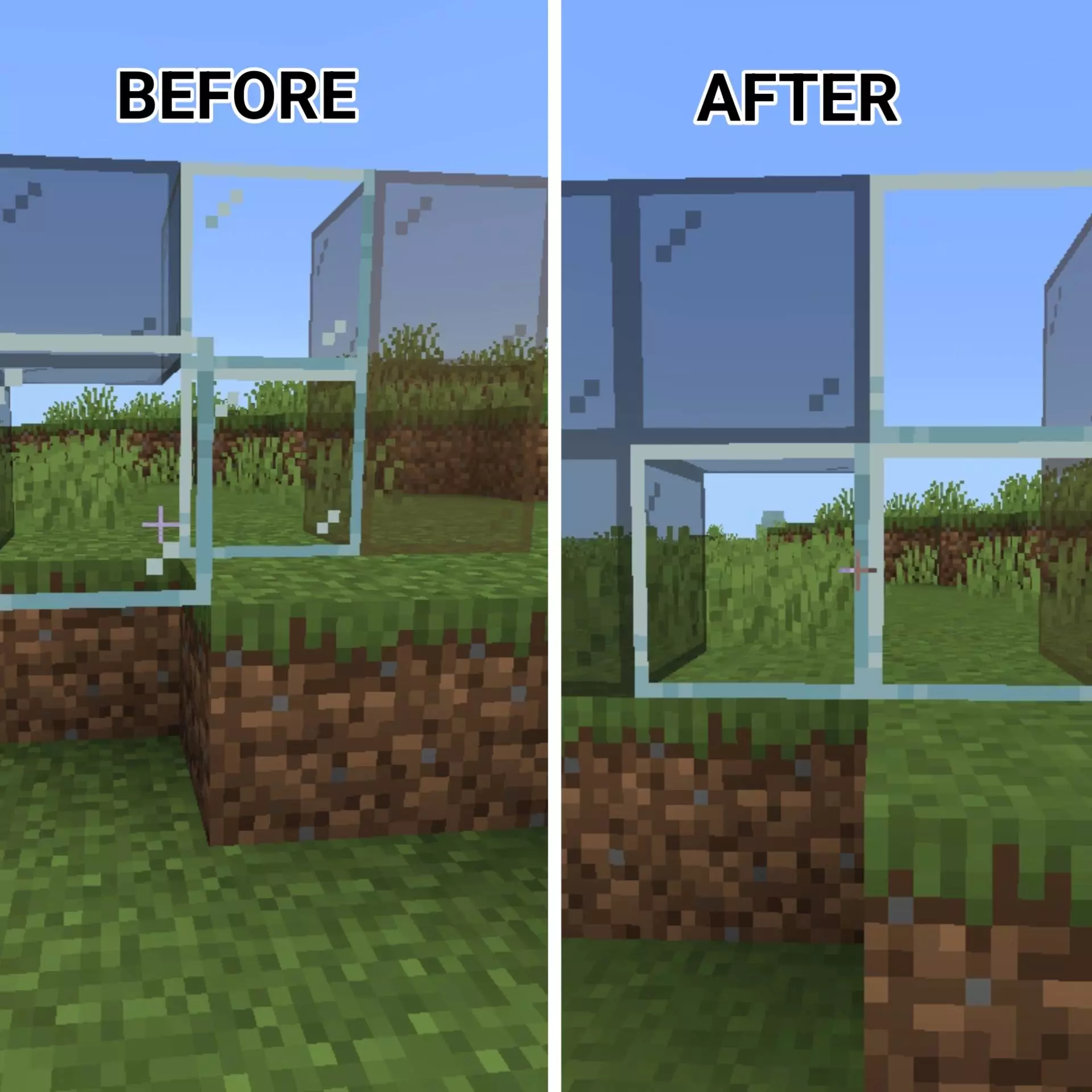


Some of the differences are easiest to spot around your base. Dirt, grass, bricks, and carved pumpkins have texture variations, while sunflowers get a new look. These are blocks and plants you see often, so the changes can make a familiar area feel a little less repetitive. Glass also has a cleaner appearance, which is handy if you like building large windows or greenhouses. You can look out over your farm or watch for mobs outside without as much visual clutter across the glass. Redstone dust has a cleaner look too, making it easier to follow the lines when you’re working on a contraption or trying to figure out where you placed a connection.
The pack also changes a few things you see while moving around the world. The sun and moon have a different, three-dimensional style, giving you something new to notice when you look up. Your elytra gets a dragon-inspired appearance, so flying back to your base after a long trip can feel a little more special. These details don’t change what the items do, but they give familiar parts of the game more personality. If you’ve spent ages collecting materials for an elytra and use it every day, a new design is a nice way to make it stand out.
ApexCraft includes changes that are useful when things get hectic. The fire overlay is lower, leaving more of the screen visible when your character is burning. That can help when you’re trying to find your way out of lava or keep track of what’s around you during a fight. The interface also gets attention, with a melon-themed hunger bar and changed armor indicators. You’ll see those details throughout a survival session, whether you’re checking your food before a mining trip or preparing your equipment for a longer adventure. They’re small changes individually, but together they give the screen a different feel without making it difficult to understand.
The pack has a playful side as well. Axolotls can have smiley or green appearances, and there are other humorous mob textures and references to discover as you play. That makes exploring a little more entertaining: you might spot something unusual while going about an ordinary task, rather than having to search for a new feature. It’s a nice contrast to the cleaner interface and practical changes. The pack doesn’t take itself too seriously, but its jokes are mixed into a world that still looks and plays like Minecraft.
Another detail you may notice underground is the absence of cave sounds. If those sudden noises usually make you stop and wonder what’s nearby, exploring a mine can feel a little quieter with the pack. That doesn’t make caves safe, of course: you still need to watch for hostile mobs, dark drops, and lava. Above ground, the cleaner textures are useful for building and general exploration, while the reduced fire overlay can be welcome in PvP or during an unexpected fight. ApexCraft brings those adjustments together in one pack, making it a good fit for players who want a tidier look, recognizable blocks, and a few surprises in their everyday Minecraft world.
Installation:
- Download Texture;
- Open the downloaded .mcpack to install;
- Select texture in settings;
- Done.
Comments (0)