Redlands Frontier Map
- 13-03-2026, 07:30
- 462
Adventure Maps / Custom Terrain Maps / Survival Maps
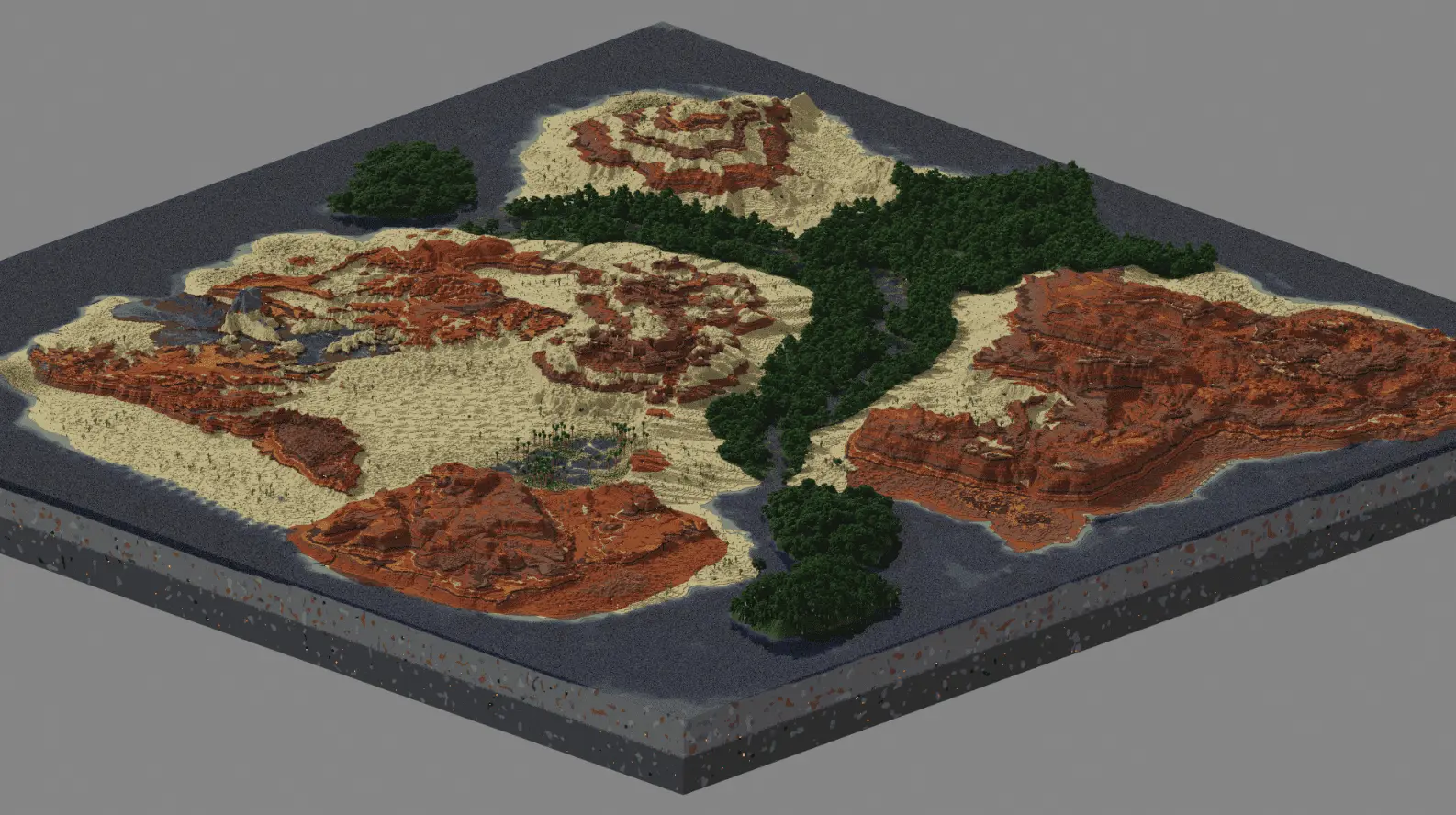
Redlands Frontier is a great map for fans of large and interesting custom worlds. See what landscapes it has in the screenshot. Follow the water and you’ll find a wooded area that offers a different setting from the open desert around it. The custom landscape covers roughly 2,000 by 2,000 blocks, leaving plenty of room to explore and choose a place to settle. It’s a map for players who enjoy finding their own way through a world: you can start a survival adventure, build a settlement, or simply travel along the river looking for a view that feels like the right place to call home.
The river is a useful landmark when you’re getting to know the area. It can help you find your way back after a trip into the desert and offers an obvious place to begin looking for a campsite. The greener land along its banks also gives you access to trees, which makes the first steps of survival feel less daunting than they might in an entirely barren landscape. You could put up a small wooden shelter near the water, gather supplies, and gradually explore farther from the shore. Once you know the surrounding area, there’s nothing stopping you from moving your base into the open desert if you prefer the view. Bring enough food and tools when you head out, and pay attention to your route: an unfamiliar stretch of sand can be surprisingly easy to lose yourself in when night is approaching.
The contrast between the forest and the dry terrain gives builders several directions to work with. A village could grow along the riverbank, with paths connecting houses to farms and a bridge leading toward the desert. A lone traveler’s shelter might look at home farther from the trees, while a larger base could sit where the green landscape meets the sand. You could even build several small camps and connect them into a route across the map, giving yourself places to stop during longer journeys. The landscape provides the setting, but the buildings and their stories are yours to make. If you’re playing with friends, each person could choose a stretch of river or a different place in the desert, then work together on roads and shared gathering spaces. There’s enough room for a quiet personal home as well as a larger community project.
Redlands Frontier suits players who prefer to choose their own goals rather than follow a marked route. You might focus on gathering resources and developing a practical survival base, or use Creative mode to plan a settlement that takes advantage of the river and surrounding scenery. Either way, it’s worth walking around before placing your first permanent house; a spot that looks ordinary from the shore may offer a much better view from a little farther away. To begin, import the downloaded world into Minecraft and open it from your worlds list. Then take your time exploring, choose a place to settle, and let the landscape guide what you build. The desert gives the map its open, adventurous character, while the river provides a welcoming place to return to after a long day away from home.
How to install?
Android: you need to find the downloaded file on your phone, use any file manager for this and import the map into the game by opening it.
IOS: after receiving the map, the device itself will offer to install it.
Windows 10: go to the folder where the files are downloaded, find mcworld there and activate it.
Comments (1)