Survival Modern House #93 Map
- 22-01-2026, 05:43
- 646
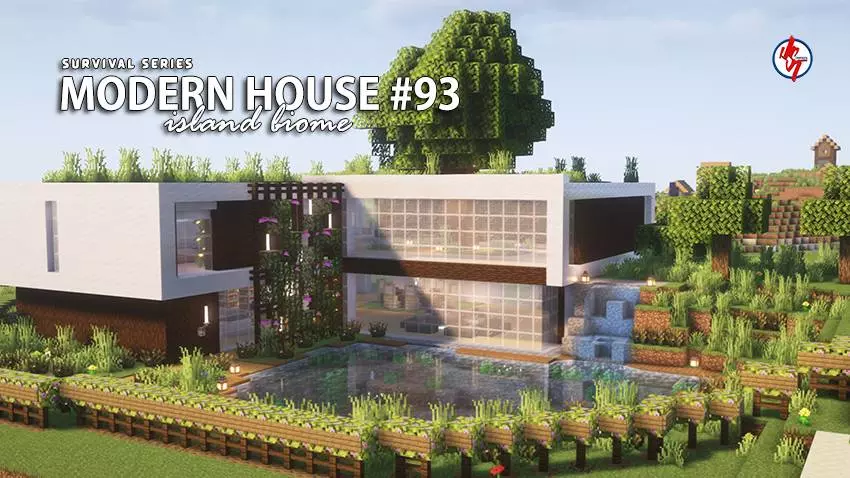
Survival Modern House #93 Map keeps the Survival Series vibe going with another base that’s meant to be played in, not just admired. It’s themed around an Island Survival biome and uses a Modern House style, so you get that clean, organized “real base� feeling while still being surrounded by island scenery that makes the start feel open and relaxed. If you like loading into a world and instantly having a home that looks intentional, this map nails that setup.


The house is described as cozy and survival-ready, and it comes fully built inside and out. That means you’re not stuck finishing walls or improvising rooms before you can actually start your survival routine. The interior is already there, the exterior is already finished, and there are plenty of useful items inside to help you get moving right away. It’s a smooth start for players who want to explore, gather, and expand without spending the first hour building a basic shelter from scratch.
A big detail that makes Survival Modern House #93 Map feel comfortable fast is the spawn point being set inside the house. You load in exactly where you want to be, and if you take an early L, you’re not respawning somewhere random and wasting time trying to get back to your base. The map is also built near an existing village, which adds extra life and atmosphere. Even if you’re playing solo, having a village nearby makes the area feel active, and it gives you a second “hub� right next to your home base.
The creator also says it’s best enjoyed with your favorite texture or shader pack, which fits a modern build because lighting and clean materials can make the whole place look even sharper. Practical tip: keep the modern style consistent as you grow. Use the house as your main hub, then expand with planned upgrades—paths, storage, and island-friendly add-ons—so you don’t turn the island into scattered clutter. Survival Modern House #93 Map is basically a ready-to-play modern starter base with island vibes, built to feel like home from the first minute in Minecraft Bedrock.
How to install?
Android: you need to find the downloaded file on your phone, use any file manager for this and import the map into the game by opening it.
IOS: after receiving the map, the device itself will offer to install it.
Windows 10: go to the folder where the files are downloaded, find mcworld there and activate it.
Comments (0)