Fours Razor Wire Mod / Addon
- 17-10-2025, 17:05
- 1 207
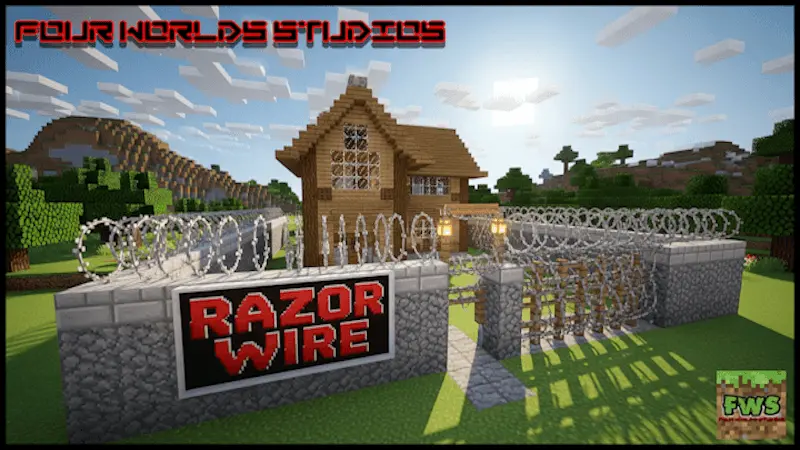
Fours Razor Wire (Ultimate Mob Protection) Mod makes the line between “outside” and “inside” unmistakable. You lay a band of razor wire along the foot of a wall, edge a trench with it, or crown fences and rooftops so anything that tries to climb or crowd your gates pays for the attempt. It’s simple: place, connect segments cleanly, and your base stops feeling like a suggestion and starts feeling secured.
In survival, you’ll use it like a real barrier system. Wrap the outer wall, then run a second strip a few blocks out to create a buffer you can patrol at night. Pinch approaches into a narrow funnel so you always fight on your terms in front of a doorway. Out on open ground, drag a ragged line across a ridge to block a shortcut creepers love to take, or lace the sides of a bridge so nothing brushes you into a ravine mid-swing. If you keep livestock, a thin band outside pens keeps prowlers from pacing right against the fence. That zombie keeps showing up at your front gate like it owns the place. Give it something sharp to think about before it reaches the door.
Razor Wire adds a craftable defensive barrier to Minecraft Bedrock that damages creatures and players who walk through it. Put it around a base, along a wall, or near an entrance where unwanted visitors tend to gather. It’s a straightforward way to make your perimeter more dangerous without filling the entire area with complicated redstone traps. The wire can hurt custom mobs as well, making it an interesting addition to worlds where the usual zombies and skeletons aren’t your only problem.

Placement matters. Start by looking at the routes mobs take toward your base, then add wire where they’re likely to cross it. A strip outside the outer wall can give your defenses some extra bite, while a protected approach near the gate gives you a place to deal with enemies before they reach your door. You could also use it around an outpost or a remote mining entrance that tends to attract trouble after dark. Keep a clear way in for yourself, though: your own defenses are a lot less impressive when you’re the one walking into them.
The wire fits right into fortified builds, too. If you’re putting together a military checkpoint, an abandoned research facility, or a zombie-apocalypse shelter, it can make the place look like someone expected visitors and prepared accordingly. Combine it with fences, watchtowers, and a lit patrol route to give your perimeter a clear purpose. Even when nothing is attacking, a line of razor wire around the compound tells players what kind of world they’ve walked into.
For multiplayer, it adds another obstacle to think about when planning a PvP base or making your own custom arena. Place it near an approach you want players to treat carefully, then build a separate path for anyone who needs to get through safely. Make sure your friends know where the openings are, especially if you’re sharing a base. A surprise at the gate is funny once; after the third time your teammate runs into it on the way home, you may want to put up a sign.
Razor Wire is useful if you want a simple addition to your base defenses with an appropriately tough look. It’s craftable, and the add-on’s project page says it doesn’t require experimental features. The linked download has separate behavior and resource packs, so import and enable both in your world settings. Test a small section first, plan a safe route through your perimeter, and then decide how much protection your next Minecraft build needs.
PvP gets sharper, too. Razor wire on stair runs slows pursuers, rooftop coils break easy leaps between buildings, and a single strip inside a choke turns reckless pushes into bad decisions. Just respect your own layout—leave a clean gap for doors, mark patrol routes with torches so you don’t forget a strip in the dark, and keep a few spare blocks on hand to patch the line after a messy fight. If you want a cheap, decisive way to harden a base without clutter, Fours Razor Wire (Ultimate Mob Protection) Mod draws the boundary and dares anything to cross it.
Installation Mod:
- Download the .mcaddon / .mcpack;
- Open the file to import into the game;
- In World Settings → Resource Packs and Behavior Packs, enable it (turn on Experiments if needed);
- Have fun!
Comments (0)