Build n' Bricks - Building Blocks Mod / Addon
- 12-11-2025, 12:30
- 589
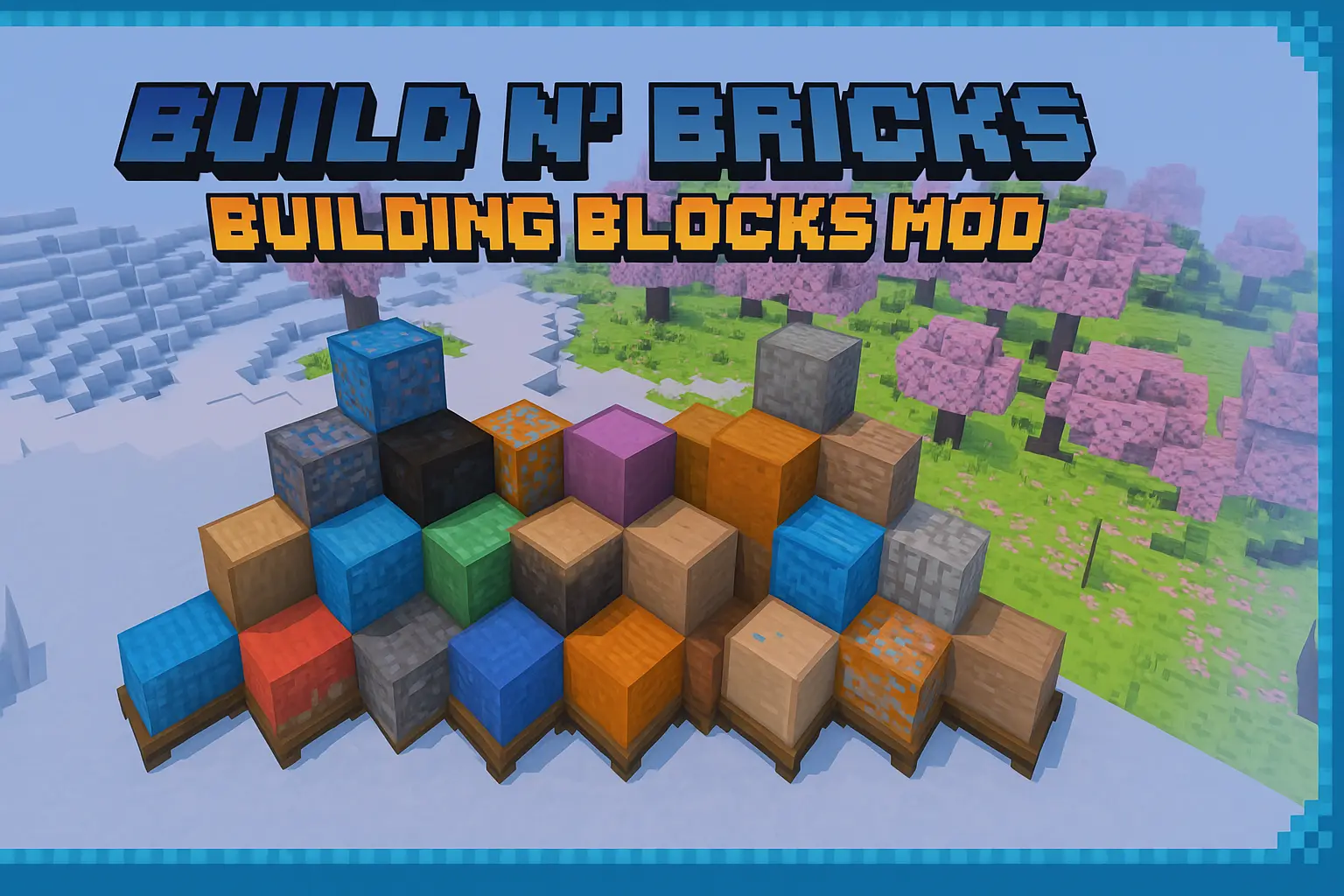
Build n' Bricks – Building Blocks Mod is about giving builders a real palette, not just a handful of reskins. You get new brick sets that read crisp at every distance plus eight marble blocks with proper PBR maps, so surfaces catch light, show subtle roughness, and hold their veins instead of flattening into a single tone. Drop them into anything—from city streets to villa floors—and the materials sell the scene without fighting your other textures.
The best part is everything ships as a complete kit. Every block line includes its own slab, stair, and wall, so you’re never stuck hacking shapes together to fake a trim or cornice. Stairs benefit from the newer multi-collision setup, which means step edges feel natural to walk and build around, and tight details don’t turn into weird snag points. The result is smoother paths, cleaner outlines, and builds that look intentional from curb to rooftop.
A great Minecraft build starts with the right blocks. Build n’ Bricks expands your Bedrock building palette with fresh brickwork, marble, and shapes for the details that bring a structure together.
The add-on includes new brick sets and eight marble blocks, giving you more choices for everything from a cozy townhouse to a sprawling city hall. The listing also describes matching slabs, stairs, and walls, so you can carry a material from the main facade into smaller details. Use full blocks for the body of a building, slabs to cap a low wall, and stairs to add depth around an entrance. A row of brick stairs above a window can give an otherwise flat exterior a little character; a matching slab border can make the roofline feel finished. Try laying out a sample wall before committing to a whole neighborhood. A few blocks placed side by side will tell you much more about a palette than scrolling through the inventory and hoping it looks good once the entire house is built.
Marble opens up a different set of possibilities. A bright floor can make an entrance hall feel grand, while a darker marble accent can give a library or gallery a more dramatic mood. Mix it with brick to separate the practical parts of a build from the showpiece: think brick exterior, marble lobby, and a staircase that draws visitors toward the next floor. The marble is described as having physically based rendering textures, which can add depth and surface detail in supported graphics modes. How those effects appear depends on your game’s graphics settings and device, so check the blocks in your own world before settling on a final look. Even without planning around reflections, you can experiment with the patterns and colors themselves. Walk through the space from different angles, compare your choices beside windows, and see which combination suits the building you have in mind.
The range of shapes is especially handy when a project grows beyond one building. A brick bridge, a paved courtyard, and a row of shopfronts can share a palette without all looking identical. Give one storefront a projecting stair trim, use slabs along the next roof, and save marble for the entrance to a central station or museum. If you’re building with friends, agree on a few materials for the neighborhood and let each person add their own details. The available description doesn’t provide crafting recipes, so check the blocks and their recipes in-game before gathering supplies for a large survival project. Once you’ve imported the add-on and activated its packs in your world settings, start small: pick a facade, try a few combinations, and step back for a look. Sometimes the detail that makes a build work is a single well-placed stair or a clean band of stone running around the walls.
Marble’s where the drama lives. PBR gives it that soft sheen and depth you expect—lobbies, galleries, bathrooms, and grand stair runs pop the moment you lay them. Use a darker vein for moody interiors, lighter cuts for bright atriums, and mix brick + marble for facades with real rhythm: brick fields for mass, marble bands for relief, then cap it with stairs as crown moldings and thin wall sections as railings. Whether you’re sketching a suburban porch or pushing full neoclassical, the consistency across blocks keeps your lines tight and your shadows honest—exactly what you want when you’re chasing that “finished build� look.
Installation Mod:
- Download the .mcaddon / .mcpack;
- Open the file to import into the game;
- In World Settings → Resource Packs and Behavior Packs, enable it (turn on Experiments if needed);
- Have fun!
Comments (0)