All colour Sheep Mod / Addon
- 21-11-2025, 20:11
- 640
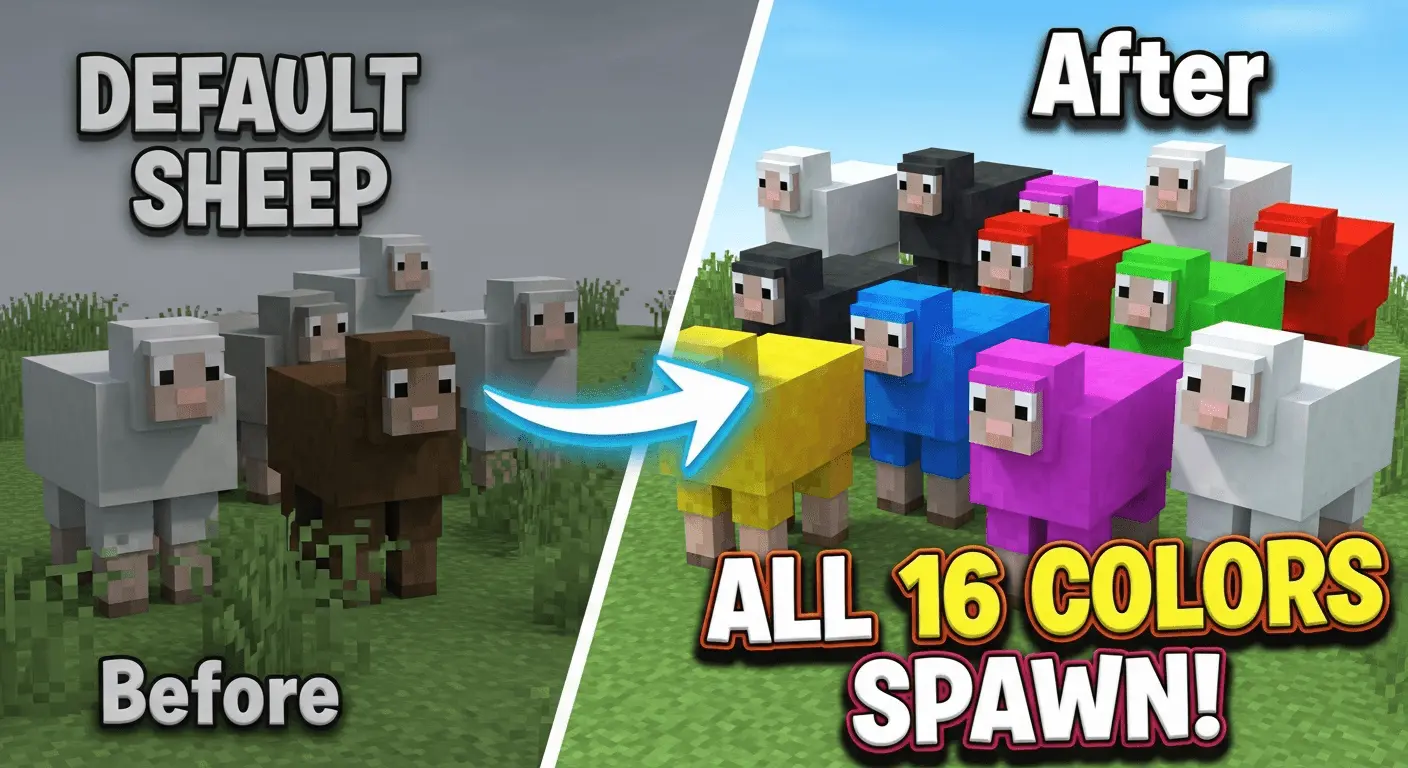
All colour Sheep Mod is one of those small changes that quietly makes your world feel a lot less repetitive. Instead of seeing the same boring white sheep everywhere, every biome can naturally spawn any of the 16 wool colors, and they all get a fair shot. You’re running across a plains biome and suddenly spot light blue, lime, brown, pink, maybe even a whole mixed group grazing together. It feels way more like a real, varied herd instead of copy-paste mobs. For builders and survival players who rely on wool for banners, carpets, and detail work, it means you’re not stuck grinding dyes just to get a bit of color in your base.


On top of that, the add-on sneaks in a rare Rainbow Sheep that appears naturally over time near other sheep. It’s not something you see every five minutes, but when one does show up in your field or farm, it feels special, like you just got a little world event for free. Sheep also get a small health buff, so they’re a bit tougher than usual, which helps them survive random zombie attacks or fall damage in rough terrain. Baby sheep show up more often too, so big open areas can slowly turn into colorful roaming flocks instead of a couple of lonely animals.
What makes All colour Sheep Mod easy to drop into long-term worlds is how clean it is. Achievements stay on, so you can use it in legit survival without losing progress. You can tweak spawn behavior through the behavior pack settings if you want more or fewer sheep, and it works fine on older saves, new worlds, and even servers or Realms if the owner installs it. The visuals stay close to the classic Java-style textures, so nothing looks out of place. If you’re into farming, decorating with wool, or just want your Minecraft Bedrock world to feel less copy-pasted, this add-on adds a ton of variety with almost zero downside.
Installation Mod:
- Download the .mcaddon / .mcpack;
- Open the file to import into the game;
- In World Settings → Resource Packs and Behavior Packs, enable it (turn on Experiments if needed);
- Have fun!
Comments (0)