Jade Mod / Addon
- 16-01-2026, 18:30
- 1 092
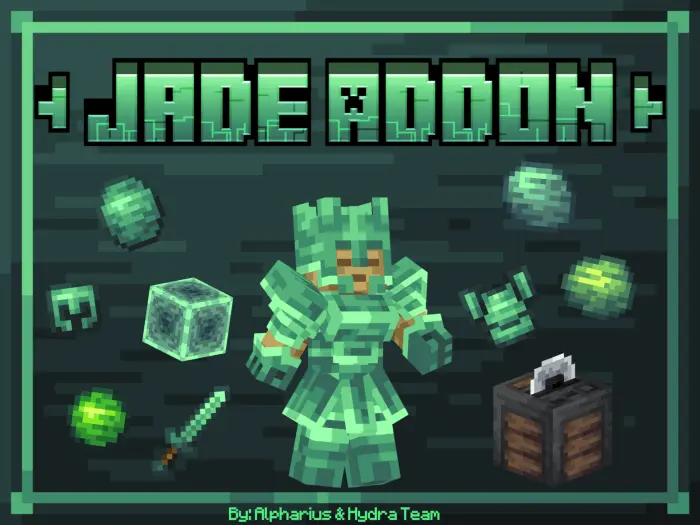
Jade Mod is a solid “new materials + new building palette” addon that gives you more to mine, more to craft, and more to build with, without turning your world into something unrecognizable. The centerpiece is a custom craft table called the Jade Cutter, which is used for the new crafts, so the addon has its own little workstation flow instead of dumping everything into the default crafting table.
On the building side, you get three new rock types, and each one comes with the variants you actually want for real builds: polished, cobblestone, and bricks. That’s the difference between “cool block in creative” and “block set you can actually use.” In survival, having those variants means you can mix textures naturally—clean polished parts for modern builds, rougher cobblestone vibes for foundations, and bricks for walls that look intentional instead of flat. It’s perfect for base upgrades where you’re tired of your builds always ending up in the same stone/wood routine.


My cousin sent me a Minecraft download with twelve fire emojis and absolutely no explanation. I asked what was so special about it. He replied, "Just try it." Incredible review, thanks. I wanted to know what he'd actually been doing, so he invited me into his world and started showing me around. Within five minutes, he was talking nonstop about little things he'd discovered, including a few details that hadn't been obvious from the pictures. He also admitted that something had confused him when he first started. That was more useful than all twelve emojis combined. I ended up trying it myself later that evening, mostly because he'd made me curious. When somebody genuinely enjoys Minecraft content, they usually have a story about it. They remember what surprised them, what annoyed them, and what they immediately wanted to show their friends. My cousin still hasn't learned to write a decent recommendation, though.
Mining gets expanded with two new jade-based ores: Nephrite and Jadeite. The addon includes their corresponding blocks and items, and the fun detail is that each has a different shade of green, so they don’t feel like duplicates. That gives you two distinct green material lanes to build around, which is great if you like color-themed builds or you want your world to have a consistent “jade tech” look across storage rooms, pathways, and decorative trims. It also makes collecting feel a little more purposeful—when two ores look different, you start caring which one you’re using for which part of a build.
The 3D armor is the flex piece. Even if you’re mostly a builder, a unique armor set tied to the addon’s materials is the kind of thing that makes your character feel like they belong in the world you’re shaping. In actual play, a good way to keep Jade Mod feeling rewarding is to treat Nephrite and Jadeite like “project materials” instead of random loot—pick a build goal first (like a jade-themed base wing, a shrine, or a green-tinted cave outpost), then mine and craft toward that so the new rocks, the Jade Cutter, and the green blocks all come together as one style. Jade Mod is at its best when you lean into the palette and let those new greens and stone variants carry your builds in Minecraft Bedrock.
Installation Mod:
- Download the .mcaddon / .mcpack;
- Open the file to import into the game;
- In World Settings → Resource Packs and Behavior Packs, enable it (turn on Experiments if needed);
- Have fun!
Comments (0)