Clear Lag Plus Mod / Addon
- 21-01-2026, 14:20
- 848

Clear Lag Plus Mod is made for that classic Bedrock problem where a world starts feeling choppy because the ground is covered in drops or somebody’s farm turned into an entity factory. It’s built with the latest Script API and focuses on keeping performance stable by managing the two biggest lag magnets: dropped items and excessive mobs. The goal isn’t to change gameplay—it’s to stop the world from getting clogged up and dragging your FPS down over time.
The dropped-item cleanup is handled automatically. Clear Lag Plus Mod wipes dropped items on a schedule to maintain high FPS, using an Auto-Sweep that runs every 5 minutes by default, and that interval is configurable. It also has a warning system that sends chat alerts 60 seconds and 10 seconds before a cleanup, which is huge because it gives players time to grab their stuff instead of losing it to a silent wipe. The safety rules matter too: Safe Zone Protection means items near players or inside the spawn radius are never removed, so you’re not getting punished for building, sorting, or doing normal base work.


On the mob side, Clear Lag Plus Mod uses entity population control to prevent “mob lag� by limiting how many of certain entities can exist. You can set per-mob limits for things like cows, zombies, villagers, and more, which is perfect if you’ve ever had a world where one grinder or one breeder basically turns the whole dimension into a slideshow. There’s also a smart bypass so important mobs don’t get nuked: anything with a name tag or tamed status (like pets) is 100% safe, which makes it feel way less risky to run in a long-term survival world.
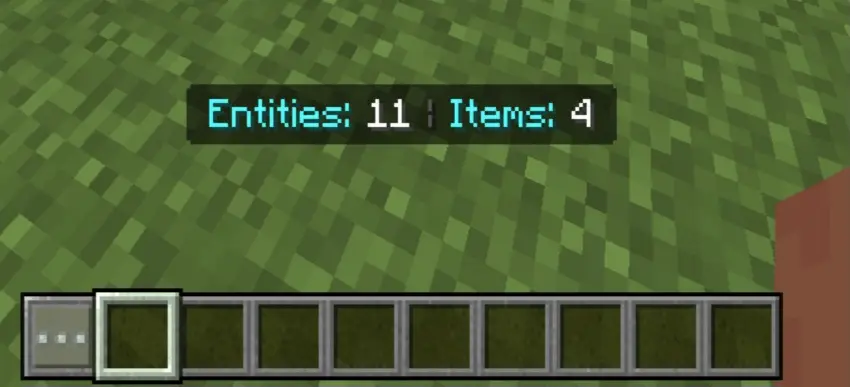
To keep you aware of what’s going on, Clear Lag Plus Mod includes a live performance HUD on your action bar. It shows an entity counter for total active entities in the dimension and an item counter for how many dropped items are currently on the ground. Practical tip: if you notice the counters creeping up during a session, that’s your sign to clean up your area, reduce spammy farms, or tweak your limits so you’re not constantly fighting performance drops. Used right, Clear Lag Plus Mod keeps Minecraft Bedrock feeling smooth without you having to babysit the world every time someone leaves a mess behind.
Installation Mod:
- Download the .mcaddon / .mcpack;
- Open the file to import into the game;
- In World Settings → Resource Packs and Behavior Packs, enable it (turn on Experiments if needed);
- Have fun!
Comments (0)