Twilight's Exp/Hotbar and Crosshair – Addon / Texture Pack
- 13-02-2026, 08:20
- 698
Mods 1.21 / Mods 1.20 / Mods 1.19 / Textures
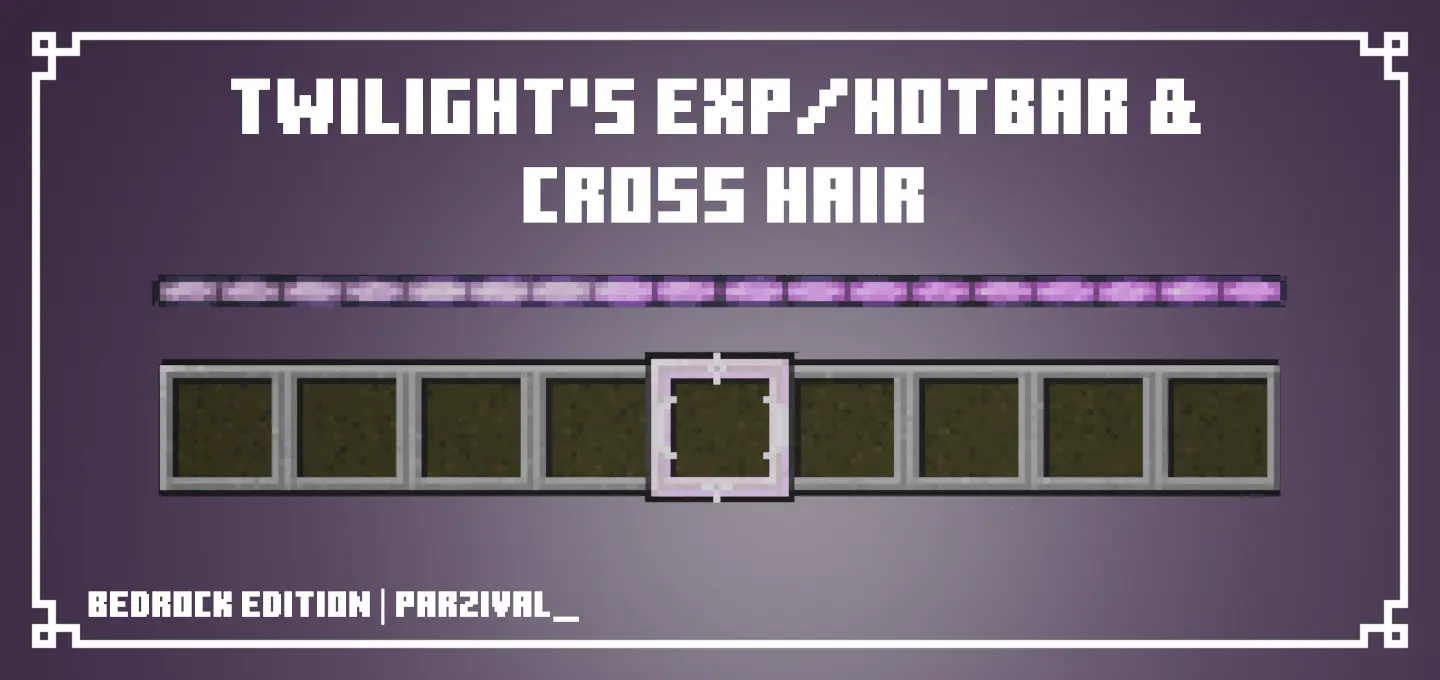
Twilight's Exp/Hotbar and Crosshair is a small but super noticeable UI pack that tweaks the parts of the screen you stare at nonstop. It was originally made by LadyTwilight for Java Edition and then ported to Bedrock Edition, so the goal is pretty clear: keep the vibe of the original pack while giving Bedrock players a cleaner, more stylish HUD.
The biggest visual change is the purple gradient experience bar. In normal Minecraft Bedrock survival, the XP bar is always there in the background, so even a simple color upgrade can make the whole screen feel fresher without messing with readability. The pack also swaps the default crosshair for a hollow crosshair, which is nice if you’re tired of the standard “plus� and want something that feels lighter on your screen. A hollow crosshair can make aiming feel less cluttered, especially when you’re mining for a long time, lining up block placements, or doing quick shots where you want the center of the screen to feel clean.


On top of that, Twilight's Exp/Hotbar and Crosshair adds a new hotbar selector. That’s one of those changes you don’t think about until you see it, because you’re constantly switching slots while building, fighting, farming, and moving. A fresh selector can make your hotbar feel more responsive visually, and it also helps your UI look more “put together� instead of default.
Practical tip: this pack is perfect if you want a UI refresh without changing the whole game’s look. Since it only touches the crosshair, experience bar, and hotbar selector, it fits into basically any survival world, server session, or mini-game grind without demanding a new aesthetic everywhere else. Twilight's Exp/Hotbar and Crosshair is for Minecraft Bedrock players who want a clean, purple-themed HUD upgrade that feels subtle but noticeable every time you play.
Installation:
- Download Texture;
- Open the downloaded .mcpack to install;
- Select texture in settings;
- Done.
Comments (0)