3D Mace HD+ – Addon / Texture Pack
- 13-02-2026, 08:36
- 1 113
Mods 1.21 / Mods 1.20 / Mods 1.19 / Textures
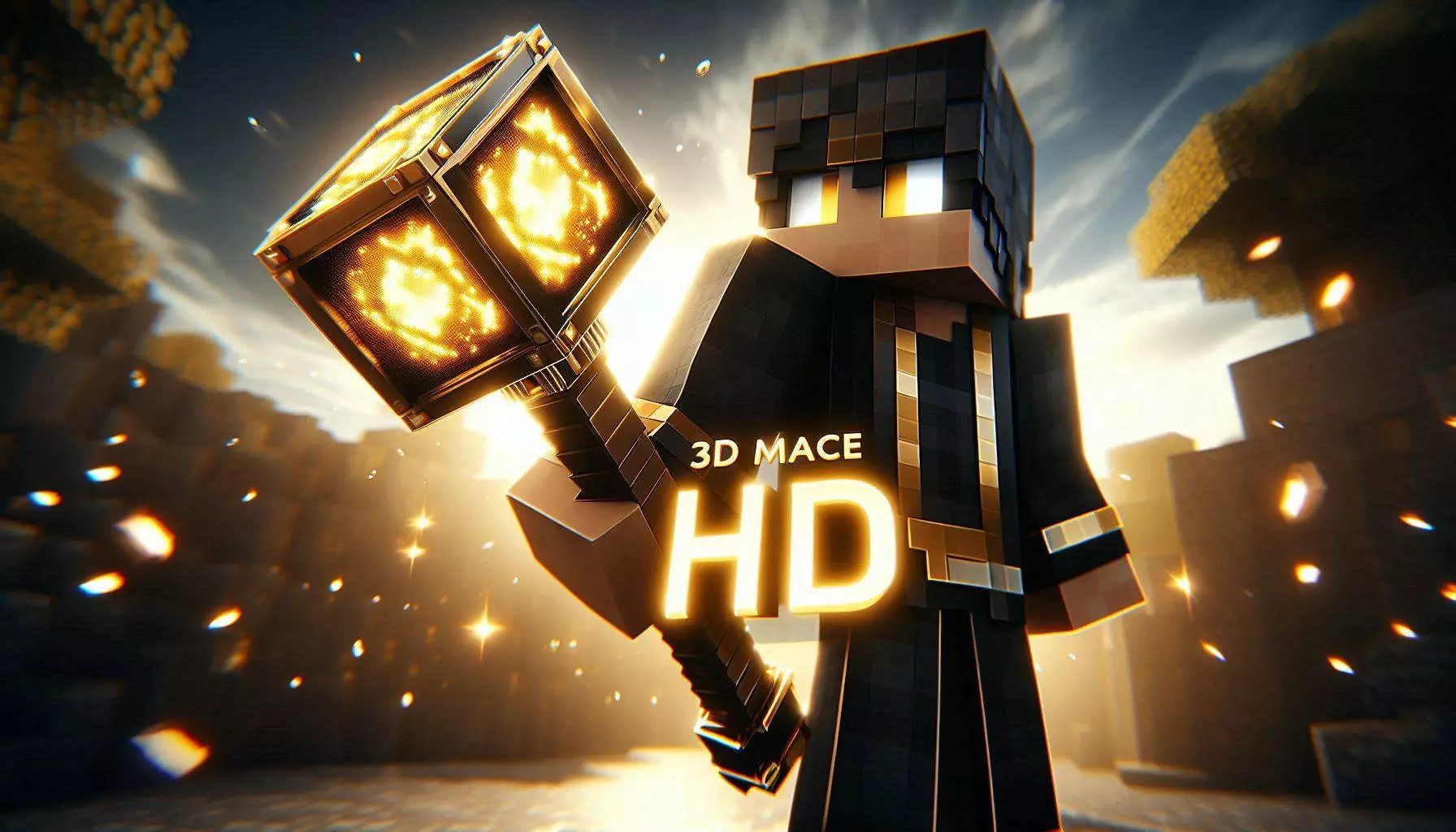
3D Mace HD+ Mod is a weapon enhancement pack focused on one thing: making the mace look way better without turning it into some goofy oversized fantasy item. The pack replaces the default mace with a clean, realistic-looking 3D model that has extra depth and sharper detail, so it feels more like an actual weapon in your hand instead of a flat item icon. If you like first-person combat or you record clips, this kind of upgrade is instantly noticeable because your weapon is always on screen.
The pack highlights a fully detailed 3D mace model with smooth geometry and clean HD edges, which basically means the shape looks refined instead of blocky or jagged. It also calls itself vanilla-friendly, so the goal is to keep the mace recognizable and believable in the Minecraft style rather than making it look like it came from a totally different game. That’s perfect for survival worlds where you still want the game to feel like Minecraft Bedrock, just sharper.
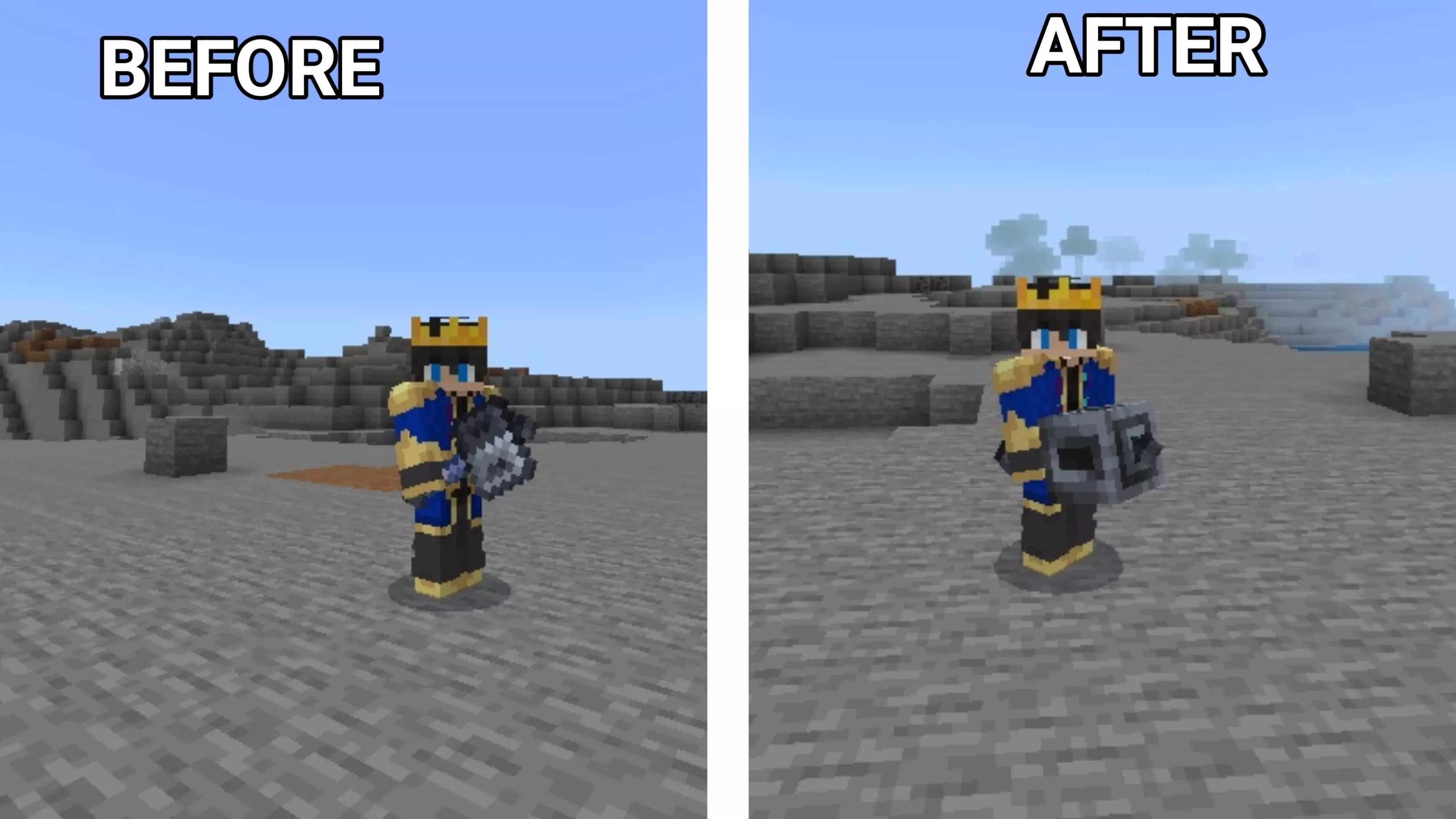
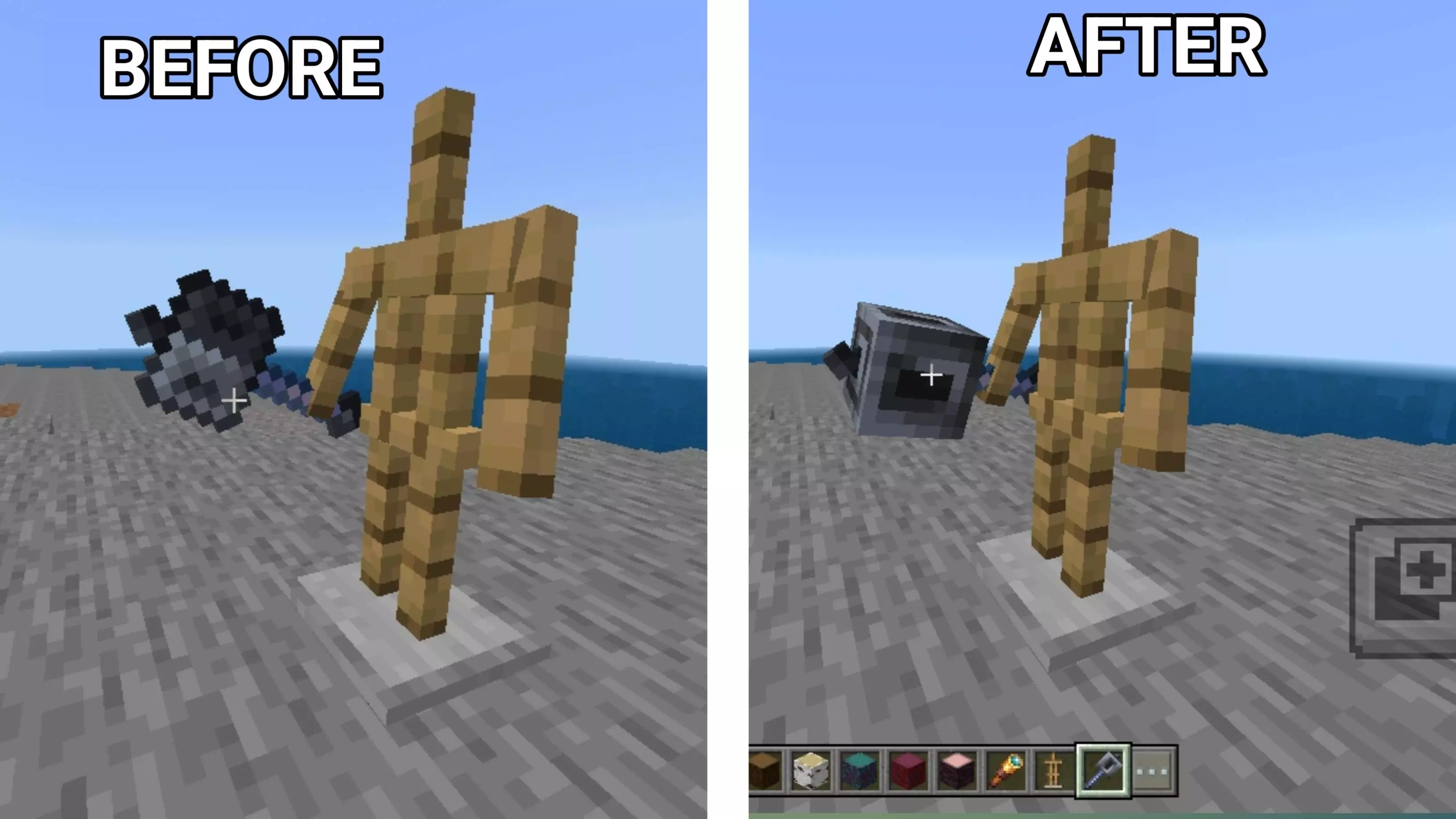
3D Mace HD+ Mod also says it works with other resource packs, which is clutch if you already run a UI pack, texture tweaks, or visual adjustments and don’t want to break your setup. It’s described as lightweight with zero lag on low-end devices, so it’s meant to be a safe “add it and forget it� kind of pack, not something that tanks performance. It’s also optimized for Bedrock 1.21, which is nice if you’re keeping your world current.
In actual gameplay, the best part is how it improves the feel of combat and daily survival. When your weapon looks cleaner and more dimensional, fights feel a little more satisfying and screenshots look more polished without you doing anything extra. Practical tip: if you’re into PvP, the mace being easier to visually read on-screen can help your timing feel more confident, especially when you’re switching slots fast. 3D Mace HD+ Mod is for Minecraft Bedrock players who want a sharper, better-looking mace that stays vanilla-friendly and doesn’t mess with performance.
Installation:
- Download Texture;
- Open the downloaded .mcpack to install;
- Select texture in settings;
- Done.
Comments (0)