Dynamic Light 38 Mod / Addon
- 7-03-2026, 07:50
- 1 081
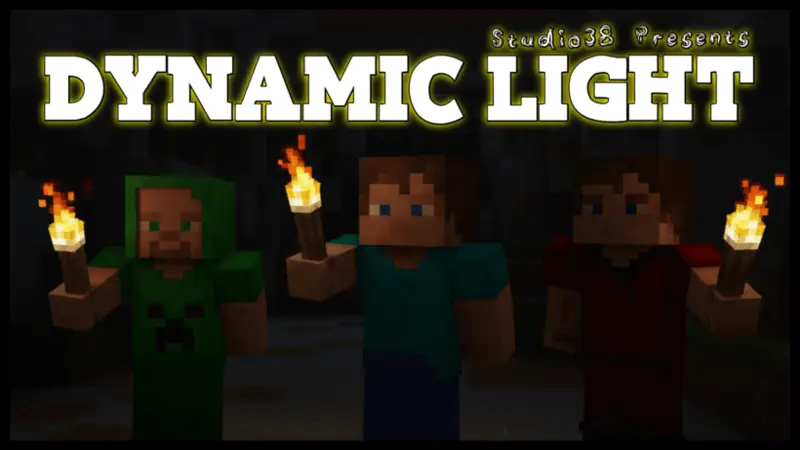
Dynamic Light 38 Mod is one of those addons you install once and then never want to play without again. Instead of spamming torches on every wall or stumbling through dark caves half blind, you just hold a torch and the game handles the lighting for you. Drop a torch in your offhand, keep your main hand ready with a sword or pickaxe, and as you move, your surroundings glow like you’re actually carrying a light source through the dark. No toggles, no special items, no weird setup — if a torch is in your hand, the area around you brightens up. That’s it.
The best part is how natural it feels while you’re mining, exploring, or checking out caves. You can sprint through tunnels, bridge over ravines, or dig staircases without constantly stopping to place more torches just to see where you’re going. If you want permanent light, you can still drop torches on the ground like normal, but if you’re just scouting or grabbing a quick vein, walking with one in your hand is enough. Your inventory stays cleaner, and your rhythm doesn’t get broken every five blocks.
Walking into a Minecraft cave with a torch in your hand feels like it should light the way. Dynamic Light 38 makes that possible: hold a supported light source and the area around you brightens as you move. You can carry the light in your offhand while keeping a pickaxe or sword ready in your main hand, which makes exploring dark passages much more convenient. There’s no need to stop at every bend just to get a look at what lies ahead. You can walk into a chamber, check the walls and floor, and decide where you want to go before placing a permanent light source. The effect also makes a simple nighttime walk feel different, with the light traveling alongside you instead of remaining behind on a wall.
The offhand feature is especially useful during mining trips. Keep a torch with you while using your pickaxe, and you can see the area you’re working in without repeatedly switching items. If a hostile mob comes around the corner, your sword can stay ready while the light continues to help you see. It’s also handy when you’re searching a large cave for a route upward, checking a ravine from a safe ledge, or collecting supplies after sunset. Take your time near drops, though: a light source helps reveal what’s nearby, but it doesn’t make a difficult jump any safer. Carrying a few blocks, food, and spare equipment is still a good idea when you’re heading somewhere unfamiliar.
Dynamic lighting can be useful around a base as well. Perhaps you’re working on a roof after dark, adding a tunnel beneath your house, or checking the outline of a new room before deciding where its lamps should go. A light in your hand lets you move around the space while you work. For a finished build, however, you may still want to place permanent lighting. The light follows the item you’re carrying, so areas you leave behind can become dark again. Torches and lamps remain useful for marking paths, making entrances easy to find, and keeping the places you visit regularly illuminated. You can think of the moving light as a way to explore and work, then decide which locations deserve a more permanent setup.
Dynamic Light 38 fits naturally into a survival world because it uses light sources you already carry. It can make caving more comfortable, help with late-night building, and give friends a convenient way to keep their hands free during a shared expedition. To install it, open the downloaded pack to import it into Minecraft, then activate it in your world settings. Once you enter the world, take a torch or another supported illuminating item and try moving through a dark area. Place it in your offhand if you want to use a tool at the same time. After a little practice, you can decide where portable light is enough and where you’d still like to leave a torch behind for the return journey.
Dynamic Light 38 Mod is also designed to play nicely with other addons, so you don’t have to worry about it clashing with your current setup. It just quietly hooks into your torch use and does its thing in the background. If you like long mining runs, cave dives, or late-night adventuring without the constant “place torch, move, repeat� loop, this addon makes the whole experience way smoother and a lot more comfortable to play.
Installation Mod:
- Download the .mcaddon / .mcpack;
- Open the file to import into the game;
- In World Settings → Resource Packs and Behavior Packs, enable it (turn on Experiments if needed);
- Have fun!
Comments (0)