ZEPHYR GUN Mod / Addon
- 3-06-2026, 04:25
- 735
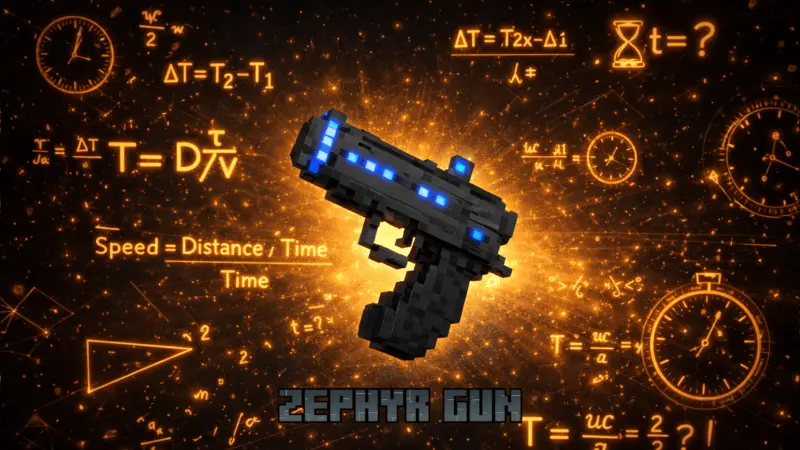
ZEPHYR GUN Mod is built around one clear idea: give you a weapon that’s not just about damage, but about control. The Zephyr Gun works as protection, and the big feature called out is that it stops every target hit by its bullets. That turns fights into more of a “freeze the threat first” style instead of pure panic swinging, which is especially useful when you’re dealing with messy survival moments where things get too close way too fast.
Since crafting the Zephyr Gun requires a Nether Star, it’s not something you’re casually making on day one. In a normal Minecraft Bedrock survival flow, a Nether Star is the kind of ingredient that screams “endgame reward,” so this gun is positioned as a serious upgrade you earn after you’ve already been through some big risks. That also keeps the mod from feeling like it deletes early survival difficulty, because you’re not grabbing it before you’ve actually survived enough to afford it.

In-game, the stopping effect changes how you play around threats. If something is rushing you, landing shots becomes more about creating space and slowing the situation down so you can reposition. It’s the kind of tool that helps when you’re moving through dangerous areas and you don’t want to get boxed in, or when you’re protecting a build site and don’t want interruptions turning into a full fight. It also makes teamwork cleaner in co-op vibes, because stopping a target with bullets can give everyone a moment to reset instead of everybody scrambling.
Practical tip: once you have ZEPHYR GUN Mod installed, treat the Zephyr Gun like a “save button,” not something you spam for everything. Since it’s crafted with a Nether Star, it’s probably the weapon you pull out when you actually need protection—tight spaces, surprise attacks, or moments where you’re carrying valuables and don’t want the situation to spiral. ZEPHYR GUN Mod is straightforward: craft a Zephyr Gun using a Nether Star, then use it to protect yourself by stopping targets you hit with its bullets.
Installation:
- Download Mod;
- Open the downloaded file to install;
- Select it in the settings;
- Have fun!
Comments (0)