Health Indicator Mod / Addon
- 7-03-2026, 10:46
- 745
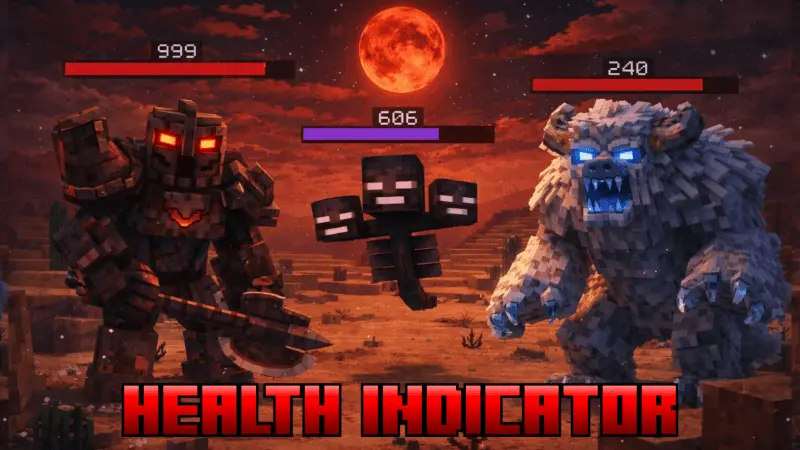
Health Indicator Mod will add a Health Indicator like in RPG games, now available for Minecraft Bedrock. A zombie is walking toward you, and you’ve already hit it a couple of times. Do you stand your ground for one more swing, or step back before it gets close? Health Indicator gives you another piece of information to help make that decision. The addon shows how much health a mob has left, bringing a little of the familiar RPG combat display into Minecraft. Instead of judging the fight entirely by memory, you can see the result of your attacks as the encounter unfolds. It’s a small change to the information on screen, but it can be useful when several creatures are nearby or when you’re facing something you don’t fight often.
The indicator is particularly helpful when you’re learning how different weapons perform. Take a sword into a cave and watch how much progress you make against a mob; later, try a different weapon and compare the results. You can also get a better sense of when it’s worth continuing an attack and when you should retreat to eat or recover. That doesn’t mean a nearly defeated mob is harmless. A skeleton can still land an arrow, and a creeper remains dangerous if you let it get too close. The display gives you information about health, while positioning, timing, and keeping an eye on your surroundings are still up to you. During a crowded fight, a quick glance at an indicator may help you decide which enemy to focus on first.
There are quieter uses for the feature as well. If a fight breaks out near your animals, being able to check a creature’s health gives you a better idea of its condition afterward. In a world with friends, the indicators can make it easier to coordinate against mobs without everyone asking how close an enemy is to being defeated. You might also appreciate the extra information while exploring unfamiliar caves, where it isn’t always easy to tell whether a creature has already been damaged or whether a fresh one has joined the fight. For players who enjoy experimenting, the display provides immediate feedback when trying different equipment. It’s useful for getting a feel for a weapon before taking it on a longer trip, especially if you’ve just made something new and want to see how it performs.
Health Indicator suits a survival world where you want combat to be easier to read without changing your usual objectives. You can still spend your time building, exploring, farming, or preparing for the next big encounter; the extra information is there when a mob catches your attention. The addon is also described as compatible with achievements, which makes it a useful option for players who want to keep pursuing them while using the indicator. To install it, open the downloaded pack to import it into Minecraft, then activate it in your world settings. Once you enter the world, try it around a few familiar mobs and see how the display fits into your play style. It won’t choose your next move for you, but it can make that choice a little better informed.
Installation Mod:
- Download the .mcaddon / .mcpack;
- Open the file to import into the game;
- In World Settings → Resource Packs and Behavior Packs, enable it (turn on Experiments if needed);
- Have fun!
Comments (0)