Void Satchel Mod / Addon
- 24-03-2026, 02:34
- 520
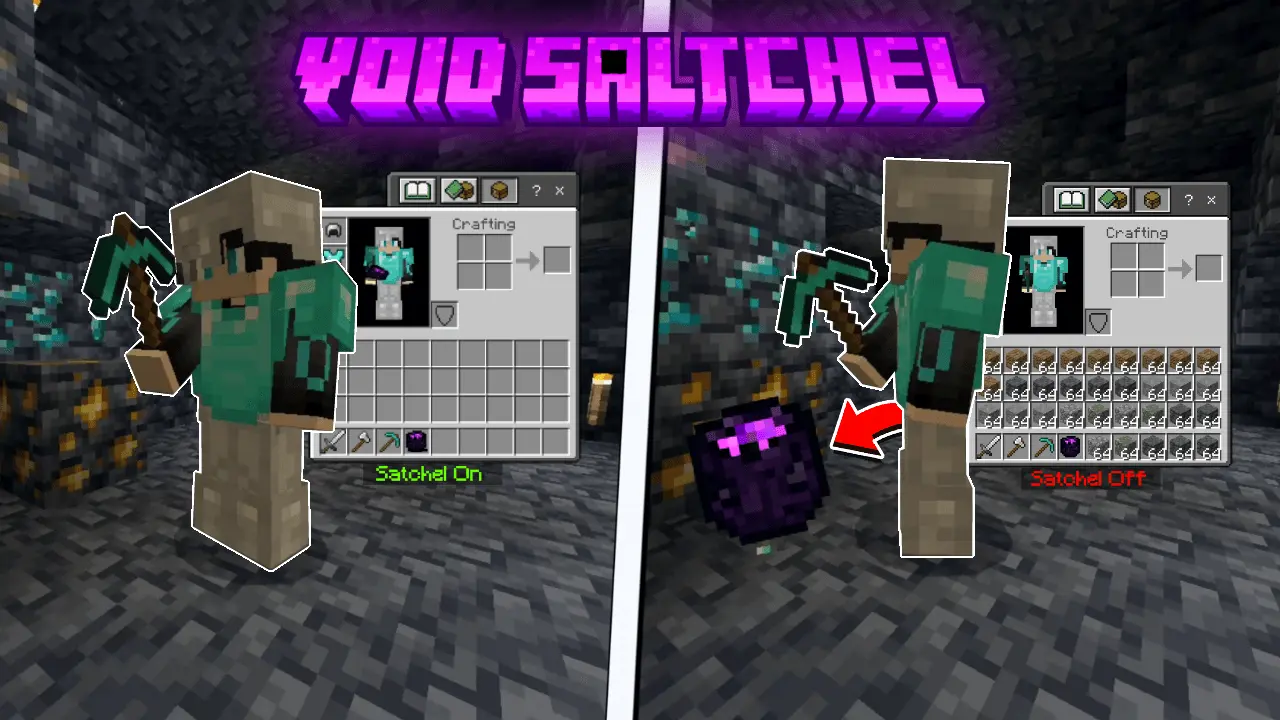
Void Satchel Minecraft mod that will bring order to your inventory. This addon will help you configure to automatically throw away trash and sort blocks and items in Steve's inventory. A long mining trip usually ends with a decision: which blocks are worth carrying home? Your inventory has diamonds, iron, food, and tools in it, but the remaining slots are slowly filling with stone you don’t need. Void Satchel helps with that problem by automatically removing selected items from your inventory. Choose what you want it to discard, turn it on, and you can keep mining without stopping every few minutes to clear space.
The satchel is an item you craft and carry with you. Its recipe uses two obsidian blocks, two ender pearls, and one chest. Once you’ve made it, hold the satchel, sneak, and interact to open its menu. There you can choose up to five types of blocks or items for the filter. If cobblestone is taking up more room than you want, for example, you can add it to the list before heading underground. You can also clear a filter slot or change your selection when your plans change.


Pay close attention to what you select: the satchel removes those items rather than keeping them for later. If you’re gathering cobblestone for a castle, you’ll want to leave it off the filter until you have enough. The same material can be unwanted on one trip and exactly what you need on the next. It’s worth checking the menu before a long expedition, especially if you last used the satchel while working on a different project.
You can switch the satchel on or off through its menu or by interacting while holding it. That makes it easier to change your mind during a trip. Perhaps you begin mining because you need stone for a build, then decide you have enough and want to focus on ores. You can adjust the filter and activate the satchel for the rest of the journey. When you return home, turn it off or review the selected items before you start gathering materials for something else.
The satchel has a limit, so it isn’t something you can leave running forever without looking after it. It can remove up to 1,000 blocks or items before it breaks. To fully repair it, use two ender pearls with an anvil. Keeping an eye on its condition is useful before a long mining session, particularly if you expect to clear a lot of material. You may want to repair it at home and bring spare pearls if you have access to an anvil along your route.
Mining is an obvious use, but it isn’t the only time an inventory gets crowded. Clearing a large area for a build, digging out space beneath your base, or working on a long tunnel can all leave you with more common blocks than you want to carry. Set the filter around the task you’re doing and leave the slots clear for materials you actually plan to keep. Once the work is finished, revisit the list so the satchel doesn’t continue removing something you may need later.
Void Satchel is a practical addition for players who prefer to spend their time exploring or building instead of repeatedly sorting an inventory. Craft it, choose your filters carefully, and try it on a small job before taking it on a longer expedition. Once you’re comfortable with the settings, it can make room for the finds you’re most interested in bringing home.
Installation Mod:
- Download the .mcaddon / .mcpack;
- Open the file to import into the game;
- In World Settings → Resource Packs and Behavior Packs, enable it (turn on Experiments if needed);
- Have fun!
Comments (0)