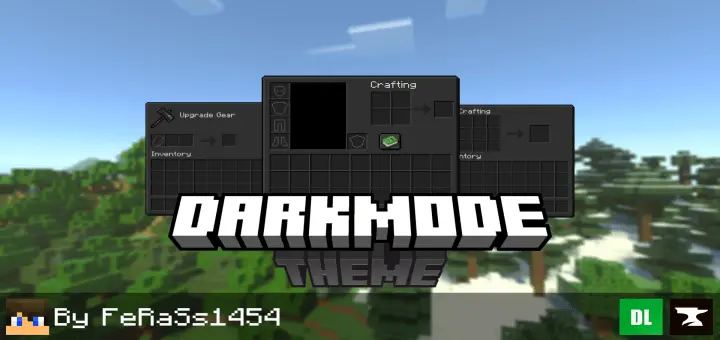
Dark Mode Theme Addon will change the
game menu and UI in Minecraft to a dark theme. Opening your inventory is something you do constantly in Minecraft, often without thinking about it. You stop to check how much wood you have, make another pickaxe, or move a stack of food into your hotbar. Dark Mode Theme changes the look of those familiar screens by replacing the light interface with darker colors. The inventory, crafting screens, and other menus take on a more subdued appearance while keeping the game’s familiar layout. If you already use dark themes in other apps, this is an easy way to give Minecraft a similar feel. It’s a visual change you’ll notice in the small moments throughout a session: opening a chest, checking your supplies, or returning to the menu after an evening of building.