Pasta Shaders — Vibrant & Colorful – Shader
- 1-11-2026, 02:37
- 1 097
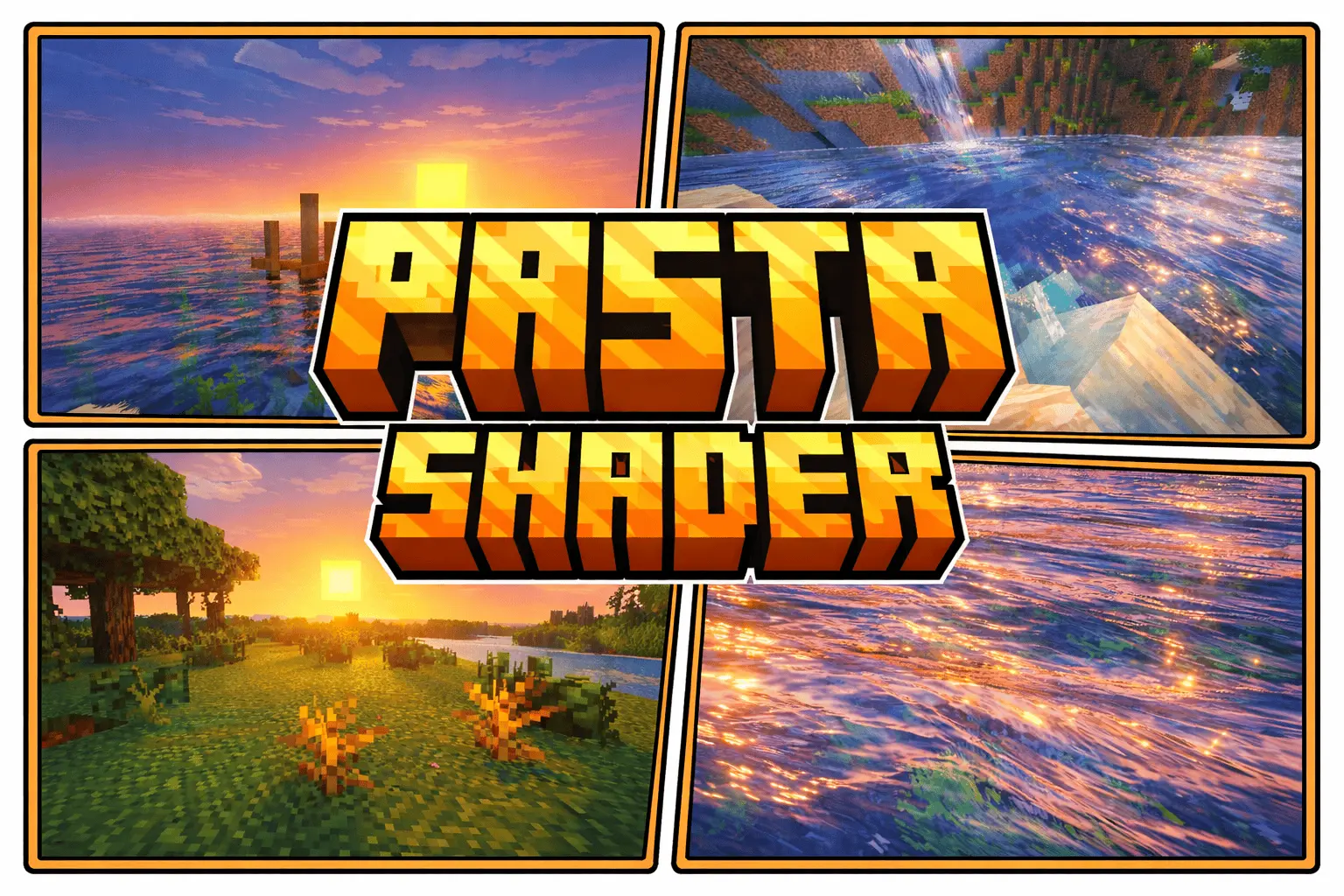
Pasta Shaders — Vibrant & Colorful Minecraft with very beautiful, bright and realistic shaders for your game world. Pasta Shaders gives Minecraft Bedrock a brighter, more colorful appearance through changes to lighting, scenery, and water. A green hillside, a river beside your base, or a village you pass on the way home can all feel a little different with the shader active. The style is lively and slightly cartoon-like, making it a good choice if you enjoy colorful worlds and want to spend more time looking at the places you explore.
Water is one of the features worth seeing first. Rivers, lakes, and oceans gain reflective surfaces, giving you another reason to build beside the shore. Try standing on a wooden dock and looking across the water, then take a boat out to see the same view from farther away. A small fishing house or a bridge between two banks can become a particularly pleasant place to spend time. If you already have a base near a lake, you may find yourself adding a terrace or a path simply to make better use of the view.


The lighting brings a softer feel to the landscape. Walk through a forest and then step out into an open field to see how the scenery changes around you. Grass, leaves, and the blocks in your builds stand out through the shader’s colorful presentation, while the familiar shapes of Minecraft remain easy to recognize. It’s the kind of visual change you can enjoy during an ordinary survival session, whether you’re gathering wood, tending a farm, or returning home with an inventory full of supplies.
A longer journey gives you a chance to see the shader in different surroundings. Follow a river through a green valley, climb a hill above the coast, or travel by boat until you find a place you haven’t visited before. Each location has its own combination of terrain, water, and structures, so the view from a high point can feel very different from the one beside your front door. If you enjoy collecting screenshots, bring a map or make a note of the places you like; you might want to return later and build something there.
Pasta Shaders can also complement a creative project. A village with gardens and paths gives the colors plenty of room to stand out, while a modern house with large windows lets you enjoy the surrounding landscape from indoors. A harbor, island base, or walkway over a river makes good use of the reflective water. You don’t have to fill every space with detail, either. Sometimes a simple house, a few trees, and a view across the water are enough to make a spot feel finished.
Your existing world is a good place to try the shader because you already know what it normally looks like. Visit the places where you spend the most time: your storage room, the path to your farm, and the hill or shoreline beyond your base. Then take a trip somewhere farther away and see whether the new presentation makes you notice a location you previously passed by. A place that once seemed like an ordinary stretch of land might now feel like the right setting for your next build.
To start, import the shader pack into Minecraft and activate it in your resource pack settings. Once you’re in the world, give yourself time to look around instead of judging the effect from a single spot. Spend a little time near water, walk through different landscapes, and see how the brighter style suits the kind of world you enjoy playing in.
Installation:
- Download Shader;
- Open the downloaded .mcpack to install;
- Select texture in settings;
- Done.
Comments (0)