Aoffy Vibrant+ – Shader
- 6-03-2026, 09:50
- 673
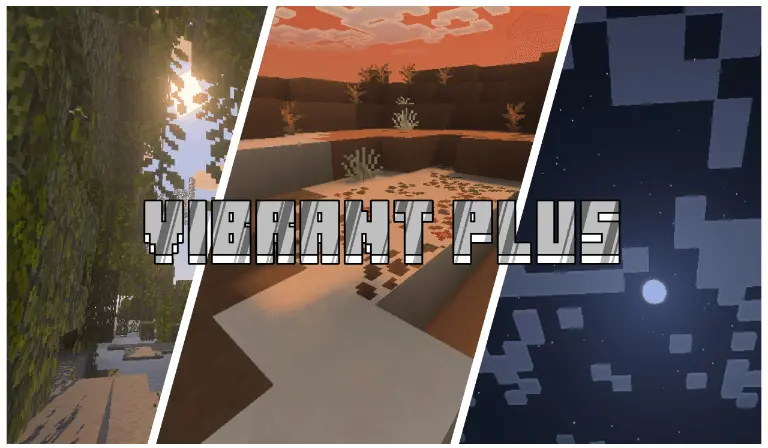
Aoffy Vibrant+ unique realistic and beautiful Minecraft shaders. Download the new add-on that will dramatically improve the graphics in the game. The view from your Minecraft house can become so familiar that you barely notice it anymore. Aoffy Vibrant+ gives you a reason to look again. This shader changes the lighting, shadows, water, fog, and colors across the world, while also giving the sun, moon, and clouds a more detailed appearance. A river beside your base or a mountain you pass on every mining trip can take on a different character once the shader is active. It is a visual change rather than a new set of survival mechanics, so you can bring it into an existing world and carry on with whatever you were building. Take a walk around your favorite places first; seeing the changes somewhere you know well makes them easier to appreciate.


Aoffy Vibrant+ gives you two visual styles to choose between. Reimagined stays closer to the familiar Minecraft look, with block-shaped shadows and an atmosphere that retains much of the original feel. It adjusts the lighting and water while keeping the world recognizable. Unbound takes a more realistic direction, with smoother shadows, different fog and color treatment, and more detailed water. If you are unsure which one you prefer, try both in the same location. Stand on a hillside overlooking a forest, then switch styles and return to that spot. You may prefer the sharper, blockier character of Reimagined for a village built from simple materials, or the softer shadows of Unbound for a landscape you like to photograph. The choice comes down to the look you enjoy during a normal play session, not just in a single screenshot.
Water is one of the details worth stopping to see. Head to a riverbank, look across a lake from your dock, or take a boat out far enough to view the shore from a distance. The shader changes the appearance of water, and its available styles give it different treatments. The sky is part of the picture too: look up during the day to see the clouds and sun, then return to the same place after dark for a view of the moon. Fog and lighting also affect the atmosphere of the landscape around you, which can be noticeable when you are looking across a valley or toward distant hills. If you enjoy building, try viewing your latest project from outside and inside. A roof, a row of trees, and the space around a house can all give you a useful sense of how the shadows look in practice.
To install Aoffy Vibrant+, open the downloaded pack in Minecraft and activate it in your resource settings. In video settings, select Vibrant Visuals so the shader can display as intended; the available graphics options depend on your device. If the game feels less responsive, try lowering settings such as shadows, reflections, fog, or resolution until you find a comfortable balance. You can also choose a familiar world for your first test and spend a few minutes doing the things you normally do: walking through a forest, working around your base, and traveling beside water. That will give you a better sense of the shader than judging it from one viewpoint alone. Whether you choose Reimagined or Unbound, Aoffy Vibrant+ offers a fresh way to enjoy the landscapes and buildings you already know.
Installation:
- Download Shader;
- Open the downloaded .mcpack to install;
- Select texture in settings;
- Done.
Comments (0)