Dynamic Wave – Shader
- 28-10-2026, 15:29
- 726
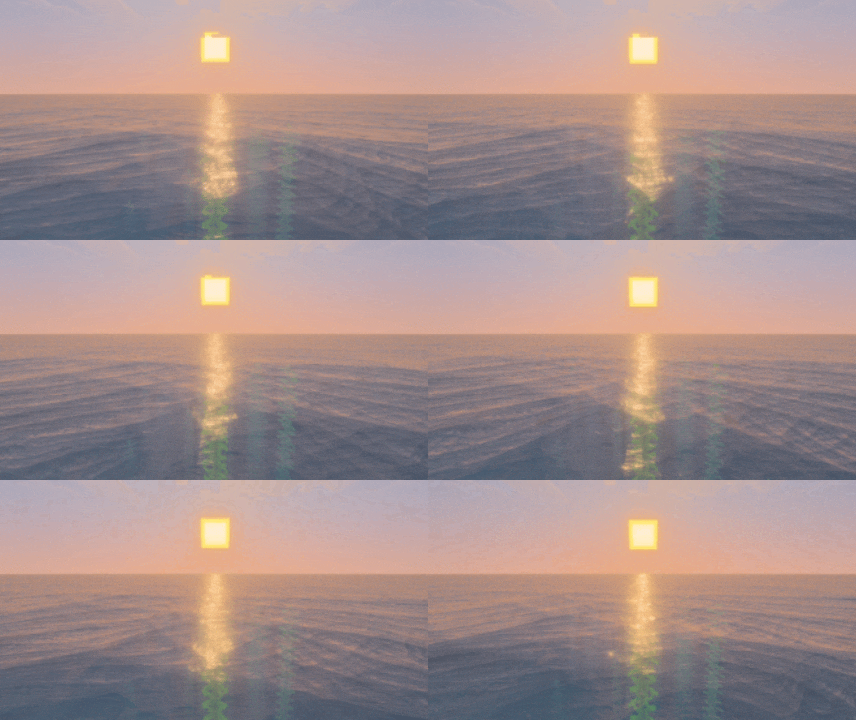
Dynamic Wave – Shader gives you super realistic waves on water in Minecraft. Dynamic Wave changes the appearance of water in Minecraft Bedrock, adding moving waves and reflections to its surface. It’s a simple idea, but one that can make a big difference if you spend a lot of time near the ocean. Instead of looking across a largely still expanse of water, you get a view with gentle movement and light playing across the surface. Whether you’re sailing to a new island or standing outside a house by the shore, the water becomes a more noticeable part of the landscape.
The waves are the main feature. They move smoothly across the surface and give large bodies of water a more natural appearance. You can see the effect while traveling by boat, but it’s also worth getting out and watching from the shore. A long beach, a bay surrounded by cliffs, or an island in the middle of the ocean gives you plenty of water to look at. The shader also adds light reflections, so the surface has more visual detail as you look across it. These changes are easiest to appreciate in an open area where the water stretches into the distance.
If your survival base is close to the sea, Dynamic Wave can give you a fresh reason to spend time outside. Maybe you already have a little dock where you leave your boat, or perhaps you’ve been planning a lighthouse but haven’t quite found the motivation to build it. With moving water beside it, a coastal project can feel more connected to its surroundings. A fishing hut, a harbor for several boats, or a house built above the shore are all good places to enjoy the view. You don’t need to redesign an existing base, either. Sometimes adding a bench or a small balcony facing the water is enough to give you a place to enjoy the scenery between trips.
The shader is also a nice fit for players who like traveling by boat. Ocean journeys can take a while, especially when you’re looking for a new biome or trying to find a good place for another base. The moving surface gives you something to watch along the way, while reflections add detail to the view around you. When you discover a promising coastline, take a moment to look back toward the open water before heading inland. If you enjoy screenshots, the edge of a cliff or the end of a pier can provide a good view of both the shore and the waves. Try visiting the same place at different times of day to see which lighting you prefer.
Dynamic Wave focuses on the visual side of water, so you can keep playing your survival world as usual. You’ll still use your boat to travel, fish from the shore, and gather resources on the seabed. The appeal is in the view around those activities. A routine trip across an ocean can feel a little more enjoyable, and a lakeside building project may be more inviting when there’s movement outside the window. It’s a good choice if you like Minecraft’s familiar landscapes but want water to have a more realistic look.
To see the shader at its best, find a broad stretch of water and give yourself a moment to watch the surface. The effect is easier to appreciate in motion than from a single screenshot: waves and reflected light bring a sense of activity to a place you might otherwise pass without a second thought. Vibrant Visuals needs to be enabled for the shader to work properly. After that, you can return to your usual adventures and enjoy the new view whenever your travels lead you back to the water.
Installation:
- Download Shader;
- Open the downloaded .mcpack to install;
- Select texture in settings;
- Done.
Comments (0)