Rainbow Slimes Skin Pack
- 1-10-2025, 08:01
- 811
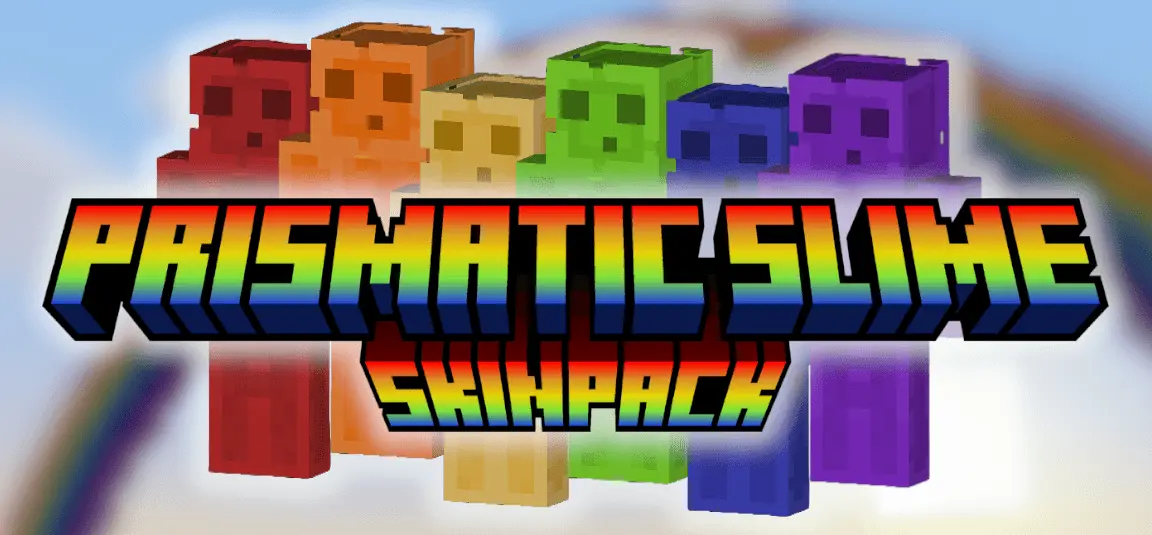
Rainbow Slimes — a Prismatic Slime Skin Pack that lets you roll into Minecraft Bedrock as a crisp, high-contrast slime with real style. These aren’t lazy recolors; every skin uses layered shading and subtle gradients so the classic slime silhouette reads clean in bright biomes and still holds its shape in low light. The result is a set of 17 distinct, fully custom-colored slime skins that look great in motion and even better in screenshots.
Why should Minecraft slimes get all the fun of being green? Rainbow Slimes brings a whole palette of slime-inspired skins to Minecraft Bedrock.
The pack is built around a simple idea: take the familiar slime look and give players plenty of colors to choose from. Its description lists 17 custom-colored designs, with shading and gradients adding detail to the characters. That gives you room to pick a favorite without leaving the slime theme behind. Maybe you want a green look that feels close to the mob you know, or perhaps a brighter color is a better match for your base. You can browse the collection in the Dressing Room and compare the designs before deciding. The different colors also make it easy to change your character’s mood between sessions. Wear one while working on a cheerful village, then pick another when you’re ready to head out with friends. It’s a lighthearted skin pack for anyone who thinks the little cube-shaped mobs deserve a place beyond the nearest swamp.
Rainbow Slimes is especially fun when several players join in. Have each friend choose a color, line up outside your shared base, and take a group picture before the day’s plans fall apart. You could organize teams by color for a friendly minigame, build a neighborhood where each house matches its owner’s skin, or race through a parkour course as a squad of slimes. The pack doesn’t create those activities for you, but it gives everyone a shared look for whatever you decide to play. If you’re building a colorful market or a collection of small houses, the skins can help inspire your palette. Match your character to a favorite room, pick a different look for each new project, or simply choose the color you like most and stick with it. There’s something amusing about a group of slime-themed players taking a building project very seriously while one of them keeps falling off the scaffolding.
These are player skins, so you won’t turn into an actual slime mob or gain its bouncing behavior. Your character still needs the usual tools, food, and armor when it’s time to leave home. The linked download is a skin pack file: open it with Minecraft to import the collection, then visit the Dressing Room to select a design. Once you’ve chosen one, switch to third person for a better look and see how it fits with the world around you. Rainbow Slimes is a cheerful option for players who enjoy Minecraft’s mobs but want a more colorful character for everyday play. Wear your favorite on a mining run, bring the whole slime crew together for a screenshot, or give each friend a color before starting a new world. Just remember that a slime-inspired outfit won’t make a long fall any softer. You’ll still want to watch that first step into the cave.
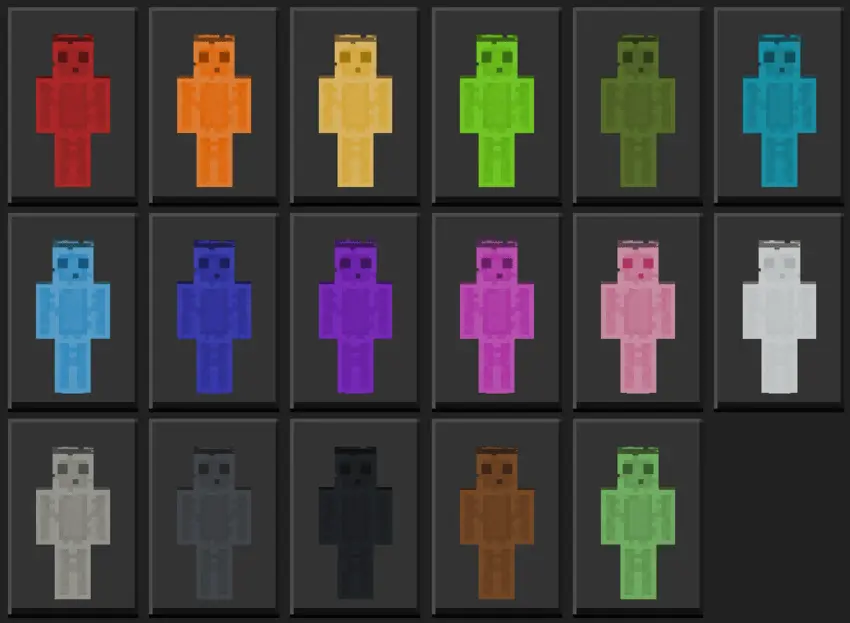
Out in survival, the colors pull double duty. Sprinting a jungle path at dusk, your team can call positions by hue instantly—“green on left, magenta mid, cyan push”—and nobody gets lost behind foliage. Drop into the Deep Dark and the shading carries the outline so your buddies can track you while you tiptoe past sensors. Building nights hit different too: match your slime to the palette of a new district, grab a warm tone for a medieval block, or flip to cool blues for a modern waterfront. The silhouette stays tidy, so parkour reads, PvP timing feels normal, and you never fight your own skin to see a landing.
For content and roleplay, Rainbow Slimes is easy mode. Assign colors for capture-the-flag, run “monochrome” challenge nights, or theme an event around a biome and outfit everyone to match. In creative, I like swapping tones mid-timelapse so viewers can track who’s doing what without cluttering the frame. No gameplay tweaks, no weird hitboxes—just a clean, consistent set that makes coordination simple and thumbnails pop. If you want a cohesive look with real variety, Rainbow Slimes nails it: bright when you need flair, readable when the lights go low, and perfectly at home in Minecraft Bedrock’s blocky world.
How to Install Skins in Minecraft Bedrock
- Download a .png skin (64×64 or 128×128).
- Open Minecraft Bedrock.
- Go to Profile (hanger icon) → Edit Character.
- Tap Owned → Import → Choose New Skin.
- Select your .png file.
- Pick a model: Classic (Steve) or Slim (Alex).
- Confirm to equip and play.
Comments (0)