Super Mario Skin Pack
- 11-01-2026, 06:45
- 919
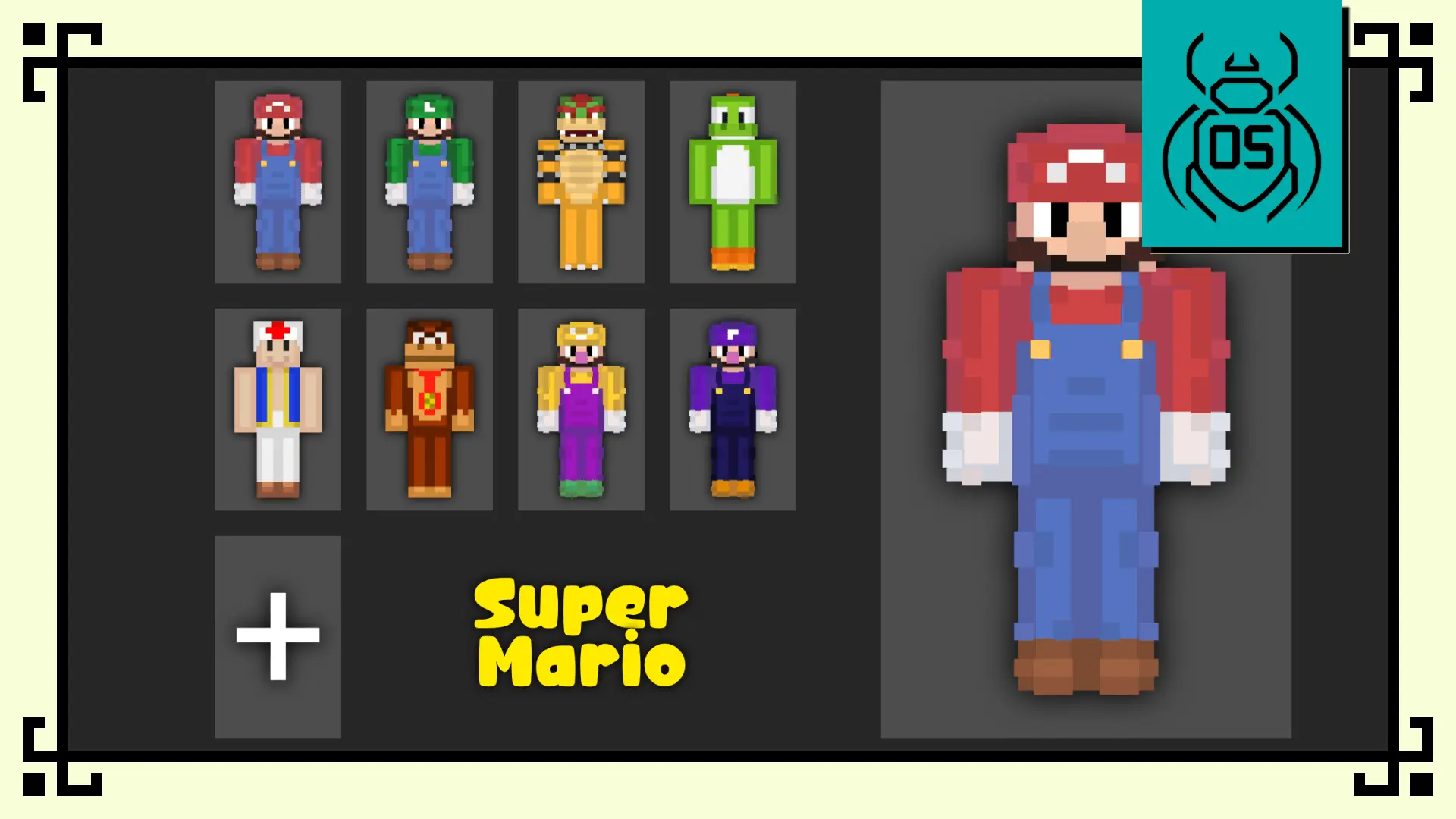
Funko Box Skin Pack – Super Mario turns classic Nintendo icons into adorable, blocky collectibles built for Bedrock players. Every character — from Mario and Luigi to Bowser and Waluigi — is reimagined in a Funko-style design that makes them pop in any world. The proportions are short, rounded, and expressive, giving each hero and villain that signature collectible look while still fitting seamlessly into Minecraft gameplay.
Mario and Luigi look like brave adventurers dropped straight into your world, complete with that bright-eyed Funko charm. Bowser shows up massive and menacing but still cute enough to stand on your castle walls without breaking the vibe. Yoshi, Toad, and Donkey Kong carry the lighter energy — colorful, fun, and instantly recognizable. Meanwhile, Wario and Waluigi steal the show with over-the-top expressions and exaggerated poses that make them perfect for chaotic multiplayer sessions or creative screenshots.


What makes this skin pack work so well is how playable it feels. The skins are clear and readable during PvP, parkour, and survival exploration — not overloaded with textures or effects that mess with visibility. On roleplay servers, the Funko-style bodies add personality without needing mods or special animations, and they look great standing side by side in screenshots or cinematic builds. Whether you’re speed-running, building your own Mushroom Kingdom, or just hopping between worlds with friends, these 8 collectible designs keep the energy fun, colorful, and nostalgic.
Funko Box Skin Pack – Super Mario is a perfect pick if you want recognizable Nintendo characters reimagined with that clean, toy-like Funko aesthetic — simple, bright, and made for players who like a mix of retro and collectible charm in Minecraft Bedrock.
How to Install Skins in Minecraft Bedrock
- Download a .png skin (64×64 or 128×128).
- Open Minecraft Bedrock.
- Go to Profile (hanger icon) → Edit Character.
- Tap Owned → Import → Choose New Skin.
- Select your .png file.
- Pick a model: Classic (Steve) or Slim (Alex).
- Confirm to equip and play.
Comments (0)