Christmas Skin Pack
- 12-01-2026, 11:35
- 475
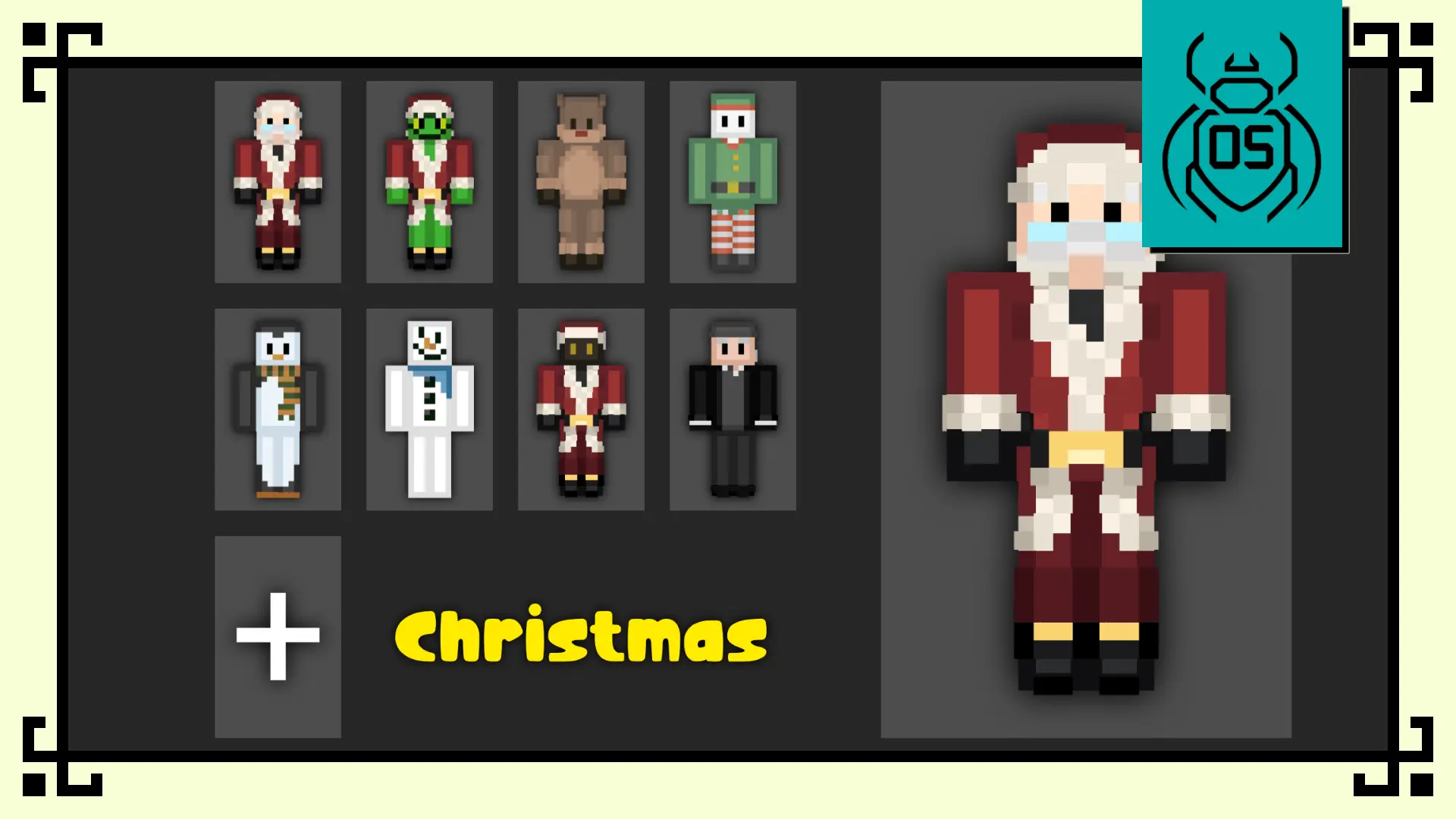
Christmas Skin Pack – Christmas Edition is the kind of pack you throw on when you want your world to feel like it’s December even if your base is still half-dirt and your storage is a mess. The whole vibe is cute, collectible, and super readable in-game, so the skins don’t get lost when you’re running around in snowstorms, sprinting through villages, or trying to survive a late-night cave trip.
The character mix is honestly perfect for multiplayer because everyone can pick a role without even talking about it. Santa Claus is the obvious “host” skin for gift exchanges, server parties, or just being the friend who shows up with extra food and tools. The Grinch is for the chaos player who steals beds, hides presents, and acts innocent in chat. Rudolph is a clean pick for winter explorers, especially if you’re out scouting snowy biomes or guiding your friends back to base like a little red-nose beacon.


Elf and Penguin are the chill, friendly skins that fit building sessions and cozy spawn hubs. They look great in screenshots when you’re decorating a town, stacking lanterns, and putting together a winter market vibe. Jack Frost leans more stylish and “cold energy,” so it’s perfect if you’re doing ice builds, mountain bases, or anything that’s supposed to feel slick and wintery. Then you’ve got the two skins that crank up the drama: The Krampus for spooky winter roleplay or horror maps, and Scrooge for that grumpy “I’m not spending diamonds on decorations” personality that every friend group has.
In Minecraft Bedrock, this pack shines when you actually match the skin to what you’re doing. Wear Santa for trading runs and gift drops, swap to Grinch when you’re pranking, or go Jack Frost when you’re out mining in snowy caves and want the screenshots to look clean. Christmas Skin Pack – Christmas Edition is simple, recognizable, and perfect for events because it gives your crew an instant theme without needing anything else.
How to Install Skins in Minecraft Bedrock
- Download a .png skin (64×64 or 128×128).
- Open Minecraft Bedrock.
- Go to Profile (hanger icon) → Edit Character.
- Tap Owned → Import → Choose New Skin.
- Select your .png file.
- Pick a model: Classic (Steve) or Slim (Alex).
- Confirm to equip and play.
Comments (0)