RedLand HD Skin Pack
- 19-01-2026, 14:24
- 691
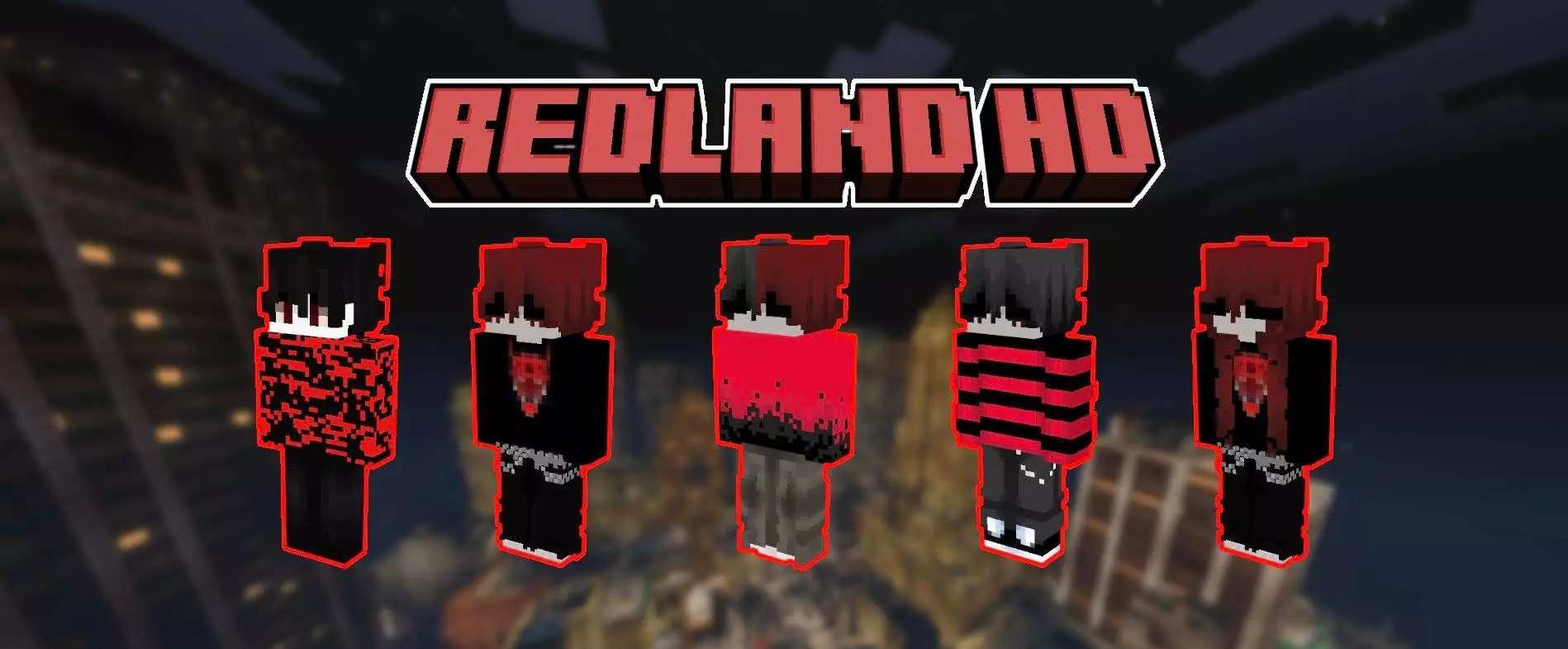
RedLand HD Skin Pack is for players who want their character to look like they stepped out of a darker, stylized universe where everything is red, black, and dramatic in the best way. The pack frames “RedLand HD” as a world where emo aesthetics collide with scarlet magic, and that sets the tone: this isn’t bright, cute, or soft. It’s a focused look built on deep shadows, strong contrast, and red accents that hit like a warning sign.
You’re getting 7 skins in this HD pack, and the whole vibe is “highly detailed.” That matters a lot in Minecraft Bedrock because detail can easily turn into visual noise, but the description pushes the idea of “crystal-clear pixels” instead of messy textures. Think clean silhouettes, sharp shading, and colors that read instantly in motion. The palette is locked in: no pastel tones, just deep shadowy blacks and reds with accents described as ripe cherry and forged steel. That combo makes these skins feel like they belong in PvP clips, dark city builds, gothic castles, or any survival world where you want your character to look intense even while doing basic stuff like mining or farming.


In actual gameplay, RedLand HD Skin Pack is perfect for servers where you want your look to stand out without being goofy. The red-and-black contrast is easy to spot in crowded areas, and it looks especially good in dim lighting—caves, nighttime runs, Nether paths, torchlit bases—because the shadows and highlights feel intentional. If you’re doing roleplay, the pack’s “strength and vulnerability” angle fits characters that are more than just “evil” or “cute,” like a rebel mage, a loner fighter, or a leader who looks calm but dangerous.
A practical tip: if you wear full armor all the time, save these skins for moments when your outfit actually shows—spawn hub hangs, screenshots, cutscenes on maps, or those “before the fight” moments where you’re gearing up. If you’re making content, RedLand HD Skin Pack works best with dramatic environments: rainy streets, stone corridors, crimson builds, or anything with strong lighting so the deep shadows and scarlet accents pop. RedLand HD Skin Pack is a tight, mood-heavy Minecraft Bedrock skin pack with 7 detailed skins that stick to one strong identity and don’t mess around with softer colors.
How to Install Skins in Minecraft Bedrock
- Download a .png skin (64×64 or 128×128).
- Open Minecraft Bedrock.
- Go to Profile (hanger icon) → Edit Character.
- Tap Owned → Import → Choose New Skin.
- Select your .png file.
- Pick a model: Classic (Steve) or Slim (Alex).
- Confirm to equip and play.
Comments (0)