Derpobrine Skin
- 22-01-2026, 23:34
- 482
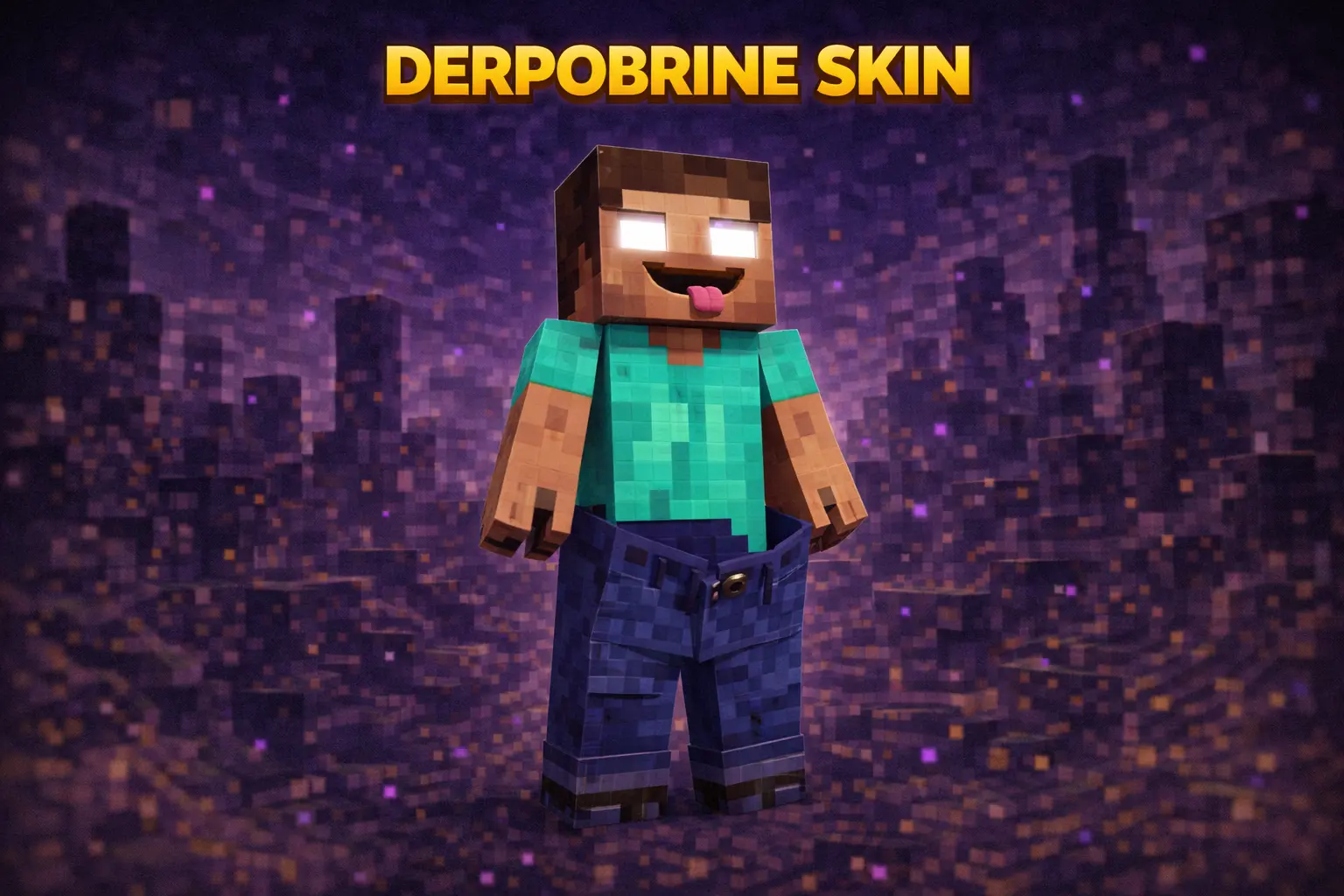
Derpobrine Skin is what you wear when you want the “Herobrine spotted” moment, but you’re not trying to be scary—you’re trying to make people laugh. It keeps the familiar Herobrine vibe everyone recognizes in a split second, then completely ruins the intimidation with pants that are way too big and a derpy face that looks like your character just spawned in and forgot what they were doing.

This skin is perfect for multiplayer because it’s basically a walking prank. You can pop out of a cave behind your friend, stand silently in the distance, or show up at someone’s base like you’re about to start a creepypasta… and then the goofy expression instantly kills the fear and turns it into a meme. It’s one of those skins that gets reactions without needing flashy colors or a complicated design.
In survival, Derpobrine Skin also fits any world because it’s still a simple, classic-style character shape. Armor won’t ruin the joke either, since the whole point is the vibe you give off when you’re unarmored at spawn or hanging around a build area. If you want a Herobrine-style skin that’s more comedy than horror, Derpobrine Skin is an easy pick.
How to Install Skins in Minecraft Bedrock
- Download a .png skin (64×64 or 128×128).
- Open Minecraft Bedrock.
- Go to Profile (hanger icon) → Edit Character.
- Tap Owned → Import → Choose New Skin.
- Select your .png file.
- Pick a model: Classic (Steve) or Slim (Alex).
- Confirm to equip and play.
Comments (0)