Slenderman Skin
- 23-01-2026, 15:05
- 678

Slenderman Skin is a straight-up atmosphere booster. The whole point is showing up as that silent, creepy presence that makes everyone feel a little paranoid, even when nothing’s actually happening. It’s simple, iconic, and it works insanely well in Minecraft because forests, foggy biomes, and dark caves already feel sketchy—you just add the Slenderman look and the vibe goes full horror mode.
On multiplayer servers, this skin is perfect for messing with friends without saying a word. Stand still behind a tree line, appear at the edge of someone’s torchlight, or just walk slowly into a room and watch people back up for no reason. It’s also great for horror adventure maps, hide-and-seek games, and roleplay worlds where you need a scary character that’s instantly recognizable.
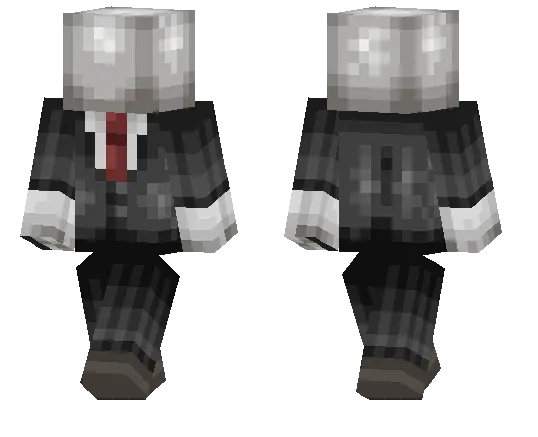
In survival, Slenderman Skin fits best when you’re exploring at night or building creepy stuff like abandoned cabins, underground tunnels, or haunted towns. Even normal gameplay feels different when your character looks like a walking urban legend. If you want a skin that’s clean, spooky, and gets reactions the second people see you, Slenderman Skin is an easy pick.
How to Install Skins in Minecraft Bedrock
- Download a .png skin (64×64 or 128×128).
- Open Minecraft Bedrock.
- Go to Profile (hanger icon) → Edit Character.
- Tap Owned → Import → Choose New Skin.
- Select your .png file.
- Pick a model: Classic (Steve) or Slim (Alex).
- Confirm to equip and play.
Comments (0)