Robo-Pigman Skin
- 23-01-2026, 06:11
- 531
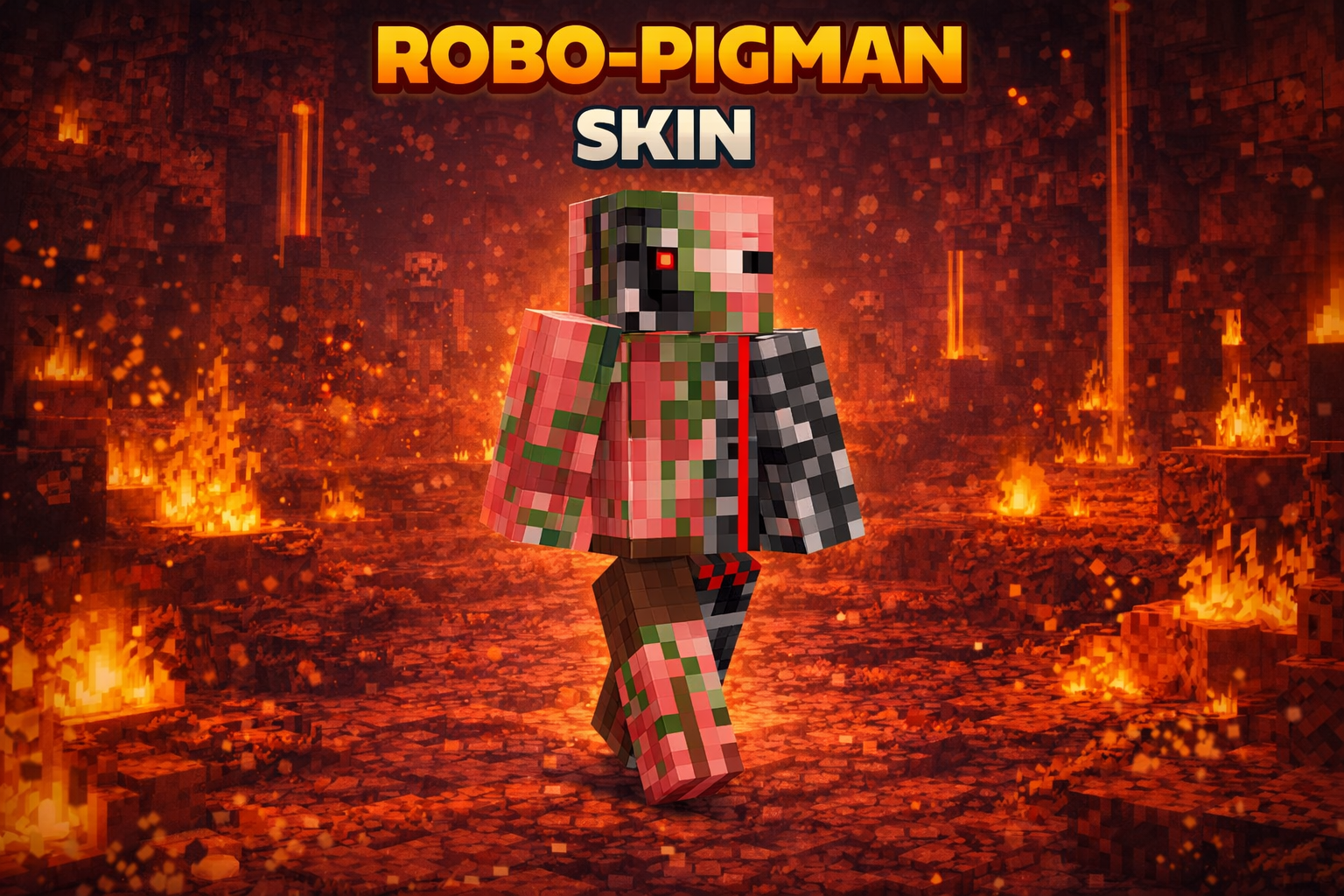
Robo-Pigman Skin is perfect if you like Nether-style characters but want something more unique than a normal Pigman look. The whole “secretly part robot� idea instantly makes your character feel like a lab experiment that escaped into the Nether and learned how to survive on pure aggression and metal upgrades. Robo-Pigman Skin combines that familiar Nether character with a robotic twist, giving your next Minecraft adventure an identity that’s part creature and part machine.
There’s a lot you can imagine from that combination. Was this character repaired after a rough fortress run, assembled in a workshop near the portal, or sent out as a scout from a hidden base? The skin doesn’t hand you an official backstory, which makes those details yours to invent. It keeps the Pigman connection recognizable while giving the character a mechanical theme that fits darker, industrial surroundings. If you enjoy choosing a skin first and letting the rest of the world grow around it, Robo-Pigman offers plenty to work with. You can make the character serious and battle-ready, or have fun playing an unlikely neighbor who just happens to look like a Nether experiment.
A Nether trip is a natural place to start. Make a small shelter near your portal, pack supplies, and head out toward a fortress or a mining site. The robotic look makes a straightforward resource run feel like a mission, especially if you build a home base around the same idea. Add a chest for supplies and a spot to display your favorite finds, and the workshop can grow along with your survival world.
The skin can work just as well in a shared world. A group of friends could put together a Nether exploration team, with each player choosing a role and helping build a base around the portal. Robo-Pigman might be the scout who goes ahead, the builder who secures a route, or the mysterious resident everyone meets when they arrive. For a PvP match or minigame, the character gives you a recognizable look without needing a whole story attached. It’s also a good fit for screenshots inside a fortress or beside an industrial build, where the Pigman and robot themes can both feel at home. Bring the group together at the end of an expedition, pose beside the portal, and you’ve got a souvenir from the trip.
Robo-Pigman changes your character’s appearance; it doesn’t add armor, fire resistance, or special robot abilities. You’ll still need to prepare for lava, ledges, and hostile mobs before heading through the portal. That leaves the ordinary survival challenge intact while giving you a different character to take on the trip. Wear the skin for a single Nether expedition, keep it as your regular look, or use it for a role-play world with friends. If you like Minecraft creatures with a mechanical spin, this Pigman gives you a character with a clear theme and a lot of stories still to invent.

On multiplayer servers, Robo-Pigman Skin stands out because it’s both familiar and different. People recognize the Pigman vibe right away, but the robotic twist makes it feel fresh, like you’ve got your own little lore going on. It’s also a fun PvP skin because it gives off that tough, armored energy even before you put real armor on.
In survival, this skin fits best when you’re doing hot-zone gameplay—Nether mining, fortress runs, or building industrial bases with redstone and lava features. It also looks great around portals and blackstone builds, since the theme matches anything dark, metallic, and dangerous. If you want a skin that feels like a Pigman upgraded into a machine, Robo-Pigman Skin nails that vibe.
How to Install Skins in Minecraft Bedrock
- Download a .png skin (64×64 or 128×128).
- Open Minecraft Bedrock.
- Go to Profile (hanger icon) → Edit Character.
- Tap Owned → Import → Choose New Skin.
- Select your .png file.
- Pick a model: Classic (Steve) or Slim (Alex).
- Confirm to equip and play.
Comments (0)