Verdant Vistas Skin Pack
- 8-02-2026, 14:51
- 720
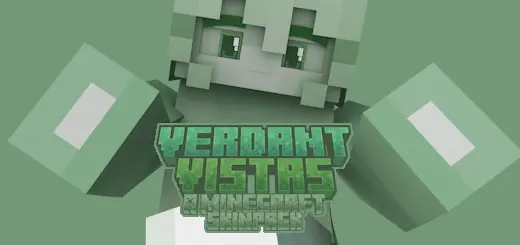
Verdant Vistas Skin Pack is for players who like that calm, fresh aesthetic without looking boring or plain. Everything is built around light greens and that “new season” vibe—mossy tones, leafy colors, and the kind of soft brightness you get when the sun hits a forest in spring. It’s a nice fit for survival worlds where you build in woodlands, hang around farms, or just like your character to match the environment instead of standing out like neon.
In-game, these kinds of skins are honestly underrated because they feel good in motion. When you’re sprinting through grass, climbing hills, or working around a base with greenery, the palette blends in naturally and makes screenshots look cleaner. Practical tip: if you play a lot of survival and you’re always doing chores like farming, terraforming, or building paths through forests, a green-themed skin keeps your vibe consistent and makes your world feel more “designed” without you needing fancy texture packs.


The pack includes three named options, and each one can be your “main” depending on your mood. Mosslight sounds like the earthy, grounded pick—perfect for cave-to-forest survival runs and cozy base life. Pistachio has a brighter, lighter feel, which fits daytime exploration and builder worlds where everything’s airy and clean. Clover gives off that lucky charm energy, like the skin you wear when you’re going on a risky trip and hoping the game finally decides to be nice to you.
Verdant Vistas Skin Pack works especially well on multiplayer because it’s recognizable without being loud. You’ll look themed, polished, and easy to spot, but you won’t be the person blinding everyone with high-contrast colors. If you want a simple, nature-inspired wardrobe for Minecraft Bedrock that feels fresh and consistent, Verdant Vistas Skin Pack is a clean pick.
How to Install Skins in Minecraft Bedrock
- Download a .png skin (64×64 or 128×128).
- Open Minecraft Bedrock.
- Go to Profile (hanger icon) → Edit Character.
- Tap Owned → Import → Choose New Skin.
- Select your .png file.
- Pick a model: Classic (Steve) or Slim (Alex).
- Confirm to equip and play.
Comments (0)