Goku SkinPack | 15 NEW Skins
- 22-02-2026, 14:24
- 474
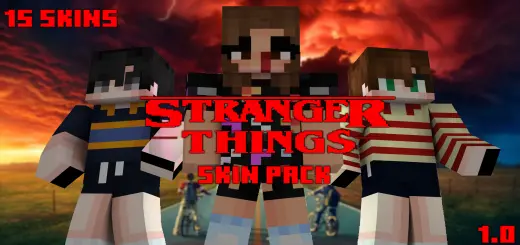
Goku SkinPack | 15 NEW Skins is made for players who want their Minecraft Bedrock sessions to feel like a DragonBall hangout without needing a full combat overhaul. The idea is simple: you download the pack, pick your character, and suddenly your world looks like an anime crossover. Skins alone can change the vibe way more than people expect, because the second your crew loads in as DragonBall characters, normal gameplay turns into “training arc” gameplay.
This pack is especially fun in multiplayer because it gives your group instant roles. One friend can be the “main fighter,” another can be the rival, and someone can be the chaotic wildcard who starts fights for no reason. Even if you’re just doing normal survival, it feels different when you’re mining in full DragonBall mode and calling it “training,” or when you’re climbing mountains and pretending it’s a power-up session. If you’re building, it’s perfect for making a themed arena, a dojo-style base, or a big open space for sparring.

Since the description doesn’t list the full roster of all 15 skins, the best part is discovering what’s included once you load it up. Practical tip: before you start a world with friends, hop into a lobby area and have everyone pick their skin first so the whole group looks coordinated. Then set a simple goal for the session—like “build an arena,” “run PvP rounds,” or “do a survival start but stay in character”—so the skins feel like more than just outfits. Goku SkinPack | 15 NEW Skins is basically a quick, easy way to bring DragonBall energy into Minecraft Bedrock with no complicated mechanics, just pure character vibe.
How to Install Skins in Minecraft Bedrock
- Download a .png skin (64×64 or 128×128).
- Open Minecraft Bedrock.
- Go to Profile (hanger icon) → Edit Character.
- Tap Owned → Import → Choose New Skin.
- Select your .png file.
- Pick a model: Classic (Steve) or Slim (Alex).
- Confirm to equip and play.
Comments (0)