Kitties!1! Skinpack
- 11-02-2026, 14:43
- 636
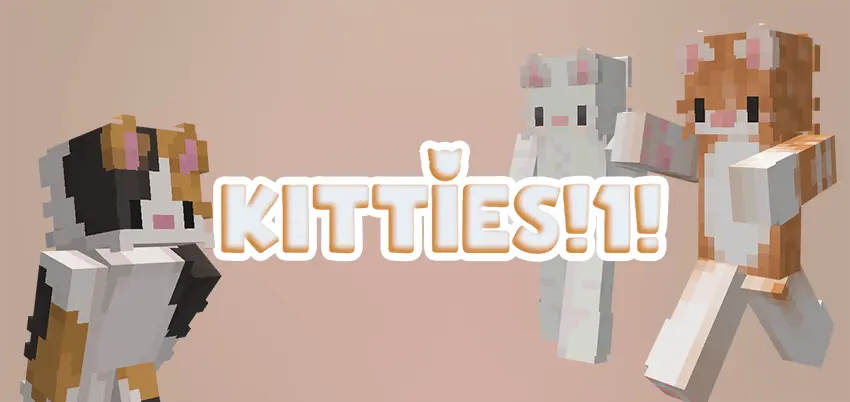
Kitties!1! Skinpack is all about simple variety and good vibes. It comes with five kitten skins, each in a different color, so you’re not locked into one look forever. If you like switching your style depending on the world you’re playing or the people you’re with, this pack makes that easy without being complicated or overloaded.
In normal survival, skins don’t change your stats, but they totally change how the game feels. A kitten skin gives your character that playful, chill energy, which is honestly perfect for long building sessions, cozy base worlds, or just messing around with friends on a realm. And since you’ve got five color options, you can pick one that matches your base theme—go brighter for a fun city build, darker for a stealthy vibe, or just rotate whenever you get bored.

Kitties!1! Skinpack also works great in multiplayer because it makes your identity obvious. If your friend group always loses track of who’s who during chaotic fights or big mining trips, having distinct kitten colors helps everyone spot each other fast. It’s also fun for roleplay worlds where you want a consistent “team look� without everyone wearing the exact same thing—each person can grab a different kitten color and still feel like part of the same crew.
Practical tip: pick a “main� kitten skin for your survival world so screenshots and builds feel consistent, then use the other colors as mood swaps when you start new projects. Kitties!1! Skinpack is basically a quick, clean way to give your character more personality in Minecraft Bedrock without needing anything else.
How to Install Skins in Minecraft Bedrock
- Download a .png skin (64×64 or 128×128).
- Open Minecraft Bedrock.
- Go to Profile (hanger icon) → Edit Character.
- Tap Owned → Import → Choose New Skin.
- Select your .png file.
- Pick a model: Classic (Steve) or Slim (Alex).
- Confirm to equip and play.
Comments (0)