EmoPack Skin Pack
- 23-02-2026, 21:27
- 702
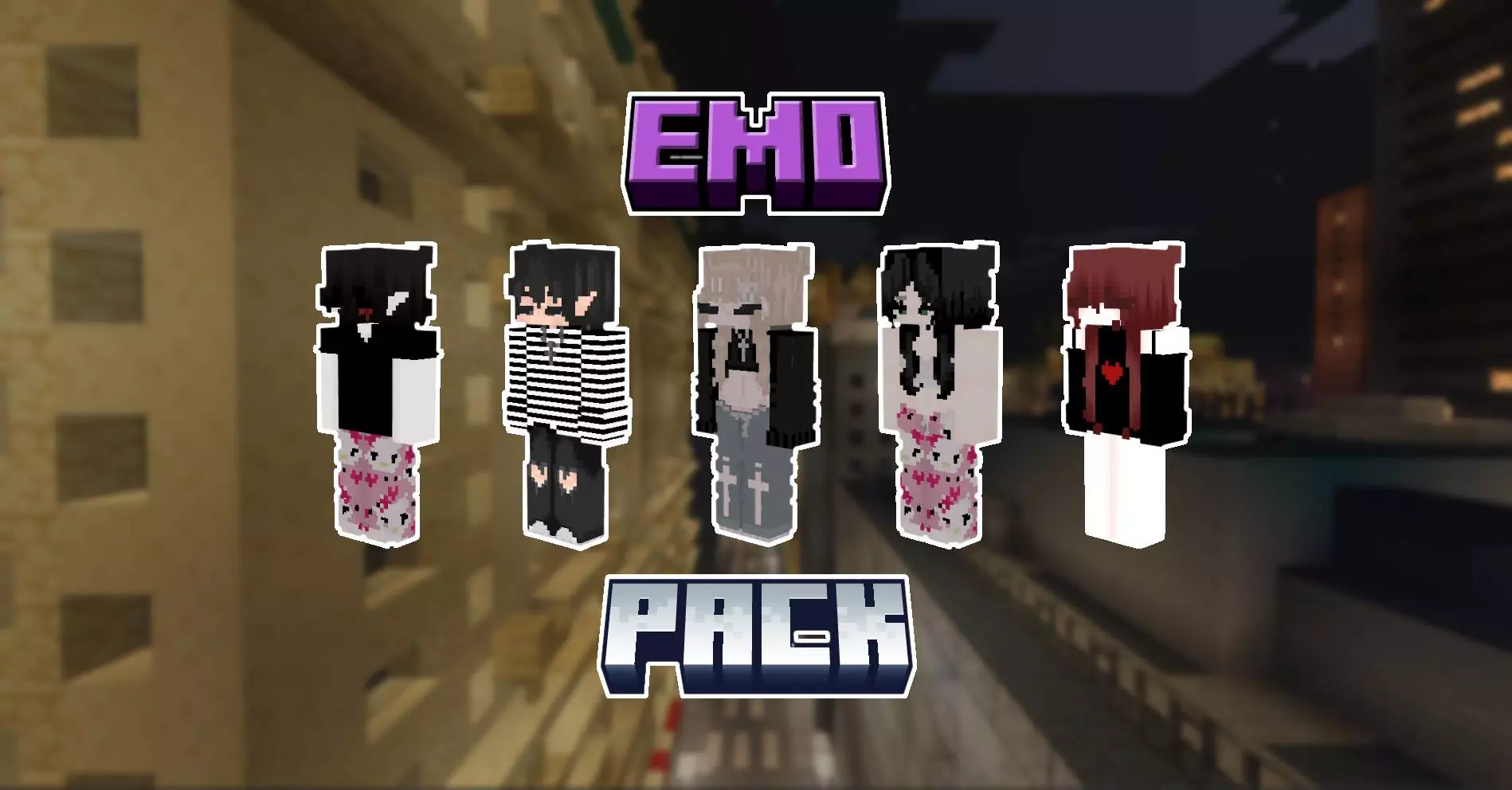
EmoPack Skin Pack is a themed set that leans fully into the “sad club” aesthetic, but with the kind of detail that makes the skins feel premium instead of basic. The description frames them as portraits of seven souls, frozen in an eternal search for meaning, which is basically telling you the vibe up front: dramatic, emotional, and a little haunted. It’s not trying to be cute or comedic. It’s made for players who want their character to look like they belong in a rainy city build, a dimly lit lobby, or a late-night survival world where everything feels heavier.
The standout promise is the high level of detail—small nuances you can actually see. That matters on Minecraft Bedrock because some skins look fine at a distance but fall apart when you’re in third-person or when friends are standing right next to you. A detailed emo-themed pack works best when the shading and outfit choices stay readable, and when the character silhouette is strong enough that you still look good while sprinting around in PvP or parkour.


Since it’s a set of seven, it’s also easy to use in groups without everyone matching exactly. Friends can each pick a different “broken heart” look and still feel like part of the same club. Emo skins are also great for roleplay worlds—school maps, city maps, horror story maps—because the vibe sells itself instantly without needing extra lore.
Practical tip: pair EmoPack Skin Pack with worlds that match the mood. Dark builds, rainy-themed textures, neon city hubs, underground bases, or horror maps make these skins feel like they belong. If you’re doing PvP, pick the skin with the cleanest silhouette so you stay readable in motion. EmoPack Skin Pack is basically for players who want a stylish, emotional, high-detail look that feels like a character, not just an outfit.
How to Install Skins in Minecraft Bedrock
- Download a .png skin (64×64 or 128×128).
- Open Minecraft Bedrock.
- Go to Profile (hanger icon) → Edit Character.
- Tap Owned → Import → Choose New Skin.
- Select your .png file.
- Pick a model: Classic (Steve) or Slim (Alex).
- Confirm to equip and play.
Comments (0)