Power Rangers Lost Galaxy Skin Pack
- 23-02-2026, 18:26
- 453
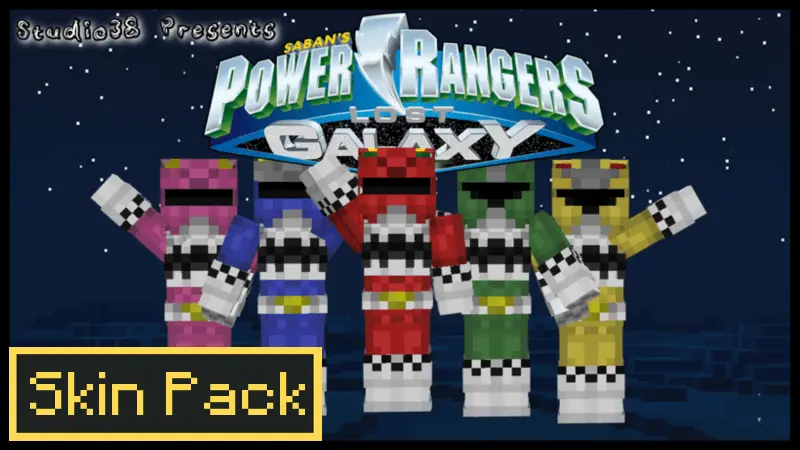
Power Rangers Lost Galaxy Skin Pack is made for multiplayer sessions where you want instant “team energy” without changing any mechanics. The theme is the Lost Galaxy Rangers, so it’s all about that far-from-home space journey vibe—your crew isn’t defending one town anymore, you’re taking the fight for peace to the furthest reaches of space in a new galaxy. That theme fits perfectly if you’re playing on sci-fi maps, space stations, alien planet builds, or even a normal survival world where you pretend your base is a colony outpost.
Skin packs like this shine because they give your group identity right away. When everyone loads in as Rangers, you automatically start playing more coordinated—people pick roles, stick together, and treat objectives like missions. Even regular Minecraft Bedrock survival feels different when your squad is matching, because a cave run becomes a “recon mission,” and building a base turns into building your “command center.”

This pack is also great for mini-games and PvP nights. You can run team battles where your Ranger squad defends a base, do capture-the-flag style matches, or set up a simple arena and run “sparring” rounds like it’s training before the next big space fight. It also makes screenshots and thumbnails look clean because the theme is obvious immediately, and viewers can tell it’s a Lost Galaxy session without you needing to explain.
Practical tip: assign everyone a specific Ranger look/color before you start, then pick one clear goal for the session—build a colony base, clear a structure, or run PvP rounds—so the “new galaxy” theme actually becomes part of how you play. Power Rangers Lost Galaxy Skin Pack is basically a quick way to turn any Bedrock world into a squad-based space adventure where your team looks and feels like it belongs together.
How to Install Skins in Minecraft Bedrock
- Download a .png skin (64×64 or 128×128).
- Open Minecraft Bedrock.
- Go to Profile (hanger icon) → Edit Character.
- Tap Owned → Import → Choose New Skin.
- Select your .png file.
- Pick a model: Classic (Steve) or Slim (Alex).
- Confirm to equip and play.
Comments (0)