Skeletal King Skin
- 24-02-2026, 10:15
- 522
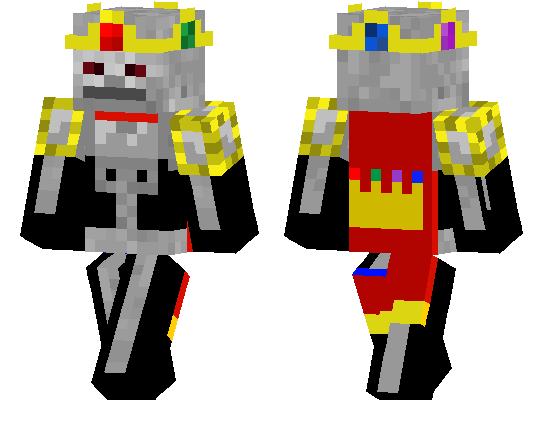
Skeletal King Skin is a great pick if you want your character to look like a final boss instead of just another player in armor. The whole theme is straight-up undead royalty, so you get that “ruler of the land of the dead� energy the second you load into a world. It’s the kind of skin that makes even normal stuff like walking through your base at night feel more dramatic.
In survival, Skeletal King Skin fits especially well with dark castles, graveyard builds, ruined fortresses, or Nether-style bases where the atmosphere already feels heavy. If you like roleplay, this skin gives you an easy character idea right away without needing a bunch of extra setup. You can be the cursed king, the dungeon boss, or the old ruler who came back and now owns the whole server spawn.
Skeletal King Skin also works really well in multiplayer because it’s easy to recognize and has a strong theme without being messy. If you want a clean undead cosmetic with a powerful vibe, Skeletal King Skin is a fun one to keep in your Minecraft Bedrock skin rotation.
How to Install Skins in Minecraft Bedrock
- Download a .png skin (64×64 or 128×128).
- Open Minecraft Bedrock.
- Go to Profile (hanger icon) → Edit Character.
- Tap Owned → Import → Choose New Skin.
- Select your .png file.
- Pick a model: Classic (Steve) or Slim (Alex).
- Confirm to equip and play.
Comments (1)