General Raam Skin
- 24-02-2026, 10:17
- 440
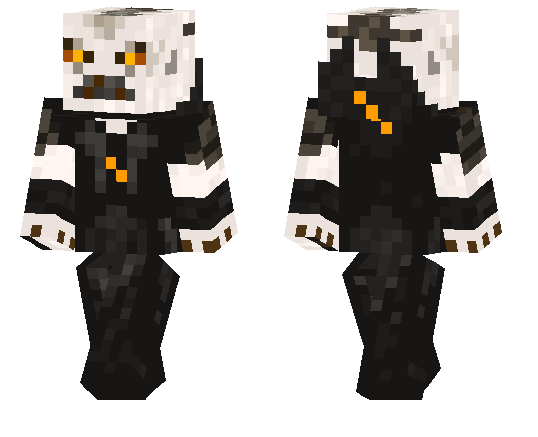
General Raam Skin is the kind of skin you use when you want your character to look like a threat before the fight even starts. It has that heavy, aggressive warrior energy that fits dark builds, combat maps, and serious PvP sessions way better than bright or goofy skins. The vibe is straight-up “final boss soldier,� which makes it a strong pick if you like intimidating cosmetics.
In survival, General Raam Skin works great with fortress bases, underground bunkers, ruined cities, or any world where you’re leaning into a war or apocalypse theme. Even regular gameplay feels different when your character looks like a commander instead of a default skin. If you play with friends, it’s also easy to build a roleplay setup around it—faction leader, raid boss, warlord, whatever fits your server style.
General Raam Skin is also a solid screenshot skin because the silhouette and dark tone usually look good in dramatic lighting, especially at night or in the Nether. If you want a tough, armored look for Minecraft Bedrock that feels serious and battle-ready, General Raam Skin is a strong choice.
How to Install Skins in Minecraft Bedrock
- Download a .png skin (64×64 or 128×128).
- Open Minecraft Bedrock.
- Go to Profile (hanger icon) → Edit Character.
- Tap Owned → Import → Choose New Skin.
- Select your .png file.
- Pick a model: Classic (Steve) or Slim (Alex).
- Confirm to equip and play.
Comments (0)