Zomb Skin
- 24-02-2026, 10:07
- 467
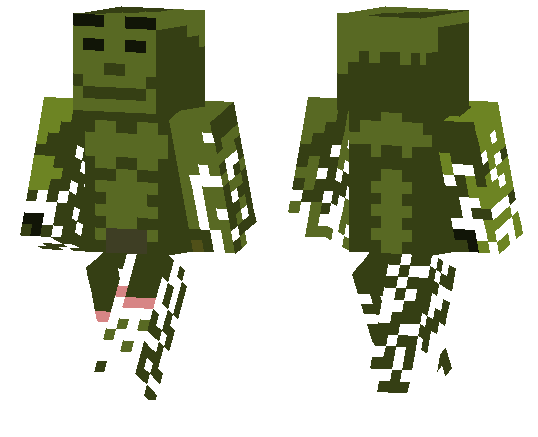
Zomb Skin is a clean mutant-themed skin that works great when you want your character to look dangerous without going overboard. It has that infected, twisted look that fits right into spooky survival runs, abandoned-city builds, or any world where you want a little horror energy without changing the gameplay itself. The idea is simple, but that’s why it works so well in Minecraft Bedrock.
What makes Zomb Skin fun is how easy it is to use in different situations. You can wear it in a normal survival world and instantly make night exploration feel more intense, or use it in a custom horror map where the skin helps sell the atmosphere before anything even attacks you. It also fits roleplay servers if you’re doing apocalypse, mutant, or outbreak-style stories.
Zomb Skin is also a nice pick for multiplayer because it stands out fast and gives your character a clear theme. If you like creepy cosmetics and want something that feels like a mutant version of a player instead of a random monster costume, Zomb Skin is a solid choice to keep in your skin rotation.
How to Install Skins in Minecraft Bedrock
- Download a .png skin (64×64 or 128×128).
- Open Minecraft Bedrock.
- Go to Profile (hanger icon) → Edit Character.
- Tap Owned → Import → Choose New Skin.
- Select your .png file.
- Pick a model: Classic (Steve) or Slim (Alex).
- Confirm to equip and play.
Comments (0)