Akatsuki Cloud Skin Pack
- 25-05-2026, 03:24
- 353
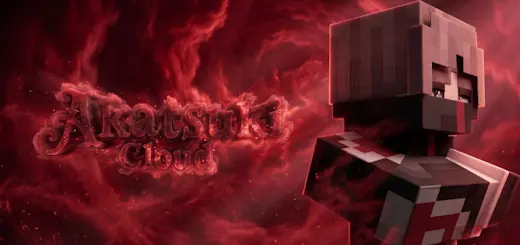
Akatsuki Cloud Skin pack of players in Akatsuki Cloud clothes from the cult manga Naruto for Minecraft. Throwing on that infamous high-collar cloak with blood-red storm clouds immediately turns your character into an exiled shinobi rogue ready to hunt down every tailed beast on the realm. Akatsuki Cloud Skin Pack delivers the legendary ninja mercenary drip straight from the anime archives into Bedrock, letting you roll up on rival factions looking like a certified S-rank fugitive.
Every anime fan who has ever touched a multiplayer server knows the pain of hunting for decent ninja cosmetics. Half the stuff uploaded to free skin databases features washed-out crimson that looks like pale pink under sunlight, weirdly stretched patterns across the ribcage, and flat collars that make your avatar look like a painted cardboard box. When you pull up to an endgame raid or flex in front of your faction members, you want people to recognize that iconic rogue syndicate uniform from across the render distance without squinting.
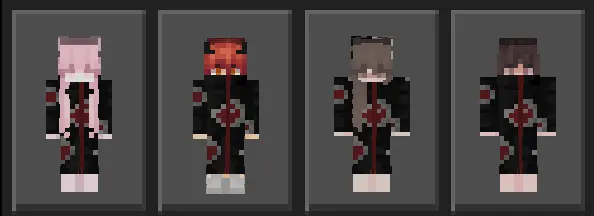
This release nails the dark, intimidating presence by focusing on rich contrasts and authentic cloak tailoring. The deep obsidian fabric serves as the perfect canvas for the signature red cloud motifs, bordered by crisp white outlines that give the emblems genuine pop. What really sells the silhouette is the dimensional mapping applied to the outer skin layer. The high, folded cloak collars sit raised against your jawline, while straw sun hats, dangling tassels, and forehead protector headbands with carved strike-through slashes stick out from the base skull mesh. When you unsheathe a diamond katana or sprint across bamboo jungle canopies, the garment edges move naturally without clipping into your character arms.
Bringing this wardrobe into competitive Bedrock lobbies completely elevates team synergy. If you and your squad love staging coordinated strikes during faction raids or dominating capture points in bridge duels, rolling up five deep in matching renegade robes strikes genuine psychological terror into whoever is holding the defensive line. You can assign different rogue personalities within your voice call, having one buddy run the scarred masked variant while another rocks the pale puppet master look. It transforms a routine Nether fortress run or trial chamber raid into an epic, cinematic hunt where your crew plays the role of the ultimate server villains.
Technical execution holds up across every screen without hitching or visual glitches. Because these files stick to official player proportions without bloated script overhead, you will never get the dreaded blank missing-texture box or invisible limb bugs when joining crossplay servers. Teammates running on mobile devices, living room consoles, or PC setups see your full cloak detail and forehead plate render instantaneously, keeping your movement smooth and your hitboxes razor sharp during fast-paced PvP exchanges.
Throwing these stealth robes into your dressing room takes only seconds through your local files. Feed the mcpack into your system to initiate the Bedrock client asset hook, head straight to your owned wardrobe tab, choose between classic or slim fits, and confirm your selection. If you want your player model to cast aside boring starter outfits and radiate pure renegade ninja dominance, this dark cloak collection belongs in your permanent lineup.
How to Install Skins in Minecraft Bedrock
- Download a .png skin (64×64 or 128×128).
- Open Minecraft Bedrock.
- Go to Profile (hanger icon) → Edit Character.
- Tap Owned → Import → Choose New Skin.
- Select your .png file.
- Pick a model: Classic (Steve) or Slim (Alex).
- Confirm to equip and play.
Comments (0)