Dark Shadow Skin Pack
- 25-05-2026, 06:21
- 389
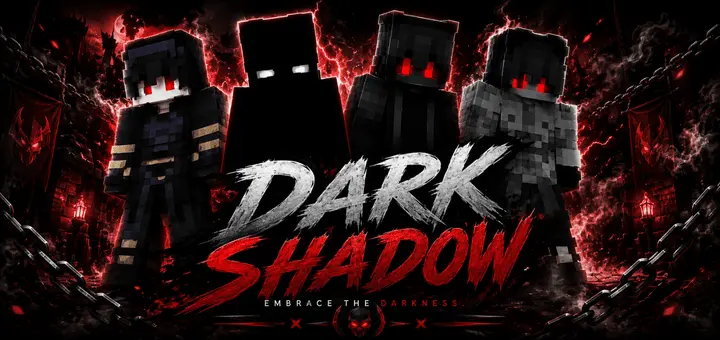
Dark Shadow - perfect dark skins for PVP and adventures, these are epic dark skins for Minecraft. Disappearing into deepslate shadows while a fully geared squad sprints past your hiding spot proves that raw stealth beats bulky diamond armor any day of the week. Dark Shadow Skin Pack provides that exact shadowy edge, arming your wardrobe with cold, phantom-inspired aesthetics designed to keep your nametag off everyone else's radar.
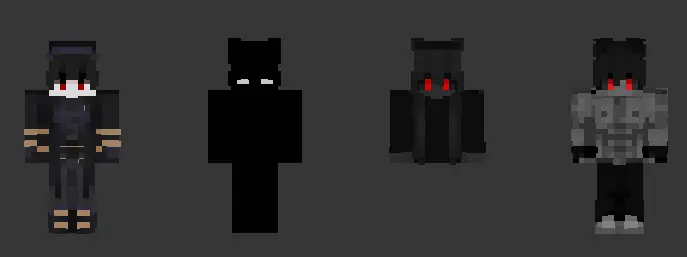
Sneaking around on public multiplayer servers or high-stakes anarchy realms usually feels like a total coin toss if your cosmetic choices are garbage. We have all seen that one teammate who throws on a blinding cyber suit or bright neon hoodie, crouches in the bushes, and somehow wonders why three rival players immediately zero in on their coordinates. When your visual palette contrasts against raw stone or nighttime terrain, you are practically painting a bullseye on your own chest. Real covert operations require outfits that absorb ambient light, break up your silhouette, and make opposing trackers double-check every dark corner before moving forward.
This collection leans hard into a spectral, grim mercenary identity. Instead of looking like a plain black silhouette drawn with zero effort, every outfit features intricate charcoal shading, smoky gradients, and subtle purple or void-tinted undertones that mimic the creepiest corners of the End dimension. Subtly glowing eyes peek out from under deep cowl rims, providing just enough menacing flavor to strike panic without acting as a lighthouse in low-light biomes.
Taking these stealth threads into competitive mini-games turns you into an absolute terror on defense. In custom horror maps or manhunt runs with your gaming circle, running as the lone shadow pursuer cranks the suspense through the roof. Watching a shadowy figure dissolve into cave mist while chasing you down unlit tunnels is genuinely unsettling, giving your roleplay sessions an extra layer of psychological pressure.
Crossplay support runs flawlessly across every system running current Bedrock updates. The textures are cleanly mapped to official character templates, meaning you will not get awkward clipping along your arm joints or see your textures break into unrendered pink squares on your buddies' displays. Whether your crew logs in through mobile devices, home consoles, or PC launchers, your shadowy figure renders with crisp clarity, keeping hitboxes precise and movement animations natural during clutch parkour escapes or high-intensity sword trades.
Activating these wraith fits takes only a few quick moments through your client interface. Feed the downloaded mcpack into your system, let the launcher automatically parse the assets into your locker, head over to the dressing room, and equip whichever shadowy rogue matches your personal survival vibe. When flashy, saturated skins are ruining your stealth flanks, gearing up with these midnight specters ensures you always own the dark.
How to Install Skins in Minecraft Bedrock
- Download a .png skin (64×64 or 128×128).
- Open Minecraft Bedrock.
- Go to Profile (hanger icon) → Edit Character.
- Tap Owned → Import → Choose New Skin.
- Select your .png file.
- Pick a model: Classic (Steve) or Slim (Alex).
- Confirm to equip and play.
Comments (0)