Heroic Fashion Teens – Skin Pack
- 6-06-2026, 03:52
- 404
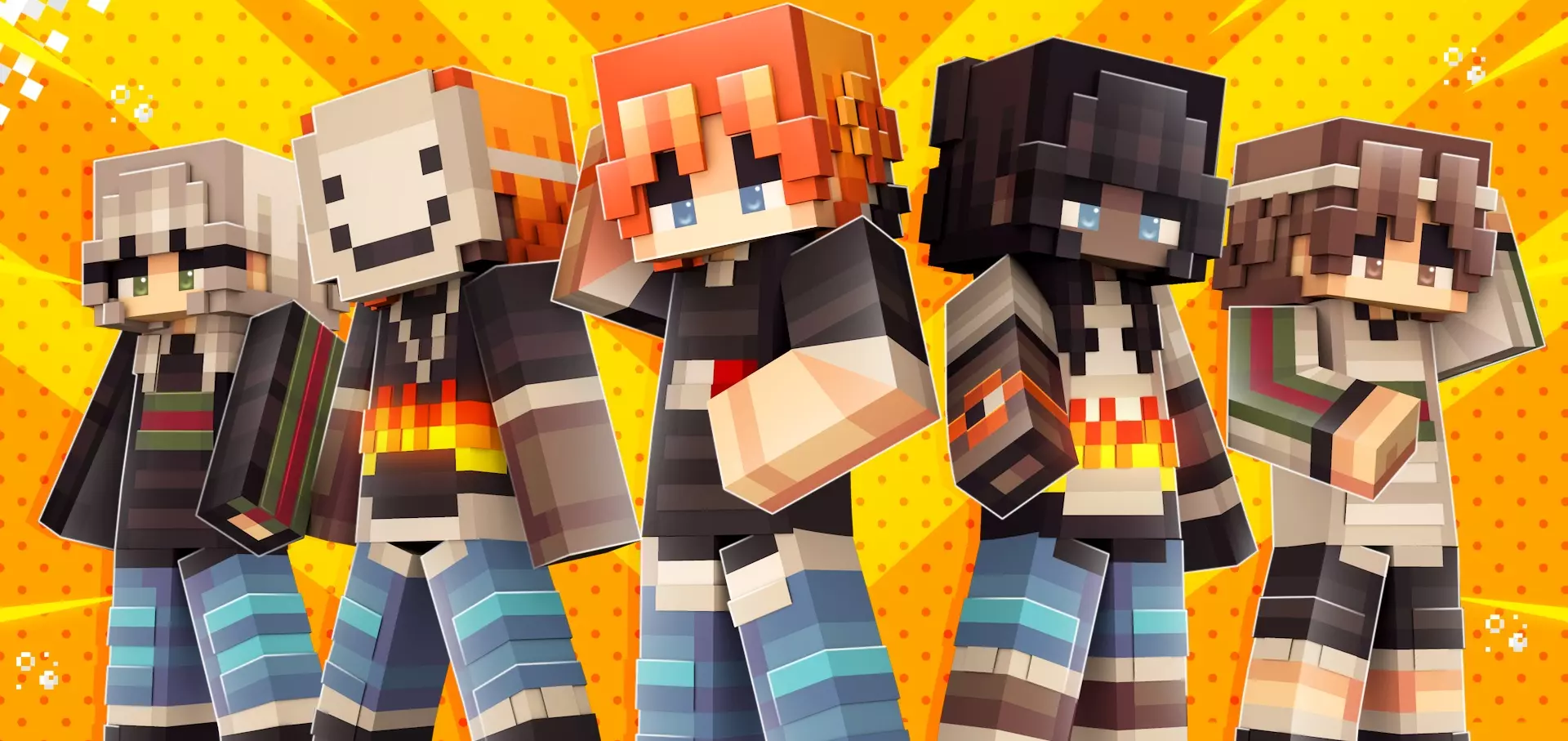
Heroic Fashion Teens is a great skin pack for girls and boys who want to look fashionable in Minecraft. Pulling off superhero aesthetics usually means strapping into cheesy spandex or dated comic book capes, but the Heroic Fashion Teens Skin Pack completely reimagines that vigilante energy through crisp, modern streetwear.
Most players cruising public Bedrock lobbies know the struggle of finding a skin that balances hero vibes without looking ridiculous. You either end up with a clunky, low-res comic book knockoff that looks like it belongs in 2012, or you get stuck wearing a generic hoodie with glowing eyes that tells nobody who you are. Striking a clean line between vigilante power and runway-ready fashion is ridiculously tough in community skin catalogs. This collection solves that identity crisis instantly, outfitting your avatar with sharp urban silhouettes, custom emblem details, and dynamic palettes that look like high school heroes gearing up for after-hours patrol duty.
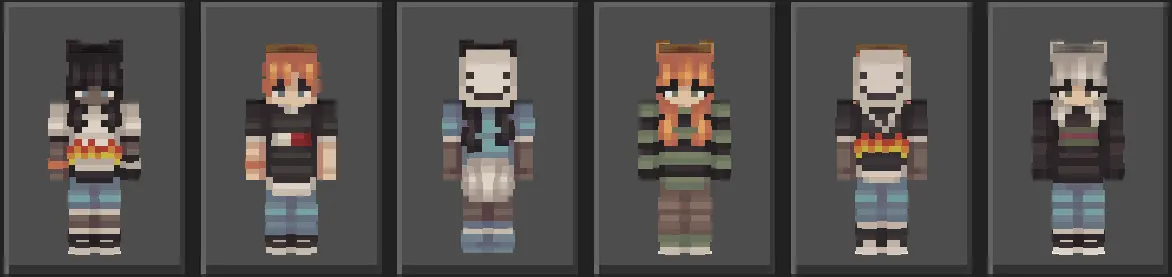
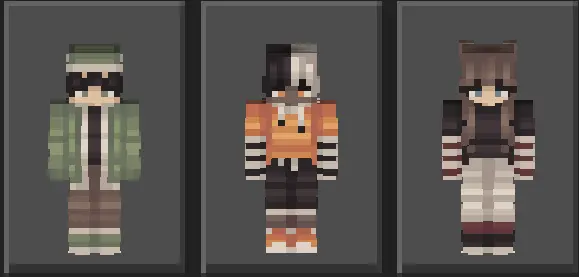
The pixel work on these models stands out because of how thoughtfully it uses Bedrock's second texture layer. Instead of painting flat symbols across a flat torso, the designs weave in tangible depth with denim jackets, utility straps, cropped vests, and layered fingerless gloves. You get sleek track pants, chunky techwear sneakers, and clean utility belts that give each teenager an agile, combat-ready build. The hair texturing feels equally dialed in, sporting stylish undercut fades, messy bangs, and striking dual-tone highlights that frame clean, determined anime-inspired eyes. Everything catches the lighting engine naturally, making the fabric folds and metallic belt buckles pop whether you are under direct desert daylight or navigating dim subterranean mines.
Dropping into sweaty minigame lobbies wearing one of these outfits immediately sets you apart from the crowd. Whether you are holding down a bridge in Bedwars, clutching out a 1v2 near center in SkyWars, or practicing high-speed parkour runs, the slim athletic frames give your movement a crisp, responsive feel. Your character looks built for high-velocity traversal, standing out sharply against plain cobblestone or sandstone blocks without turning your avatar into a blinding neon target across long sightlines.
Survival realms and creative city builders will find plenty of mileage here as well. If your squad is constructing modern skyscrapers, hidden subway stations, or an underground base of operations beneath a coastal mansion, these outfits fit right into the world building. The pack supplies enough visual variety across male and female presets that your entire friend group can build out a full squad of teenage protectors, each rocking their own distinct color palette and accessory loadout without duplicating looks.
On the technical front, everything runs seamlessly on any device. Built strictly within standard Bedrock player geometry, you never have to worry about bugged hitboxes, weird armor clipping when equipping enchanted netherite, or frame drops in crowded multiplayer hubs. The textures load instantly across mobile touchpads, console gamepads, and desktop rigs alike, preserving their clean lines and vibrant saturation through any lighting conditions. If you want to dump the goofy costumes and bring authentic, streetwear-infused hero swagger to your everyday Minecraft sessions, throwing on the Heroic Fashion Teens Skin Pack is an absolute no-brainer for your next server drop.
Quick guide: How to install this Minecraft skinpack
Downloaded the .mcpack file? Here is exactly how to get it into your game depending on what device you are using right now.
- On Windows or Android: Just click or tap the downloaded file twice. Minecraft will open up on its own and load the skins immediately.
- On iPhone or iPad: Save the file, open your Files app, and hold your finger on it. Hit Share, select Minecraft from the list, and the game will handle the rest.
To put the skins on, just open Minecraft, head over to the Dressing Room (Profile), click on Classic Skins on the left, find this pack under Owned, and tap Equip.
Comments (0)