Alleis Slop Skin Pack
- 21-07-2026, 05:02
- 348
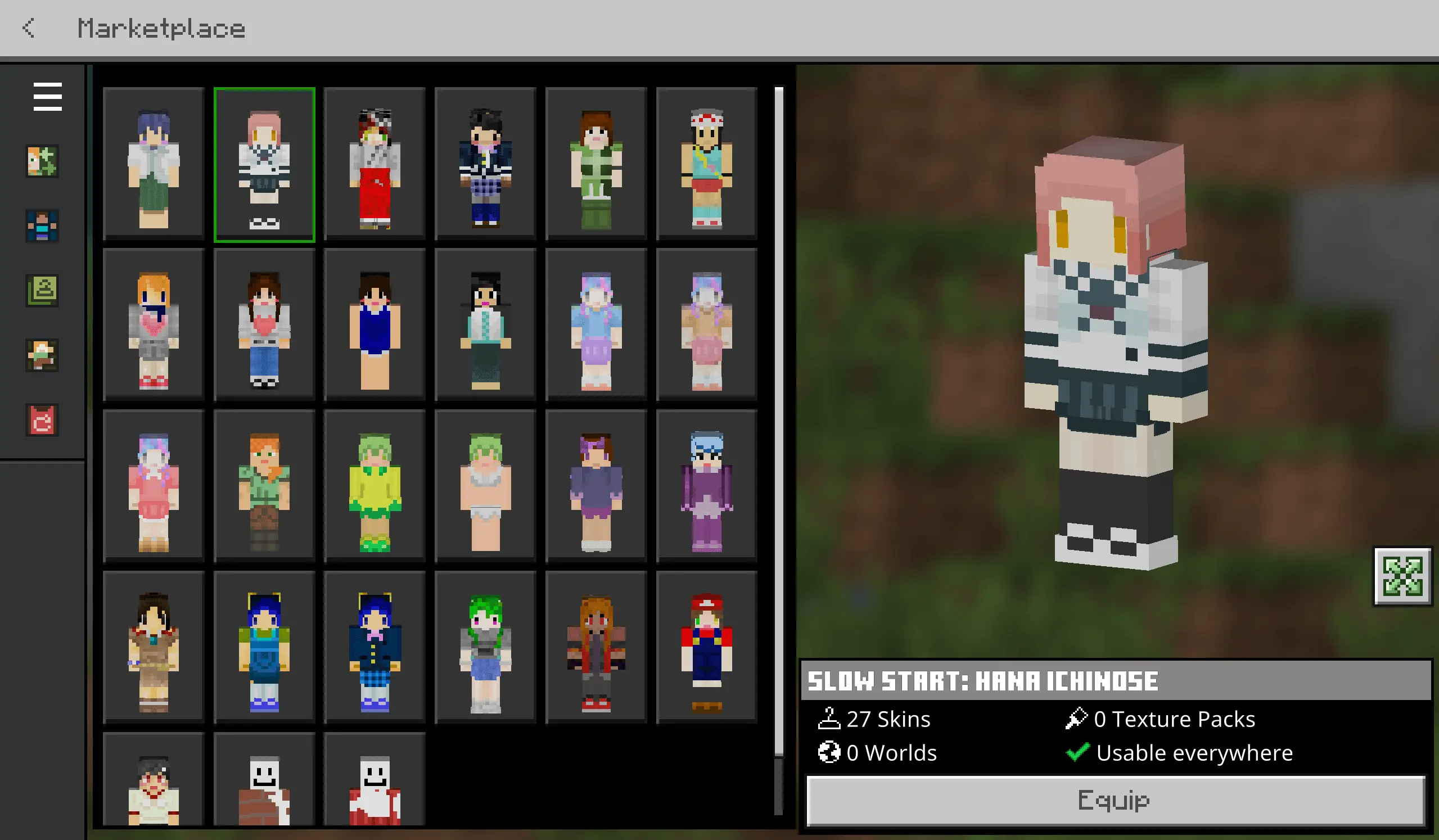
The Alleis Slop Skin Pack is a massive collection of 27 unreleased designs that finally give you some fresh looks for your next realm playthrough. It is basically a huge dump of the creator's secret stash, acting as the perfect companion to the original Alleis drop.
Finding a solid outfit that doesn't look like an over-shaded mess is actually pretty tough these days. Most players just cycle through the same basic marketplace options, which gets boring really fast. This pack fixes that by throwing a massive variety of character models straight into your dressing room. These are the "slop" files—designs the developer cooked up in the past but kept hidden in the vault until now. The aesthetics cover a ton of different styles, meaning whether you are grinding out a massive Skyblock island or hunting down players in a crowded PvP arena, you will definitely find a look that fits your vibe.
Scraping the bottom of the barrel for decent avatars usually ends with you equipping some washed-out, stretched pixel mess that makes you look completely lost. Alleis Elis built an insane reputation with their massive 4D collections, and this specific spin-off acts as the director’s cut of leftover projects and normal-geometry skins that simply didn't fit into the primary release. You aren't getting scrap assets here; these are highly polished, fully completed character designs that were kept under wraps. Loading into a sweaty Bedwars lobby or a fresh SMP wipe wearing a custom skin that essentially nobody else on the server has ever seen gives you an immediate exclusivity flex.
What makes this MCPE character skin pack highly accessible is the frictionless installation process. A lot of high-tier cosmetic bundles force you to jump through ridiculous hoops, manipulating cache folders or relying on sketchy third-party clients to get the geometry working. The creator engineered these encrypted textures to function smoothly right out of the box. Whether you are sweating it out on Windows, tapping away on an Android, or chilling on an iPad, importing this drop is insanely clean. You just double-click the
One thing to note is that the creator locked down the textures with encryption to stop people from stealing the raw artwork. Don't worry though, because getting these into your game is still insanely easy. It comes packaged as a standard .mcpack file, so you literally just click it once and it auto-installs into your client without any annoying file digging. If your current wardrobe is looking a little stale and you want some exclusive Minecraft Bedrock custom skins, this vault release is a must-download. Grab this MCPE character skin pack and go flex a brand-new aesthetic on your friends.
Quick guide: How to install this Minecraft skinpack
Downloaded the .mcpack file? Here is exactly how to get it into your game depending on what device you are using right now.
- On Windows or Android: Just click or tap the downloaded file twice. Minecraft will open up on its own and load the skins immediately.
- On iPhone or iPad: Save the file, open your Files app, and hold your finger on it. Hit Share, select Minecraft from the list, and the game will handle the rest.
To put the skins on, just open Minecraft, head over to the Dressing Room (Profile), click on Classic Skins on the left, find this pack under Owned, and tap Equip.
Comments (0)