Techno Creepers Skin Pack
- 21-07-2026, 14:21
- 397
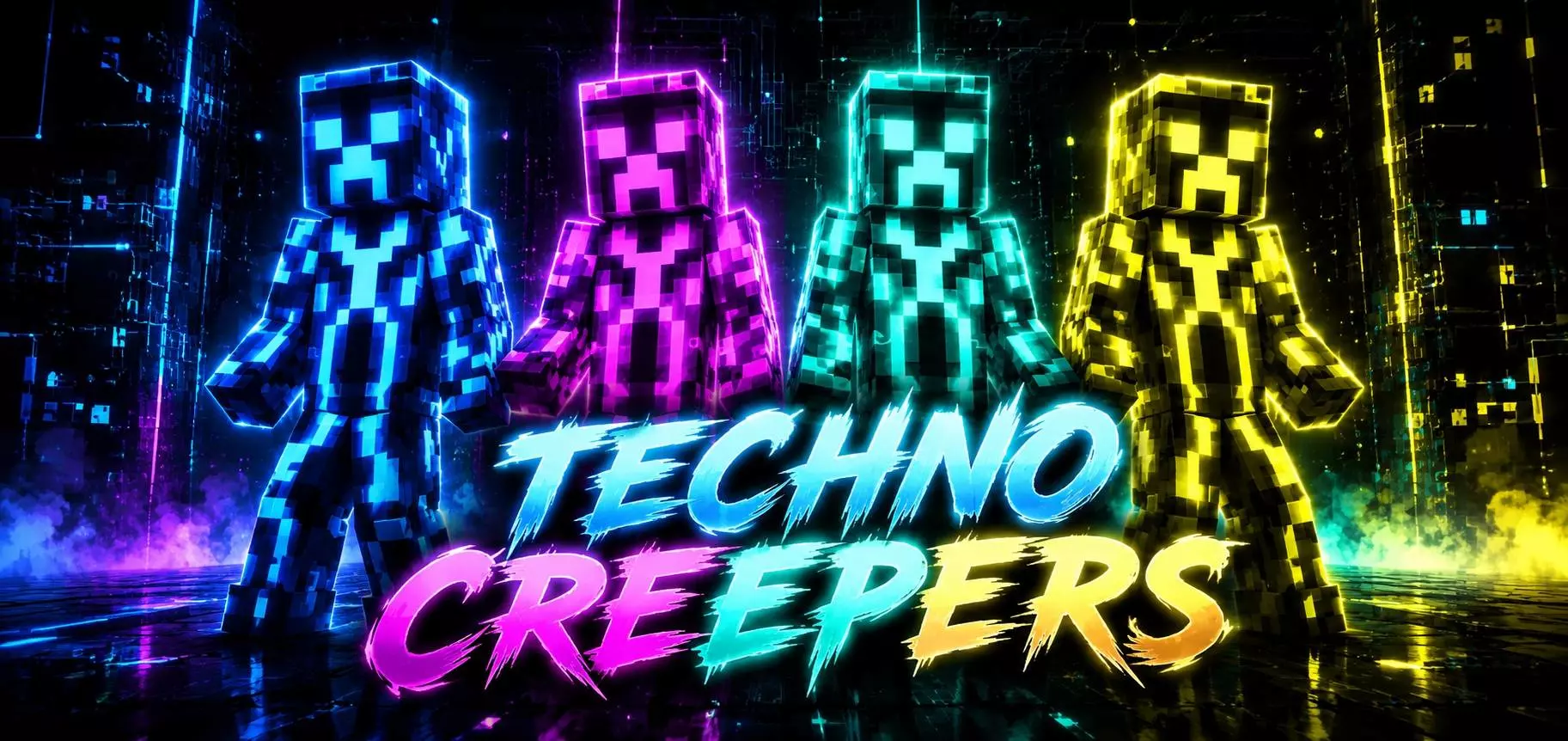
The Techno Creepers Skin Pack takes the most annoying mob in the game and turns it into a massive neon flex. If you want to run around your realm looking like a glowing explosive hazard, this is the drop you absolutely need.
We have all lost our best gear to a random creeper dropping from a cave ceiling, so why not steal their look and traumatize your friends? Instead of the standard boring green textures that just blend into the grass, this lineup hits you with bright, highly saturated colors and a heavy cyber aesthetic. It is perfect if you are hopping into a chaotic minigame server or just want to aggressively speed-bridge in Bedwars while looking like a walking rave. When your entire survival squad coordinates with the different neon variants from this pack, it honestly looks hilarious in the pre-game lobby.
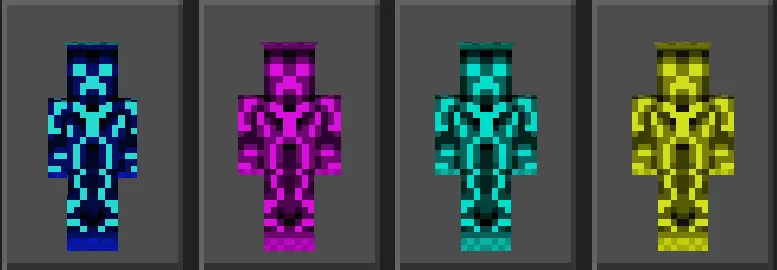
A lot of custom mob outfits try to do way too much and look super messy the second you throw a Netherite chestplate on, but these Minecraft Bedrock creeper skins keep the pixel art incredibly clean. The bright shading actually pops on your screen without looking like a blurry glitch. Because it is a completely standard MCPE custom skin pack, installing it takes zero effort. You do not have to mess around with weird file managers—just tap the download and they show up right in your dressing room.
Dropping into custom Bedrock minigames with these cybernetic creeper skins completely scrambles target priority during chaotic skirmishes. When you are rushing an enemy bed in Bedwars or sprint-jumping across floating islands in SkyWars, visual clarity is everything. Opponents expect standard anime hoodies or washed-out medieval armor; catching sight of a neon-infused bomb unit barreling toward their defense line triggers immediate panic. Even though the hitbox stays identical to a standard player model, that distinct, unblinking green-and-black grimace combined with glowing cybernetic accents creates instant intimidation in tight corridors.
The pixel work across the entire roster avoids the messy visual noise that ruins a lot of tech-themed cosmetics on the Bedrock marketplace. The creators kept the geometry tight and readable, so the layered armor plating and energy conduits actually look crisp from across a render chunk rather than blurring into an indistinct neon smudge. Whether you run the classic boxy build or prefer the slim arm profile for cleaner crosshair tracking during clutch bow shots, every wire and mechanical joint maps cleanly without clipping during sprint cycles or shield blocks.
If your survival realm crew is planning an industrial base expansion or you just want to troll opponents while defending your base claims, equipping one of these electrified demolition models makes a massive statement. Pick your favorite cybernetic chassis from the locker, rally your squad, and bring pure high-tech menace to the next PvP session.
If you are tired of rocking the exact same human avatars as everyone else, grab these techno Bedrock character skins, load into your favorite server, and go cause some colorful chaos.
Quick guide: How to install this Minecraft skinpack
Downloaded the .mcpack file? Here is exactly how to get it into your game depending on what device you are using right now.
- On Windows or Android: Just click or tap the downloaded file twice. Minecraft will open up on its own and load the skins immediately.
- On iPhone or iPad: Save the file, open your Files app, and hold your finger on it. Hit Share, select Minecraft from the list, and the game will handle the rest.
To put the skins on, just open Minecraft, head over to the Dressing Room (Profile), click on Classic Skins on the left, find this pack under Owned, and tap Equip.
Comments (0)