Horror Smile Skin Pack
- 21-07-2026, 15:07
- 490
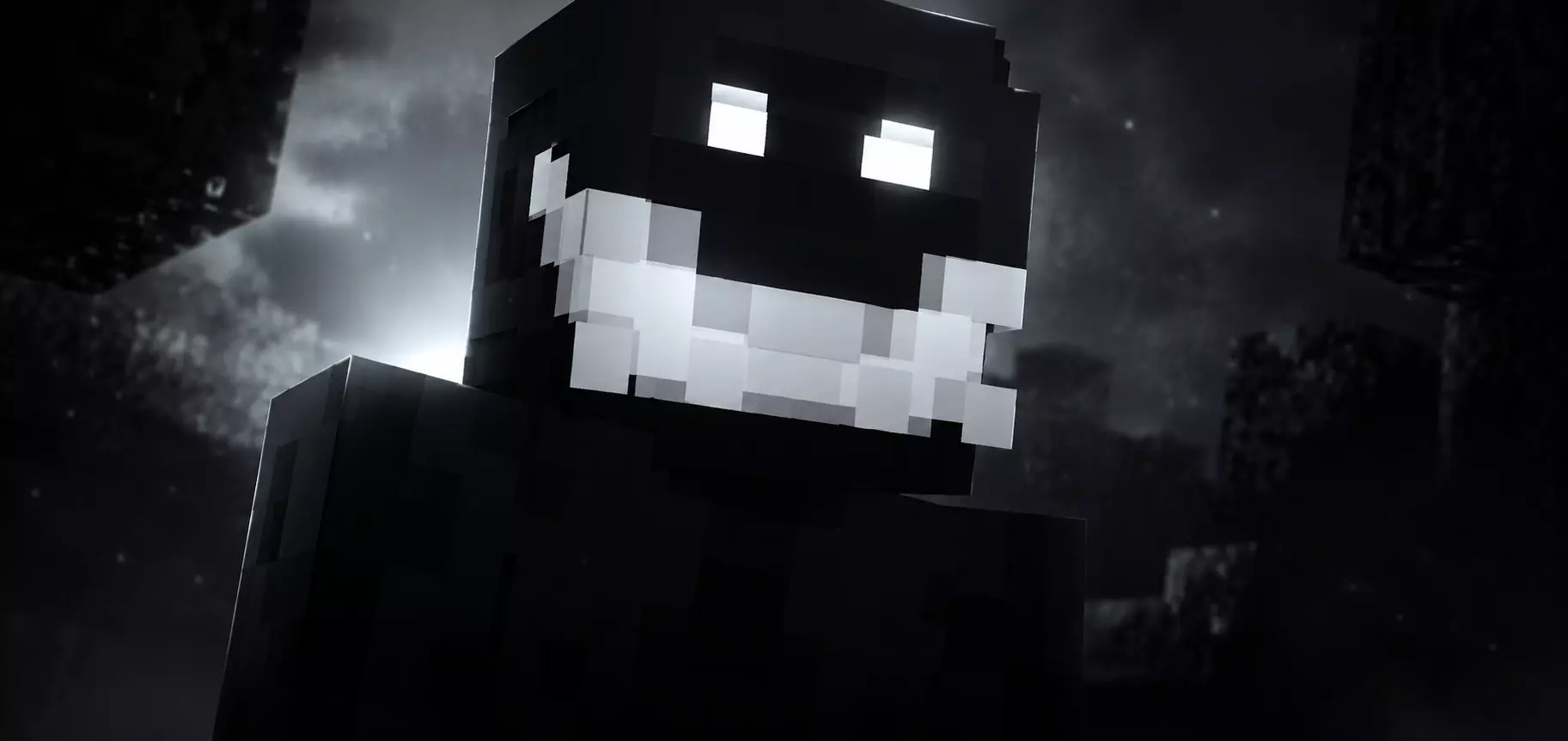
The Horror Smile Skin Pack drops the most unsettling, wide-grinning nightmares straight into your dressing room. If you want to jump-scare your friends on a late-night survival realm, this is exactly what you need to equip.
Let's be honest, standard zombie and skeleton outfits haven’t been actually scary since 2012. If you are trying to pull off a massive prank on your server or run a custom slasher minigame, rocking a basic Halloween costume just completely ruins the vibe. This collection leans heavily into that cursed internet-urban-legend aesthetic with sinister, ear-to-ear grins and pitch-black shading that practically erases your character model in the dark. Picture this: your buddy is mining deep underground, turns around to place a torch, and just sees one of these twisted faces staring back at them from a dead-end cave. Absolute peak terror.
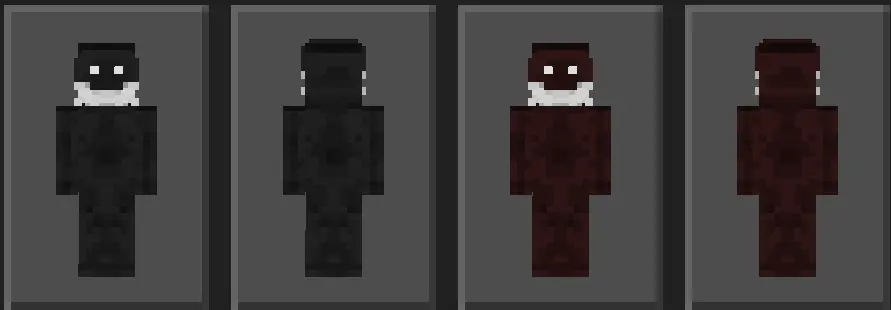
Rolling into a public server wearing default marketplace clothes won't faze anyone, but loading into a session draped in these sinister textures instantly sets an eerie tone. The entire pack focuses on psychological terror, centering around exaggerated, bloodcurdling grins stitched onto shadowy silhouettes, decayed carnival freaks, and twisted porcelain faces. You aren't just rocking another edgy black hoodie skin from 2016; these designs lean hard into analogue horror tropes, using harsh contrast, stitched jaws, and hollow eye sockets to create an unsettling presence that looks genuinely cursed in low-light environments.
Where this collection truly shines is during custom multiplayer mini-games and private horror roleplay maps. If you’re hosting an infected tag lobby, running a manhunt through an abandoned asylum build, or stalking your friends in a dimly lit custom mansion, equipping one of these horrifying avatars immediately elevates the scare factor. Sneaking around corners, cutting your torch light, and peeking out with an unnervingly wide grin turns standard stealth into a legitimate jump scare. Your friends will hear footsteps, flick their crosshair toward the corridor, and scramble backwards in panic when they register the glowing, teeth-baring expression staring right at them.
The visual clarity on mobile, console, and PC remains razor-sharp without causing any hitbox desync or rendering bugs. Many heavily detailed skin packs suffer from messy pixel placement that turns into visual mush at long range, but these outfits maintain their eerie silhouette even when viewed across a foggy biome. The high-contrast white teeth and hollow facial features cut straight through deep slate darkness, making them perfect for ambush tactics in survival PVP or griefing your friends' nerves during late-night spelunking trips.
A massive issue with a lot of spooky marketplace drops is that they look incredibly muddy or rely on weird geometry that blocks your screen during PvP. These Minecraft Bedrock horror skins keep the pixel art clean, ensuring that those eerie smiles pop perfectly against the dark textures without tanking your framerate. Because it functions flawlessly as a standard MCPE custom skin pack, you do not have to mess around with annoying folders. Just download the file and your new cursed look instantly syncs up.
Stop running around lobbies looking like a normal player. Grab these creepy Bedrock character skins, wait for the sun to go down on your server, and go cause some serious paranoia.
Quick guide: How to install this Minecraft skinpack
Downloaded the .mcpack file? Here is exactly how to get it into your game depending on what device you are using right now.
- On Windows or Android: Just click or tap the downloaded file twice. Minecraft will open up on its own and load the skins immediately.
- On iPhone or iPad: Save the file, open your Files app, and hold your finger on it. Hit Share, select Minecraft from the list, and the game will handle the rest.
To put the skins on, just open Minecraft, head over to the Dressing Room (Profile), click on Classic Skins on the left, find this pack under Owned, and tap Equip.
Comments (0)