Newb Shader
- 8-06-2026, 04:53
- 1 031

Newb Shader feels like it was made for players who want a cleaner, prettier world while keeping that familiar vanilla vibe. The whole point is enhancement, not a total visual replacement, and that comes through in the way it focuses on soft lighting, natural sky tones, calm water, and subtle world depth instead of extreme effects. From the provided details, it’s also clearly meant to stay lightweight, which is a big plus for regular play sessions.
A lot of what makes Newb Shader stand out is how many small visual touches stack together. The lighting is described as natural and soft, the clouds adapt with rain, and the sky stays bright and natural-looking while still adding a fancy sky in the End. Water and underwater visuals also sound like a big part of the mood, with calm water on the surface and a bluish foggy underwater look with soft caustics and streaks. That kind of combo makes normal survival stuff feel better without changing mechanics at all, especially when you’re traveling rivers, building near water, or doing long runs across open terrain.


So many Bedrock shader packs shoot themselves in the foot by overdoing post-processing filters until daytime exploration burns your retinas and night runs turn pitch black. You end up squinting through muddy gamma curves or dealing with obnoxious lens flares that ruin regular survival building. What makes this pack hit so differently is its discipline. Instead of fighting the game's core art style, it leans into enhanced vanilla vibes. The world stays crisp and colorful, but ambient light feels alive, filling tree canopies and mountain overhangs with soft, natural bounce rather than harsh pixelated shadow cutoffs.
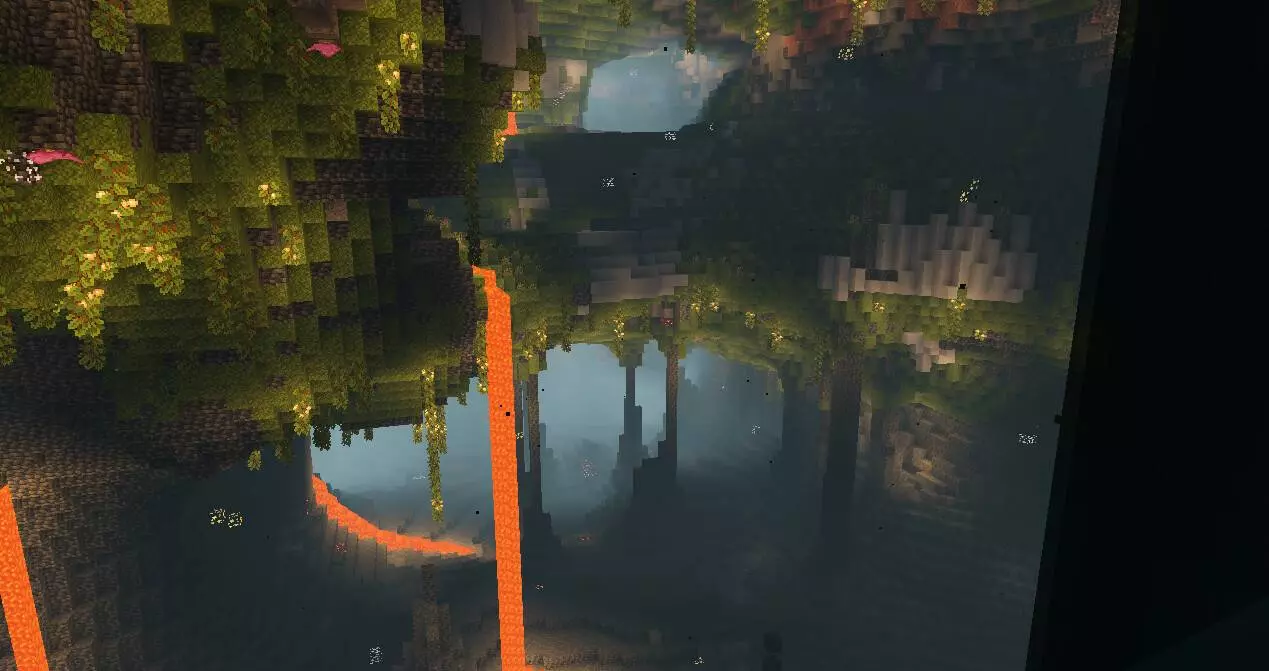
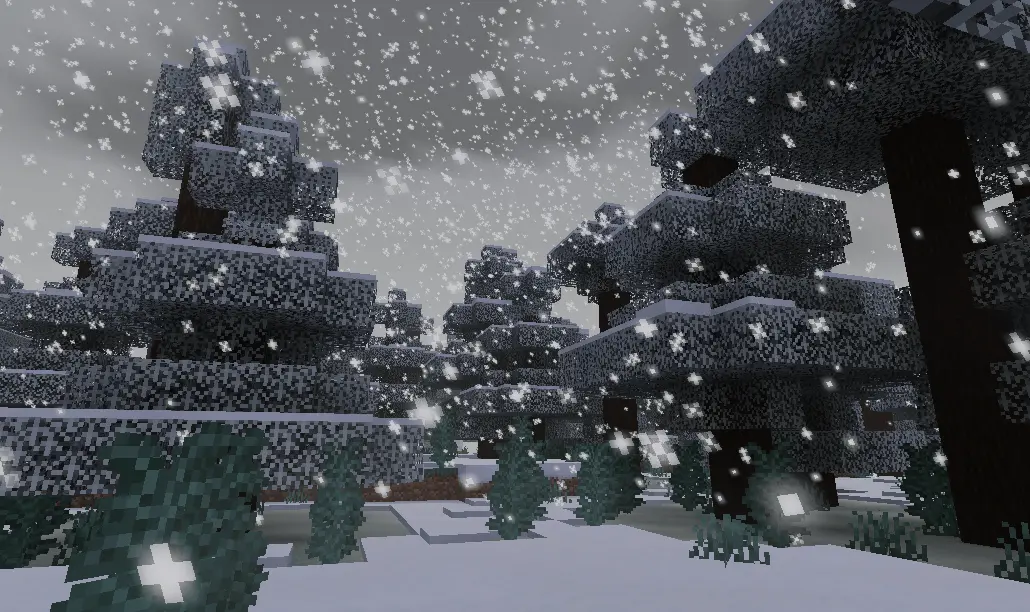

Newb Shader also adds movement and atmosphere in ways that can make the world feel more alive during everyday gameplay. The subtle foliage wave for grass, leaves, vines, and crops helps outdoor areas look less static, and the lantern swing is a cool detail you usually don’t expect in a Minecraft Bedrock shader. The fog depth and mist layer sound great for horizon blending, and rainy weather seems to be one of the favorite parts for a lot of players. If you like slower survival pacing, base work, farming, or nighttime exploration, those visual changes can make routine gameplay feel way less flat.
There are also several features that directly affect how the world reads while you play, like glowy ores shimmering in darkness, a brighter enhanced night sky with changing auroras, improved enchanted item glint, and the soft ambient around entities. The sun and moon details keep the vanilla style but still add polish, which fits the whole identity of Newb Shader really well. Just make sure to handle the setup correctly: the required patches are mandatory, and the installation guide should be read before downloading, since Newb Shader is specifically stated not to work without them.
Installation:
- Download Shader;
- Open the downloaded .mcpack to install;
- Select texture in settings;
- Done.
Comments (0)